8 USER MANUAL
__________________________________________________________________________________________________________________
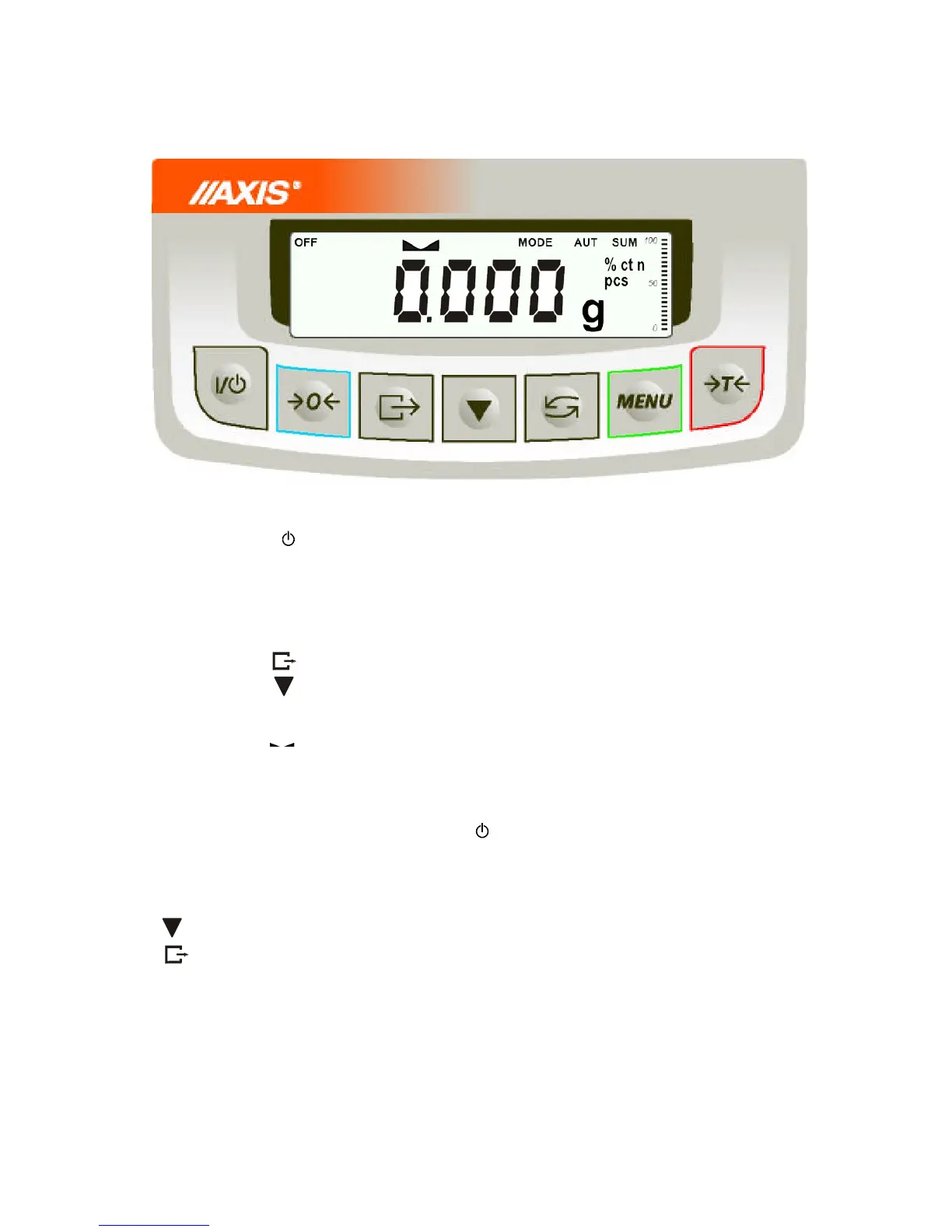
6. Keys and indicators
- switch on / switch off (standby),
- taring (storing package mass subtracted from weighed mass)
- change mode of balance work,
- zeroing the scale when pan is empty (option) ,
- internal calibration / changing menu position,
- zero indicator (when scale pan is empty),
- indicator of weighing result stabilisation,
- net mass (after use of →T← key),
- indicator of switching special function on,
- indicator of scale load (0-100%).
- switching scale with key (standby),
The use of keys during entering numeric values (special functions):
- increment current digit,
- insert comma,
T
- move to next position,
MENU - finish entering
Note:
0 keys and 0 indicators only work in balances with d=e.



 To Next Page