USER MANUAL 35
__________________________________________________________________________________________________________________
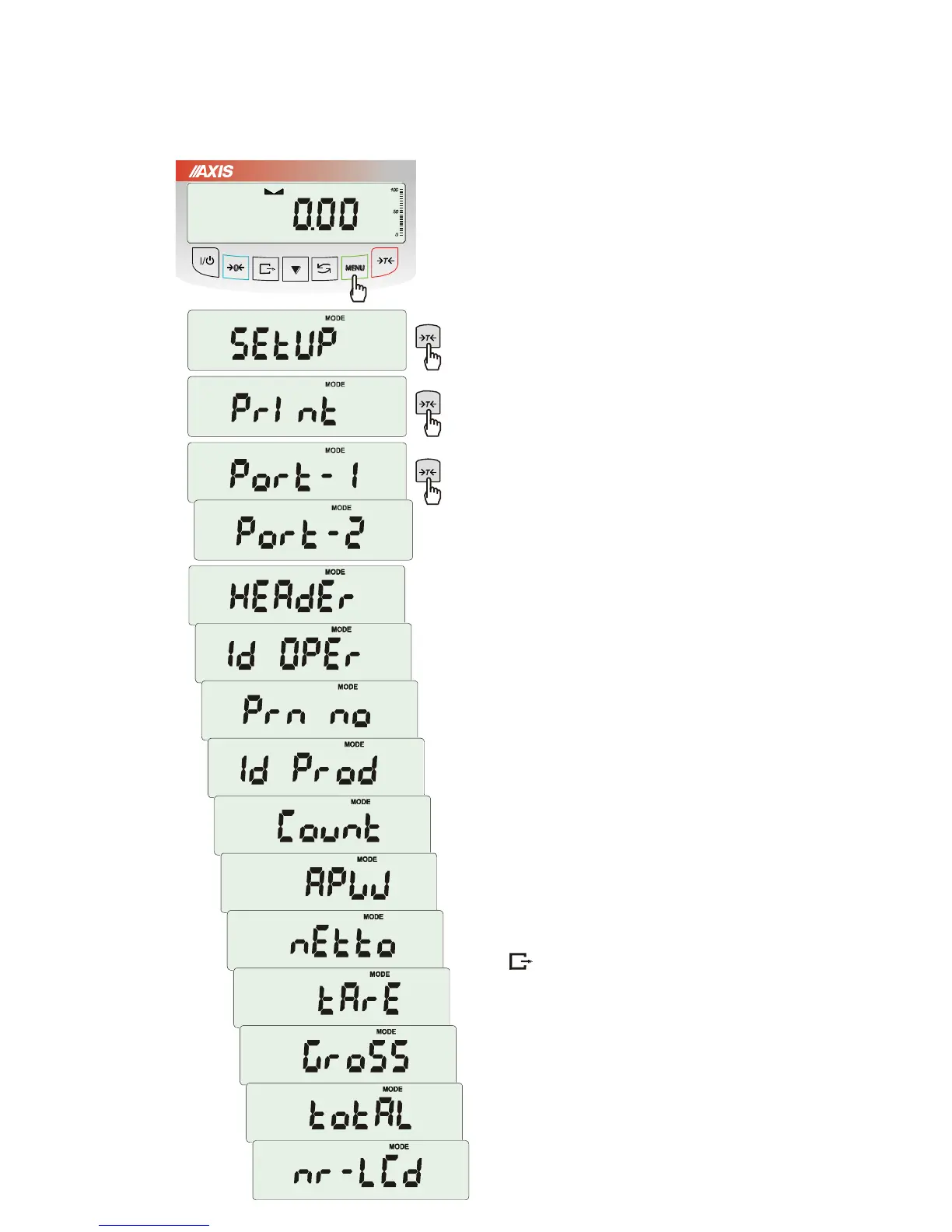
17.5 Printout configuration (PrInt)
Function is used for printing additional information
stored in scale memory, weighed product
identification data and scale operator id. That
information is inscribed using scale keys or
scanner.
The function allows to switch on/off following
positions on the printout:
- HEAdEr – header: name, model and scale
number,
- USEr Id – scale user identification number,
- USEr nA – user name,
- Prn no – successive printout number (choose this
option to zero counter),
- Prod Id – product number,
- Prod bA – product barcode (inscribed or
scanned),
- Prod nA – product name,
- Count – counting result (PCS function),
- APW – unitary mass (PCS function),
- nEt – net mass
- tArE – current tare value,
- GroSS – gross mass,
- totAL – total mass (totAL function)
Attention:
If Prod Id or USEr Id is chosen, it is possible to
inscribe quickly their new values (with omission
of main menu).
In order to do that hold (about 3 seconds) MENU
key and release it when Prod Id or USEr Id
indicates. Inscribe new value using keys:
0
- increasing digit,
- decimal point,
T
- next digit,
MENU - end.
While inscribing Prod id user can use barcode
reader connected to RS232C interface.
If the scale is equipped with two serial joints Print
function is set independently for both interfaces.



 To Next Page