USER MANUAL 47
__________________________________________________________________________________________________________________
Weighing with constant tare:
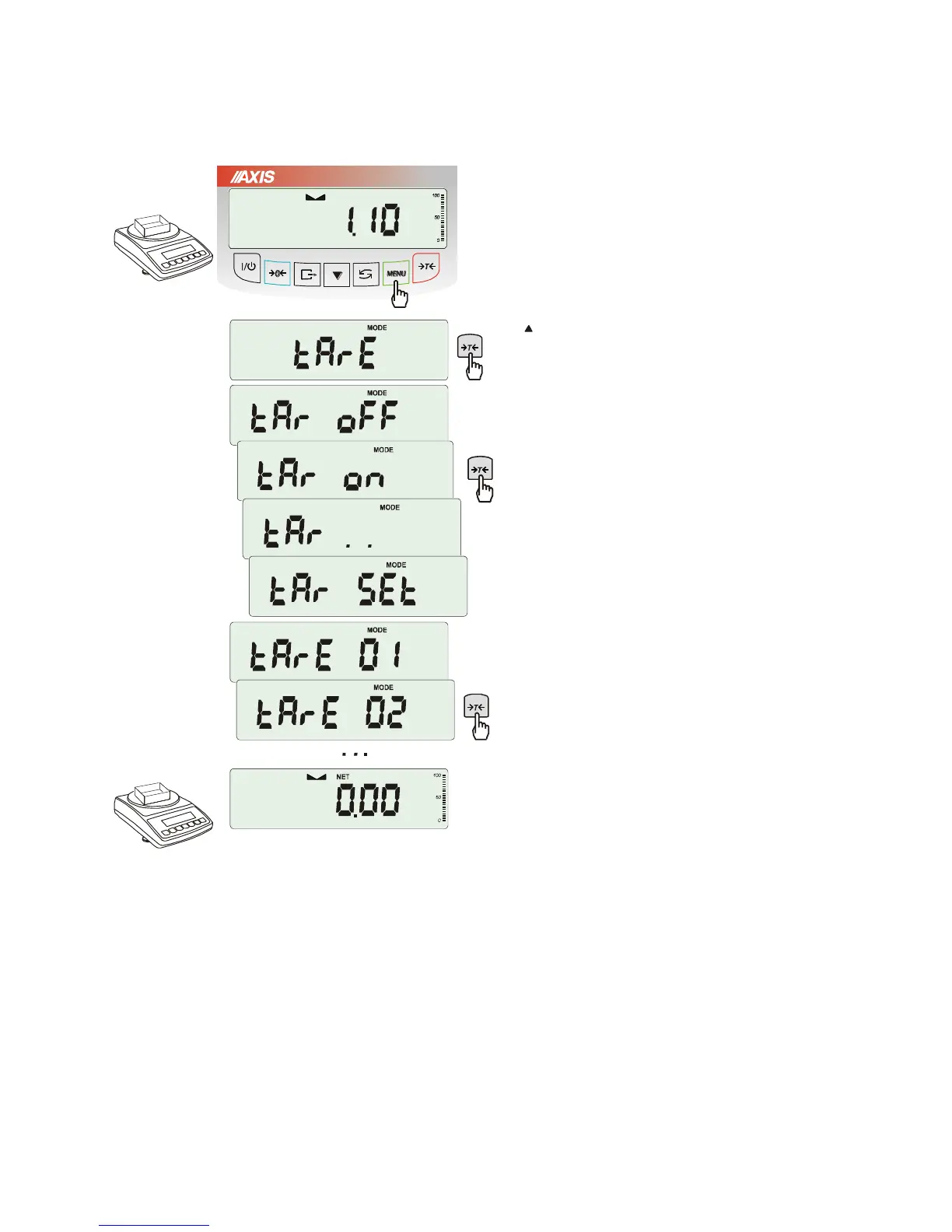
In order to use tare value that is located in
memory, choose from menu tArE function and
then tAr on option.
A list of memory cells will show up:
tAr 01, 02, ... , 10.
Cells with inscribed value are marked with "o"
sign on the left side, active value marked with
" ".
ATTENTION: In scales with LED display,
cells with inscribed value are marked with "
■
" .
Choose proper memory cell using
T
key.
tArE function is activated with chosen tare
value. Moreover the scale will indicate nett
weight (weight on the pan minus tare values).
Using
T
key (or
0
, while empty pan)
causes scale zeroing and then substraction of
recalled tare. Minus indication will show up.



 To Next Page