13
Track Playback
Repeat A B
Select desired passage to repeat playback.
-Press A B once to select starting point. Display shows REPEAT A.
-Press A B again to select ending point. Display shows REPEAT A B,
and select passage start to replay.
-Press A B once again to exit. Display shows A B CANCEL.
Pause
-During playback, press to pause playback.
-The sound will be muted.
-Display
"PAUSE"
in the TV screen, display and blink
"PAUSE"
on the panel display.
Press again to continue playback.
PBC - Playback Control (for VCD only)
1. If you insert a VCD with PBC, playback starts from the
beginning of the 1st track automatically.
2. Press
PBC
to show menu, use / or digit button to
select desired track.
Press
PBC
again to exit menu.
Press to return to power on logo.
GOTO
Goto desired track/chapter or time point directly.
Press
GOTO
button on the remote control, track or DVD Title/
Chapter and time display on top of the screen.
Current item is highlighted.
Use to select desired item. Use digit button to select
number. Press
ENTER
to confirm.
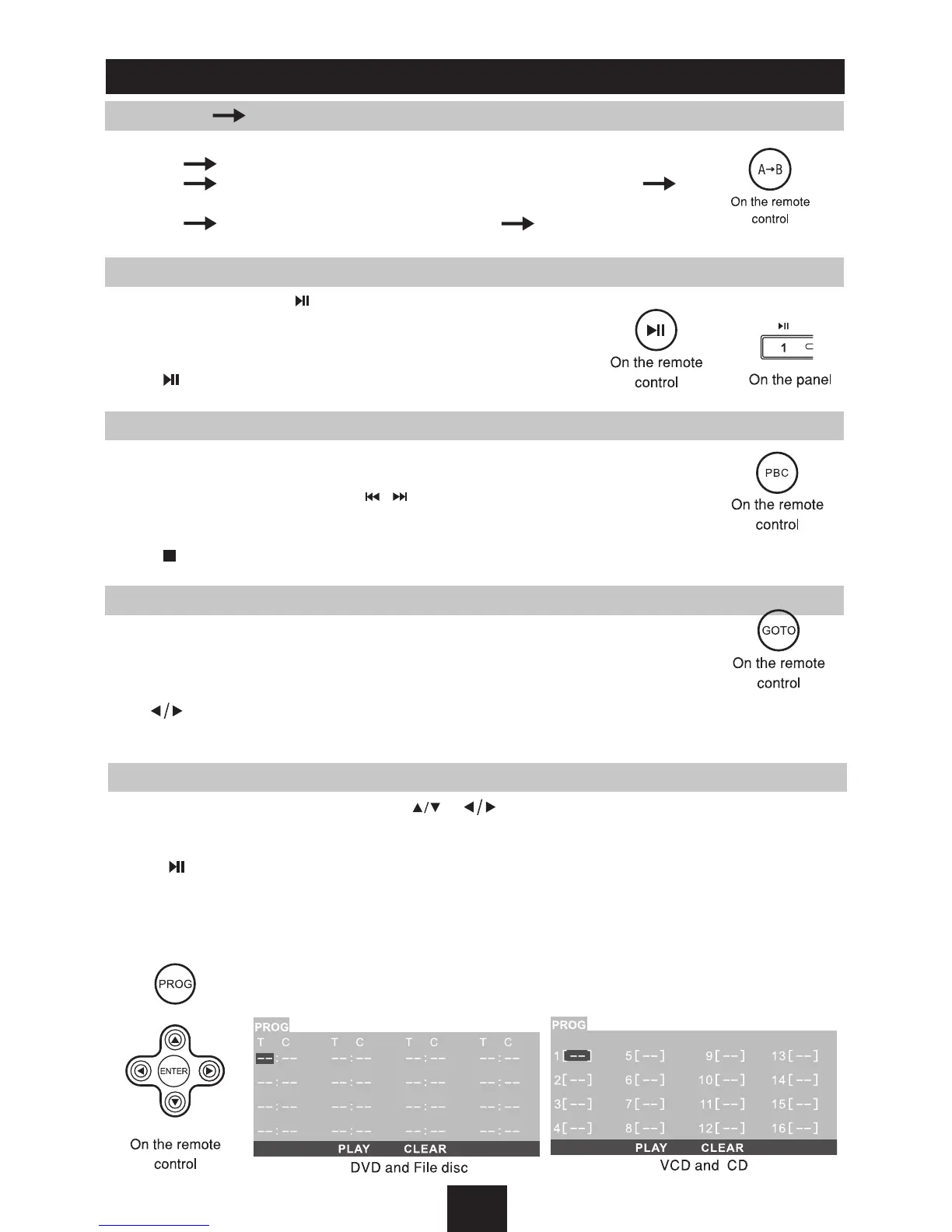
Program
-Press
PROG
to enter program list. Use or cursor and digit button to enter number.
For DVD and File disc, select title and chapter number.
For VCD and CD, select track number.
-Press to play, or move the cursor to select "PLAY" and press
ENTER
to play.
-If you want to delete the list, move the cursor to "CLEAR", press
ENTER
to delete all the list set
before.
-Press
PROG
again to exit program play.



 To Next Page