7
General Operation
Switching on and off
1. Press
PWR
to turn on the unit.
2. Press
SRC
once or more to select your desired function: DISC, USB, CARD, Aux ( Aux-in),
Tuner (Radio).
3. Press
PWR
more than 2 seconds to power off.
4. When you switch off the system or car ignition, the settings, tuner presets and the volume level
will be retained in the unit's memory.
Menu Function
Press
MENU
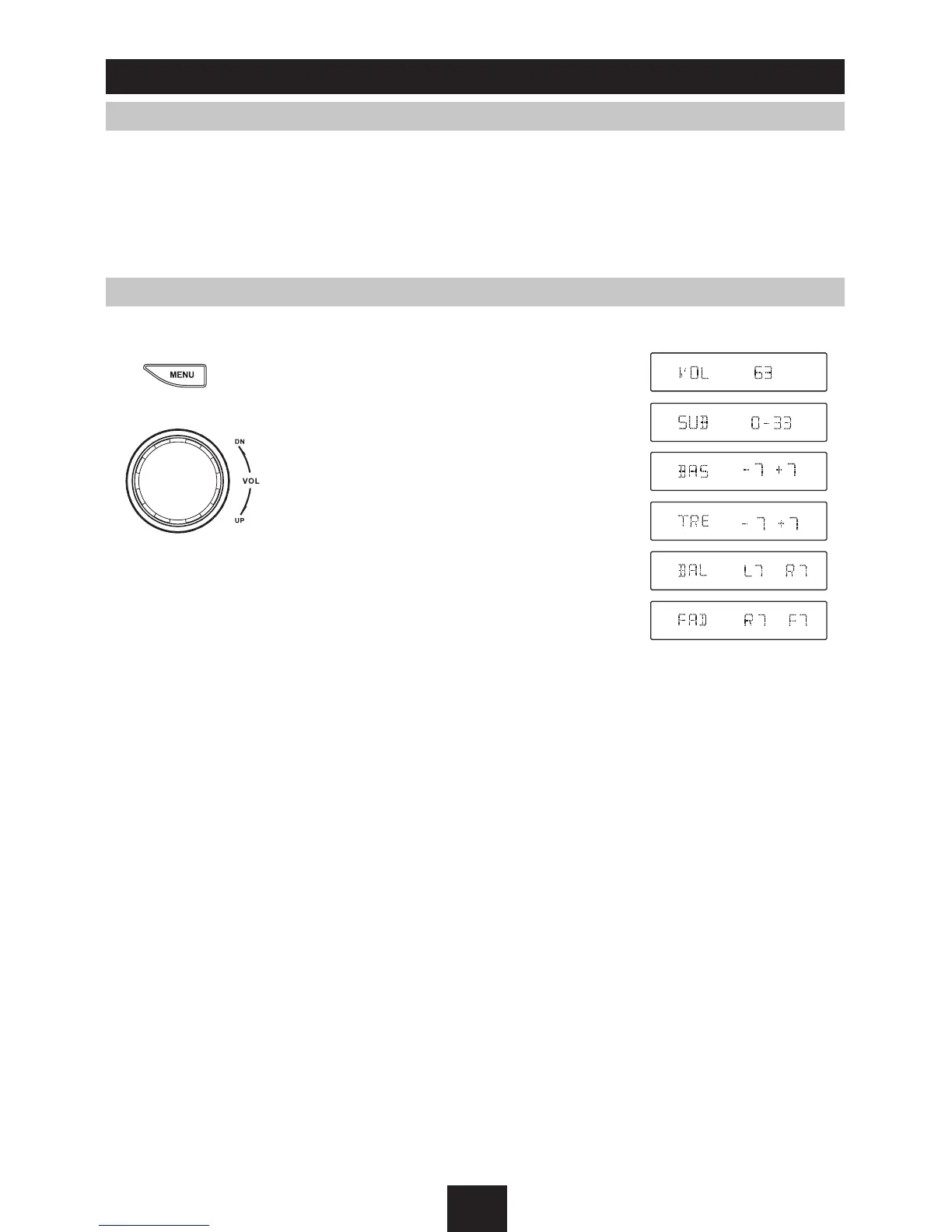
to select VOL/SUB VOL/BAS/TRE/BAL/FAD, and rotate the knob to adjust level.
VOLUME control
Display shows the volume level VOL and
number from 0 to 63.
SUB VOLUME control
(Note: when Sub-out
at ON status)
Display shows the sub-out level VOL and
number from 0 to 33.
BASS control
Display shows the Bass level.
TREBLE control
Display shows the TREBLE level.
BALANCE control
Display shows the BALANCE level.
FADER control
Display shows the FADER level.



 To Next Page