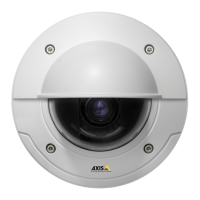
AXIS P3344 Fixed Dome Network Camera
Accessing the product
Note
• The default administrator user name root is permanent a nd cannot be deleted.
• If the password for root is lost, the product must be reset to the factory default settings. See Reset to f actory default
settings, on page 47.
The Live View page
If the Axis product has been customized to meet specific requirements, not all the ite ms de scribed below will ap pea r in the Live View
page. The following provides an overview of each available button.
Controls on the Live View page
Click View size to scale the image down to 800 pixels wide or to full scale. Only available i n MJPEG.
The Stream Profile drop-down list allows you to select a custom
ized or pre-programmed stream profile. Stream
profiles are configured under Video & Audio > Stream Profi les.SeeStream Profiles, on page 18.
Click Pulse to activate the output for a defined period of time , such a s switching on an external light for 20 seconds.
Click the Active/Inactive buttons to manually start and stop a connected device — e.g. switch an external light
on and off.
The Manual Trigger button can trigger a n event directly from the Live View pag e. The button is configured under
Live View Config > Action Buttons.
10



 To Next Page