AXIS Q1615-E Mk II Network Camera
Technical Specifications
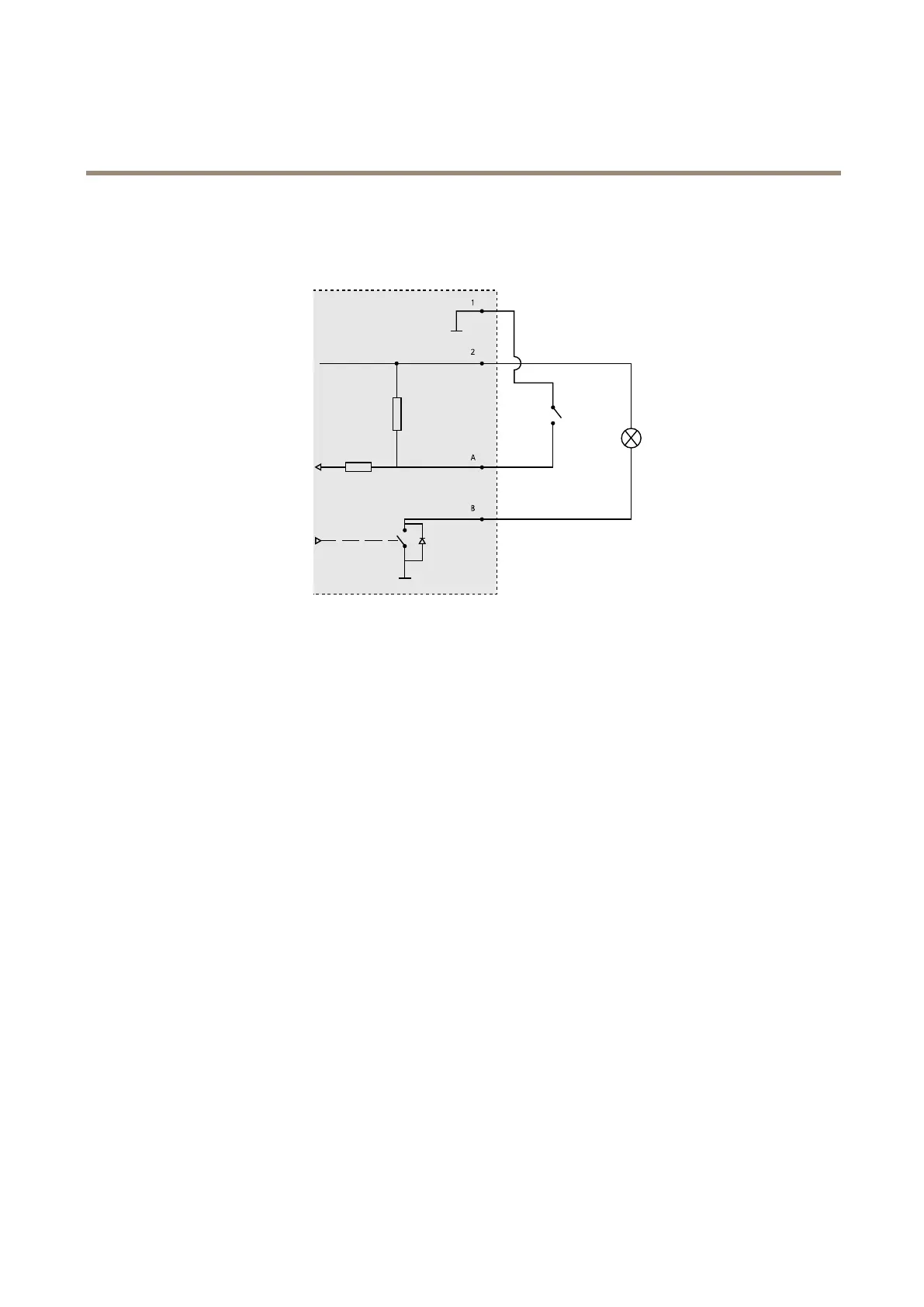
Connection Diagrams
I/O Connector
1
0 V DC (-)
2
DC output 12 V, max 50 mA
A
I/O congured as input
B
I/O congured as output
Performance Considerations
When setting up your system, it is important to consider how various settings and situations will affect performance. Some factors
affect the amount of bandwidth (the bit rate) required, others can affect the frame rate, and some affect both. If the load on the
CPU reaches its maximum, this will also affect the frame rate.
The following factors are among the most important to consider:
• High image resolution and/or lower compression levels result in images containing more data. Bandwidth affected.
• Access by large numbers of Motion JPEG and/or unicast H.264 clients. Bandwidth affected.
• Simultaneous viewing of different streams (resolution, compression) by different clients. Effect on frame rate and
bandwidth.
• Accessing Motion JPEG and H.264 video streams simultaneously. Frame rate and bandwidth affected.
• Heavy usage of event settings affect the product’s CPU load. Frame rate affected.
• Using HTTPS may reduce frame rate, in particular if streaming Motion JPEG.
• Heavy network utilization due to poor infrastructure. Bandwidth affected.
• Viewing on poorly performing client computers lowers perceived performance. Frame rate affected.
• Running multiple AXIS Camera Application Platform (ACAP) applications simultaneously may affect the frame rate and
the general performance.
78










 To Next Page