17
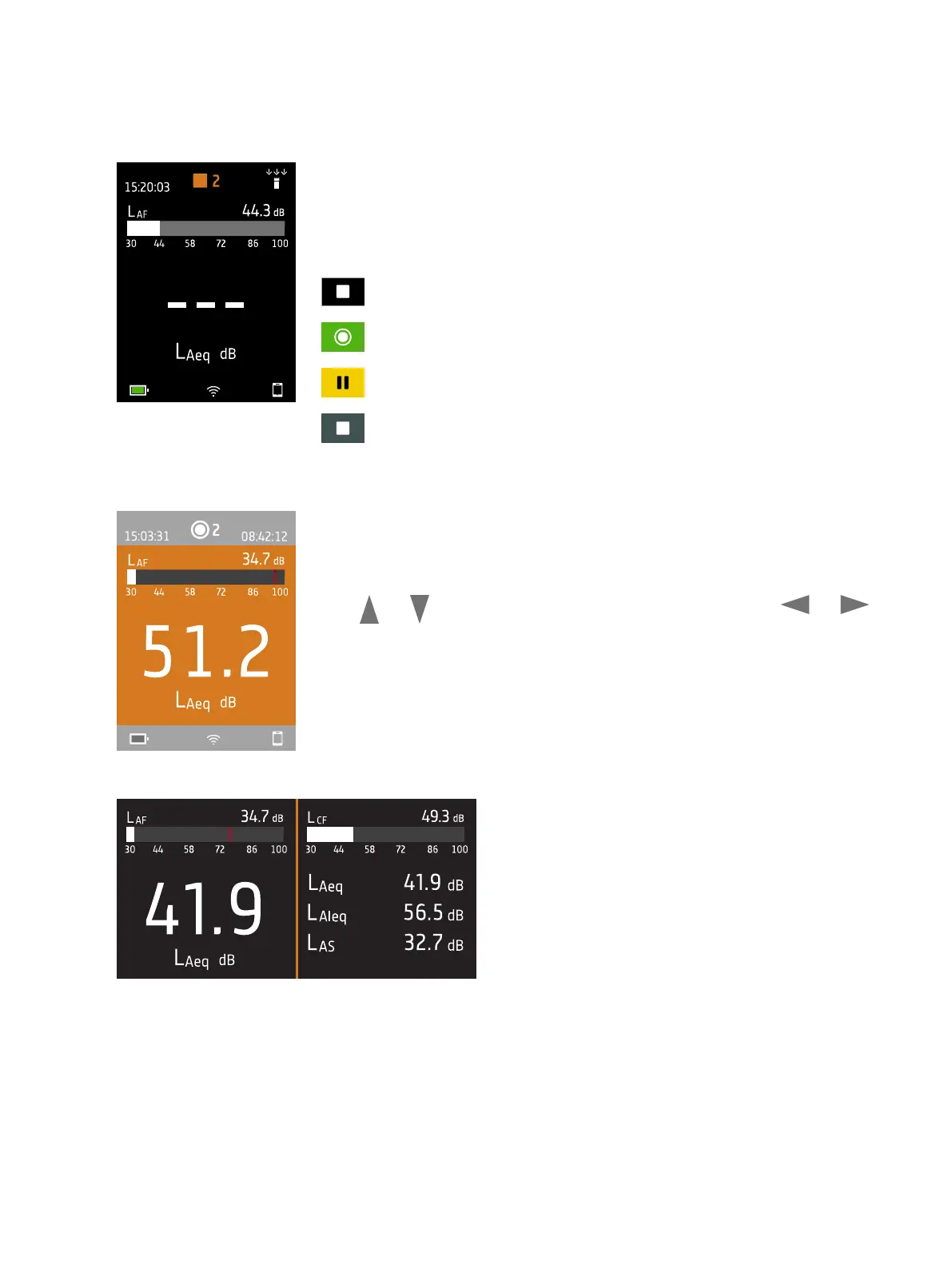
The number in the centre is the measurement number. The first measurement of
every day is number 1. The number increments with each new measurement.
The background colour of the top region and the centre symbol change to indicate
the state of the instrument.
: Indicates that the instrument is ready to measure.
: Indicates that the instrument is measuring.
: Indicates that the instrument is paused.
: Indicates that the instrument is stopped and displaying results from the
measurement.
In the middle is the measurement display. There are views for broadband para-
meters (SLM view and List view), spectrum parameters (Spectrum view, logging pro-
files (Profile view and a view for information about your data (About data view).
Press and briefly to scroll through measurement displays. Press and
briefly to scroll through the parameters for each display.
SLM view (left) and List view (right) are the main dis-
plays for single measurements. SLM view shows a bar
graph and one broadband parameter. List view shows a
bar graph and a list of broadband parameters.
Get Started: Instrument GUI



 To Next Page