Software • BIOS options
Chapter 4
Software
293Panel PC 700 with 945GME N270 CPU board User's Manual V 1.16
1.9 BIOS default settings
If the function "load setup defaults" is chosen in the main BIOS setup menu, or if exit is selected
(or <F9> is pressed) in the individual setup screens, the following BIOS default settings are the
optimized values that will be used.
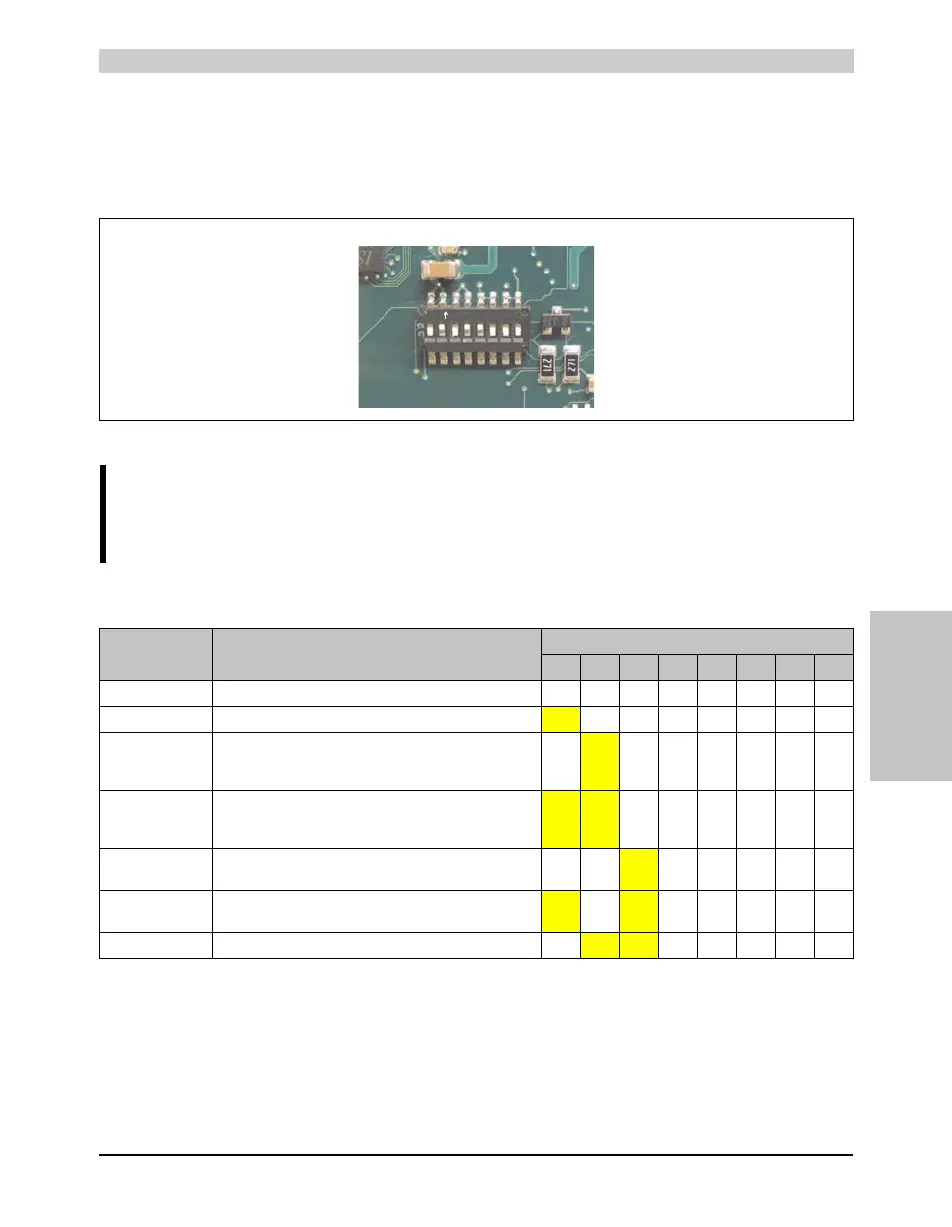
The first six DIP switches (1-6) are used to set the profiles. The rest (7,8) are reserved.
The following pages provide an overview of the BIOS default settings for the different DIP switch
position. Settings highlighted in yellow are variations from the BIOS default profile (=profile 1).
Figure 171: CMOS profile hex switch
Information:
The switch position that is set upon delivery represents the optimum BIOS default
values for this system and should therefore not be changed.
Profile number Optimized for
DIP switch setting
1 2 3 4 5 6 7
1)
1) Reserved.
8
1)
Profile 0 Automation PC 620 system units 5PC600.SX01-00. Off Off Off Off Off Off - -
Profile 1 Reserved
On Off Off Off Off Off - -
Profile 2 Automation PC 620 system units 5PC600.SX02-00,
5PC600.SX02-01, 5PC600.SF03-00, 5PC600.SX05-00 and
5PC600.SX05-01.
Off
On Off Off Off Off - -
Profile 3 Panel PC 700 system unit 5PC720.1043-00, 5PC720.1214-
00, 5PC720.1505-00, 5PC720.1706-00, 5PC720.1906-00,
5PC781.1043-00, 5PC781.1505-00 and 5PC782.1043-00.
On On Off Off Off Off - -
Profile 4 Panel PC 700 system unit 5PC720.1043-01, 5PC720.1214-
01, 5PC720.1505-01 and 5PC720.1505-02.
Off Off On Off Off Off - -
Profile 5 Automation PC 620 embedded system units 5PC600.SE00-00
und 5PC600.SE00-01.
On Off On Off Off Off - -
Profile 6 Panel PC 700 system unit 5PC725.1505-00 Off
On On Off Off Off - -
Table 130: Profile overview



 To Next Page