Software • Upgrade information
Chapter 4
Software
321Panel PC 700 with 945GME N270 CPU board User's Manual V 1.16
2.3 Creating an MS-DOS boot diskette in Windows XP
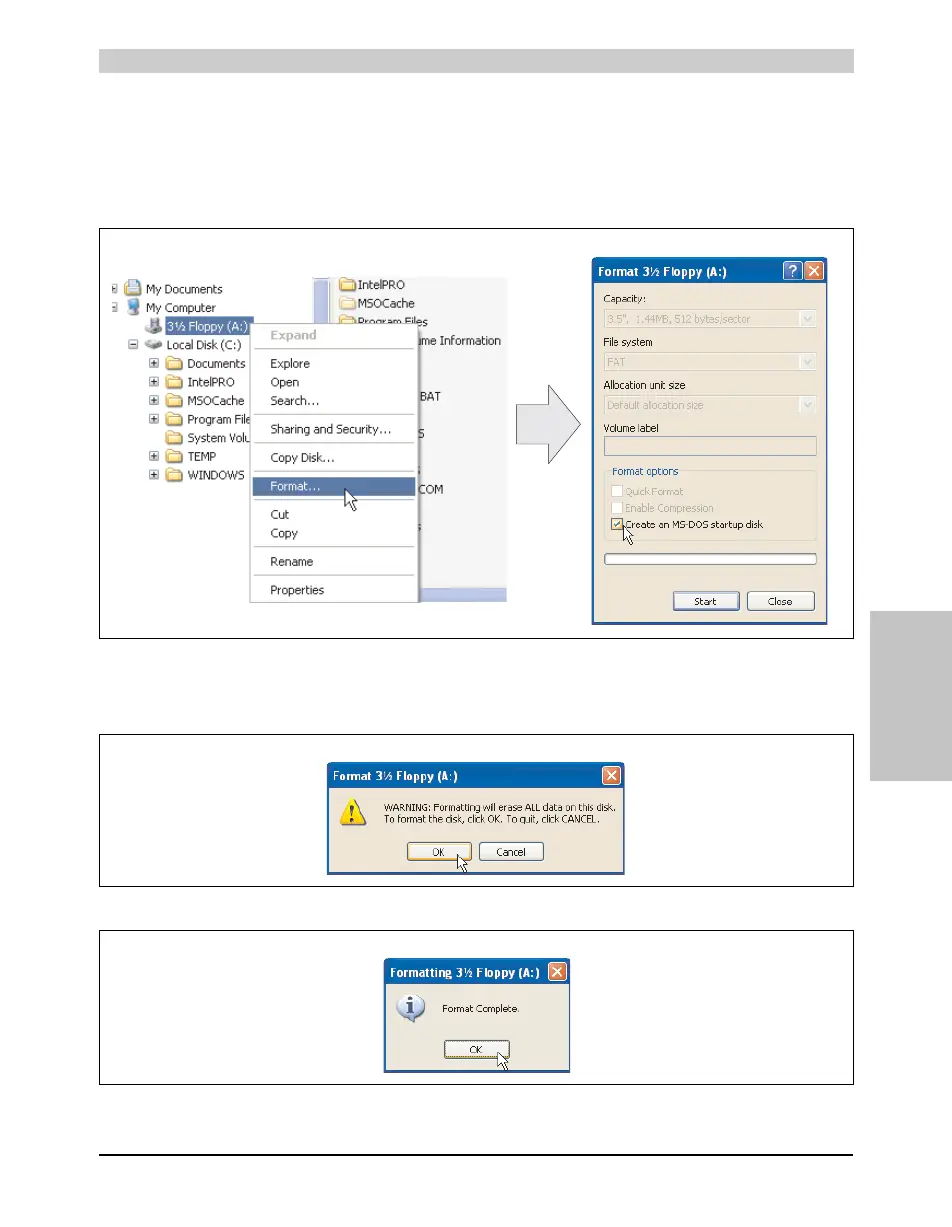
• Place an empty 1.44 MB HD diskette in the disk drive.
• Open Windows Explorer.
• Right-click on the 3½" floppy icon and select "Format...".
• Then select the checkbox "Create an MS-DOS startup disk", press "Start" and
acknowledge the warning message with "OK".
Figure 175: Creating a bootable diskette in Windows XP - step 1
Figure 176: Creating a bootable diskette in Windows XP - step 2
Figure 177: Creating a bootable diskette in Windows XP - step 3



 To Next Page