45 Barracuda NG Network Access Client - Administrator’s Guide
3.2.4 Rule Configuration
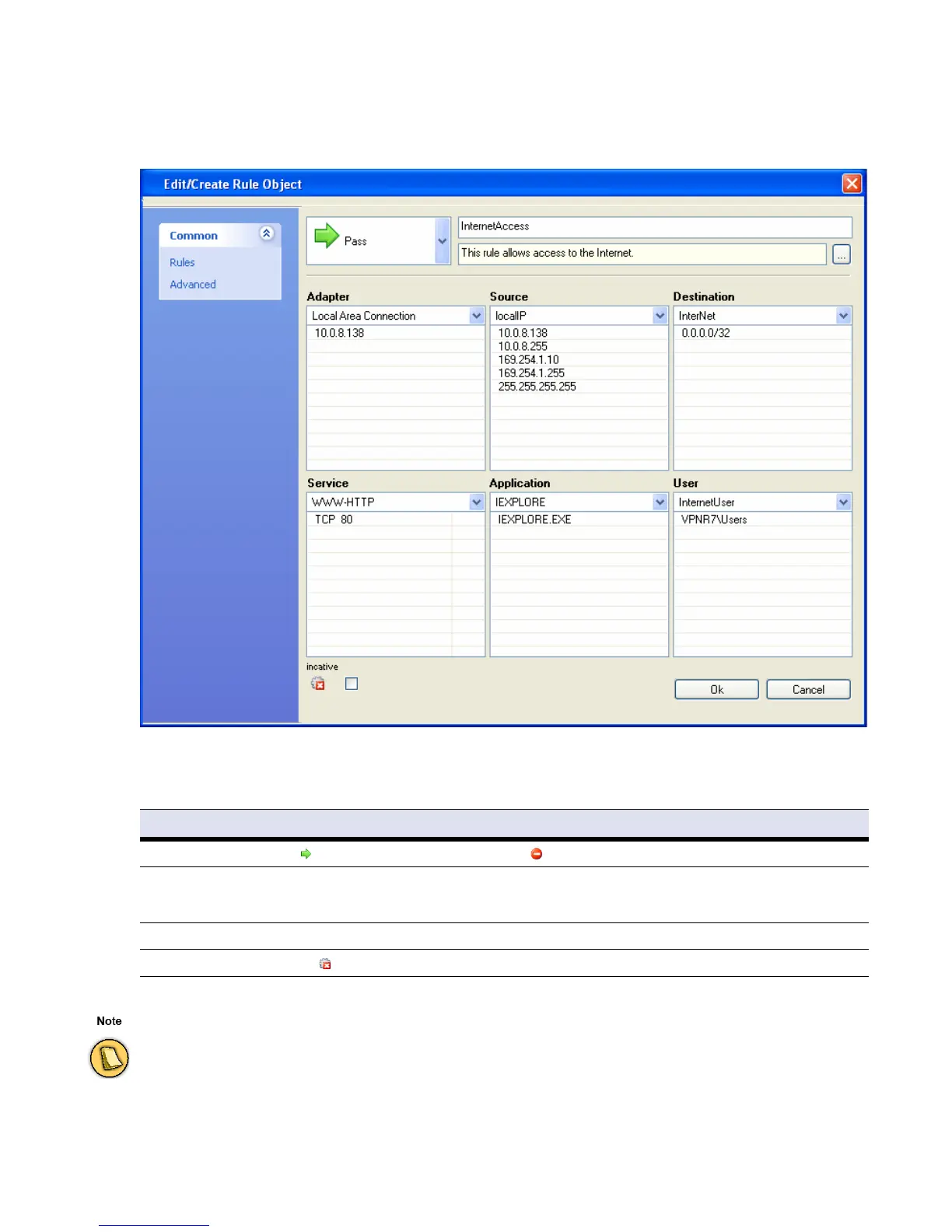
Select New … from the context menu to create a new rule.
Configure the following connection details in the
Rules view of the Rule Object window:
Fig. 3–4 Edit/Create Rule Object
List 3–1 Edit/Create Rule Object - Options in the Rules view
Item / Parameter Description
Action
Select Pass to enable a connection request, select Block to prevent it.
Name Insert a rule name into this field.
Note:
The maximum length of this parameter is 50 characters.
Comment For easier identification, insert a rule description (optional).
inactive
Select the inactive checkbox to disable a rule (default: unselected).
A minimum specification of the following connection details is mandatory in the sections below:
• Source / Destination / Service or
•
Adapter / Source / Service or
•
Adapter / Destination / Service



 To Next Page