124 VPN Component Configuration
Chapter 10
VPN Component Configuration
10.1 Create a New Profile Using the Profile Wizard
For your convenience, you may use the Profile Wizard to easily create and configure a new VPN
profile.
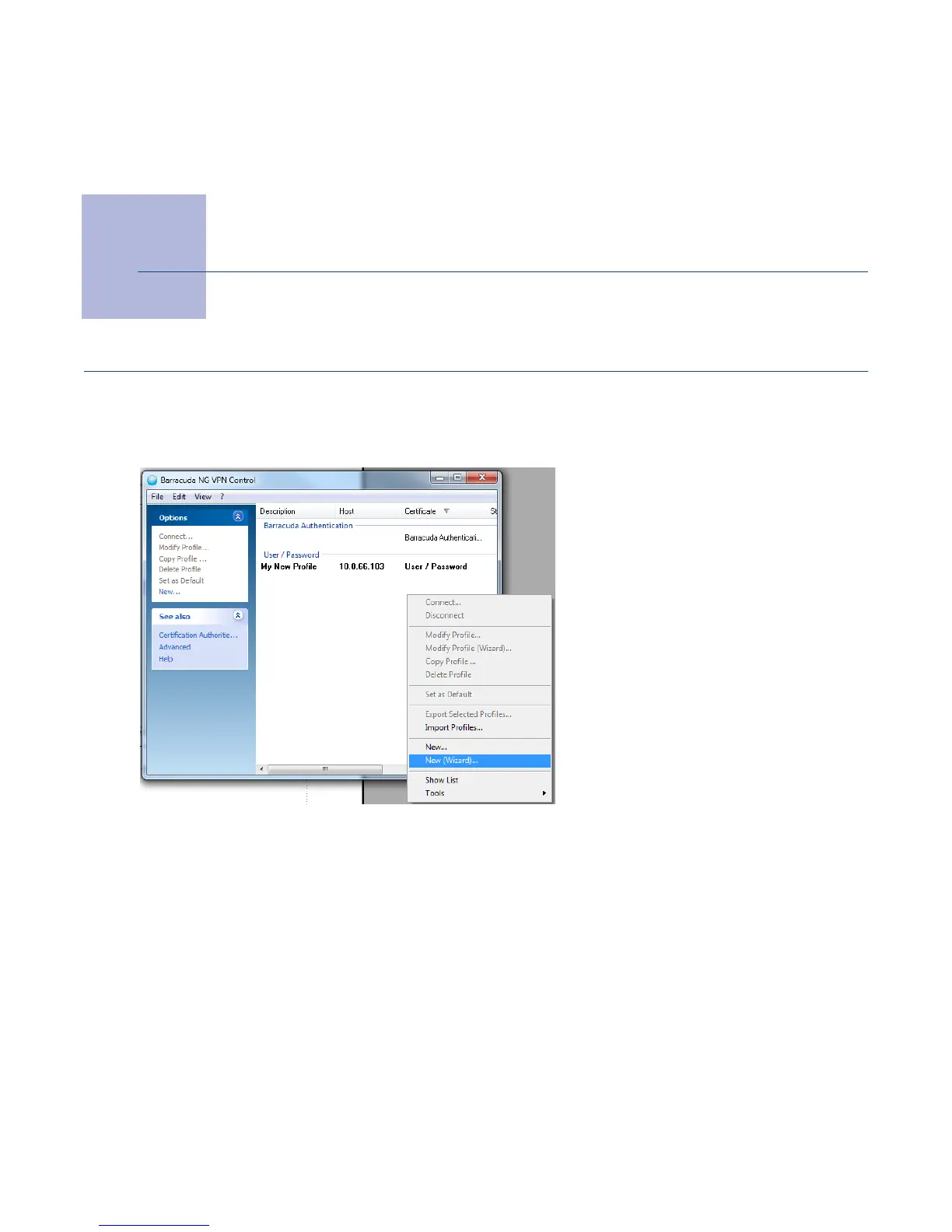
To start the wizard, right-click anywhere within the empty white space in the Barracuda NG VPN
Control window, followed by choosing
New (Wizard)... from the context menu.
In the appearing
Profile Wizard window, type the VPN server’s address into the upper field and,
optionally, a name to display into the lower field.
Fig. 10–1 VPN Profile Wizard Context Menu Item



 To Next Page