44 Server Config – Personal Firewall Rules
3.2.3 Button Bar
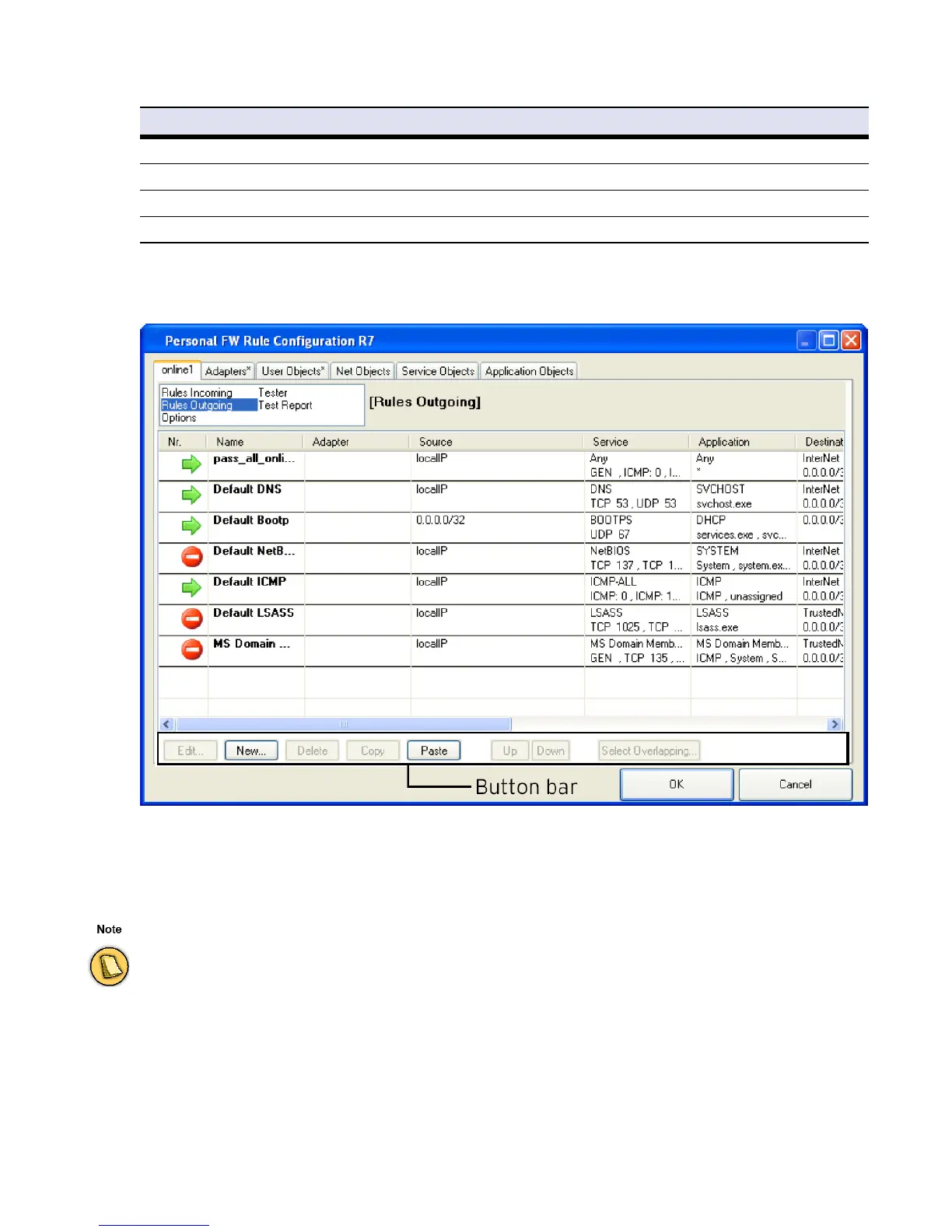
In the button bar, the Up and Down buttons complement options are available in the context menu.
Select a rule and click one of the buttons, to shift the rule further up or down within the rule set.
Alternatively, you can use drag&drop.
New … Opens the rule configuration dialog for a new rule (3.2.4 Rule Configuration, page 45).
Delete Deletes the selected rule(s).
Copy Copies the selected rule(s) to the clipboard.
Paste Pastes the selected rule(s) from the clipboard.
Fig. 3–3 Rules Outgoing – Button bar
According to a regular Barracuda NG Firewall rule set, the NG Firewall rule set is processed rule by rule until an ap-
plicable rule is available. Thus, to achieve correct rule processing, rules must be arranged in the correct order.
Table 3–1
Rule window - Context menu
Item Description



 To Next Page