You also have several additional options:
• to add the contact to favorites and it will be displayed at the top of the list;
to add the contact to the blacklist and not receive notifications about calls from this contact•
(but a call will be displayed as missed in the list);
to accept calls from this contact automatically (autoanswer);•
for multi-apartment and individual panels, you can select the Use as default option.•
In this mode, the selected panel will be displayed by default when opening panel monitoring
menu.
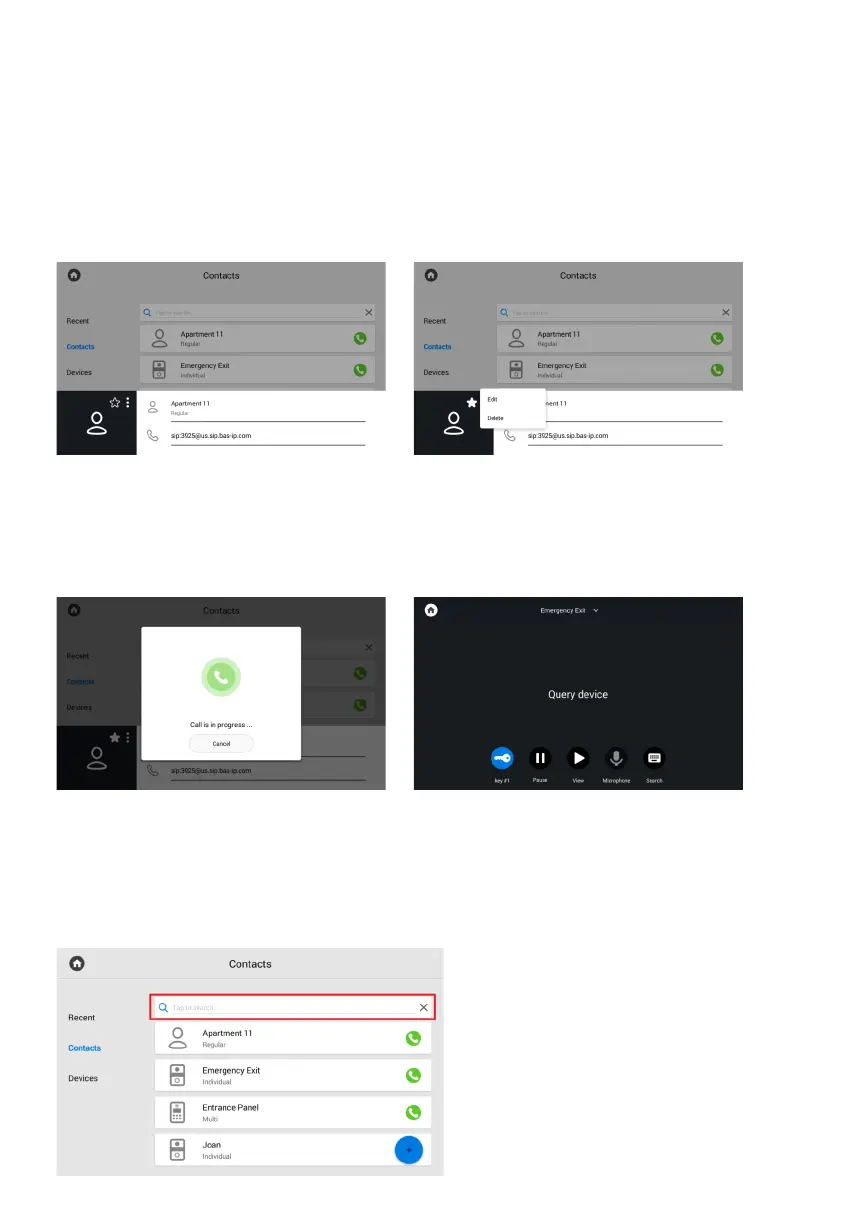
If you tap a contact card, its detailed
info will be displayed.
By pressing the star icon, you can add
a contact to favorites so that it appears
at the top of your contacts list.
Press the button with three dots, to edit
or delete a contact.
To make a call, press the call button
on the right.
When you call the entrance panel, there
will be a search and connection
to the device.
The panel automatically accepts the call
for 30 seconds, and after the call ends
automatically.
To quickly find a required contact, enter
its name in the search bar.
Contacts search



 To Next Page