NE134
www.baumer.com
39
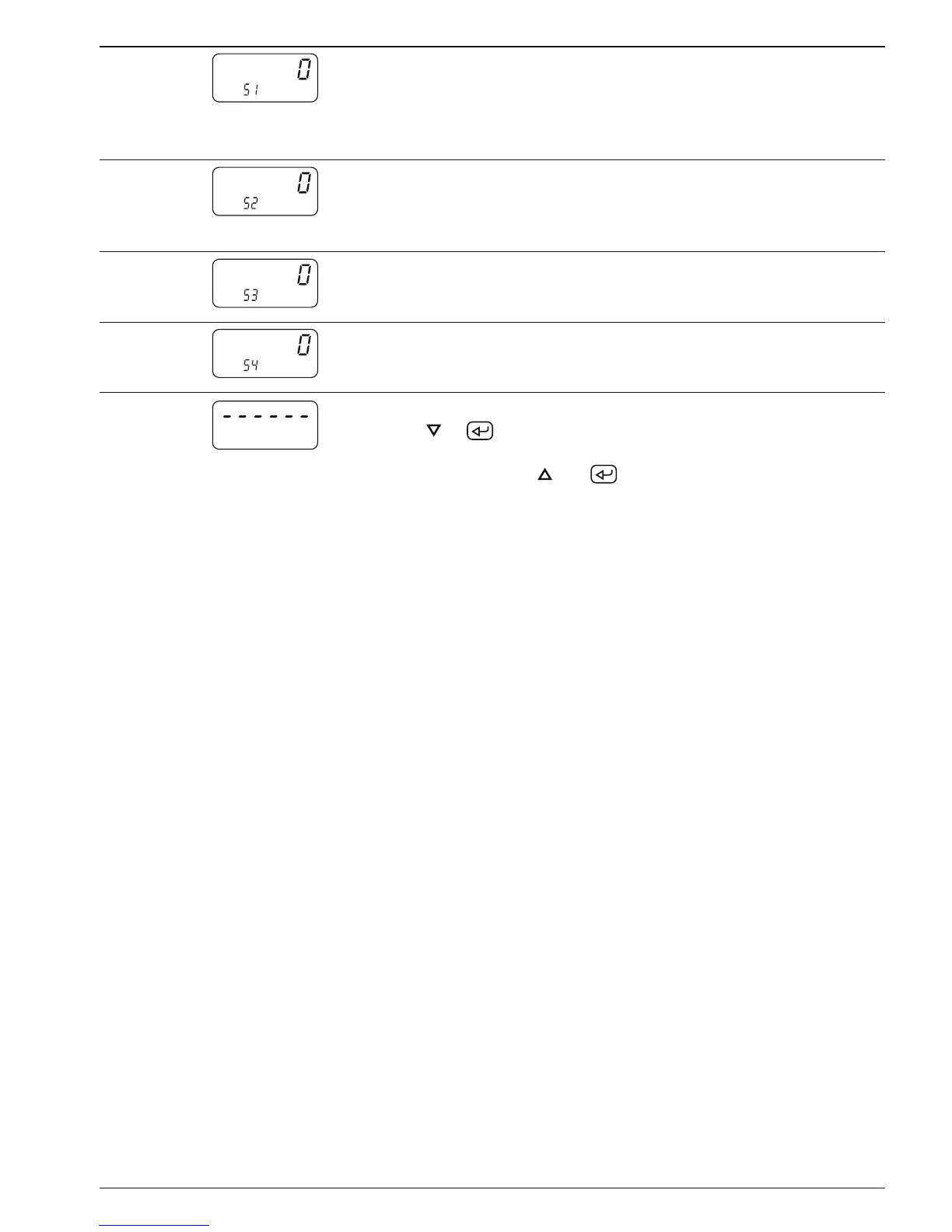
Line 51 Baud rate
0 * 4800 Baud
1 2400 Baud
2 1200 Baud
3 600 Baud
The programming lines 51-54 are
only displayed for models with
interface
Line 52
Parity
0 * Even parity (7 data bits)
1 Odd parity (7 data bits)
2 No parity (8 data bits)
Line 53
Stop bits
0 * 1 Stop bit
1 2 Stop bits
Line 54 Address
0 * from
99 to
The dash line indicates the end of the third programming field.
By pushing
or
, the instrument switches back to the beginning
of the first programming field. Programming can be shut down at any
time by pushing the keys
and
simultaneously.
5.1 Operating modes
The following paragraphs describe the operating modes.
Step preset The counter counts to the next preset after having reached a preset.
The presets are always handled in the sequence P1, P2. You can
select the preset of your choice. An automatic reset to 0 and/or to
the start count SC is possible at P2 (at the second preset). An exter-
nal or manual reset is possible at any time.
P1 trailing preset The entry of preset P1 corresponds to the interval between the
previous signal and the final signal. This means that when changing
the final signal, i.e. the preset P2, the previous signal will be auto-
matically adjusted or „trailed“. This mode is well suited for switching
between rapid and creeping speed in the case of length measure-
ment applications.


 To Next Page