NE134
www.baumer.com
31
The interface parameters can be set on the programming level
(Lines 51, 52, 53 and 54).
RS485 Half-duplex transmission with the following features:
- symmetrical
- 2 lines
- multi-point connection – emitter and receiver (max. 32 units)
- maximum distance of data transmission:1500 m
➜ Assign contacts 14 (T,R-) and 15 (T,R+) accordingly.
4 Operating mode
The following chapter will inform you on the operation.
● The counter is automatically on the operator level after the supply
voltage has been turned on.
On the operator level it is possible
- to read and, if necessary, clear the current count;
- to read and, if necessary, modify the presets P1 and P2;
- to read and, if necessary, modify the preset start count;
- to read and, if necessary, clear the totalizer;
- to read and, if necessary clear the batch counter;
- to read and, if necessary, modify the scaling factor.
It is possible to disable all operator parameters on the programming
mode (lines 11-17).
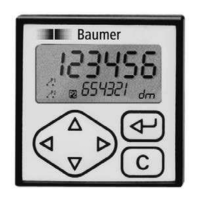
4.1 Key functions
Parameter reading Select the enabled parameters via the key
or .
The key allows to switch to the next operation parameter.
For quick sweep, keep this key depressed.
Resetting of counts 1.
Display count of respective parameter.
2. Press key .
Setting of parameters 1. Display parameter.
2. Press
or key and select required decade;
chosen decade position blinks.
3. Press
or key and enter required value.
To set further decades, repeat steps 2 and 3.
4. Confirm the parameter entered with
.
Should no confirmation be given within 15 s, the previous setting
will remain valid.


 To Next Page