Product information Syscompact 2000 M pro
/ 98 822-175-2
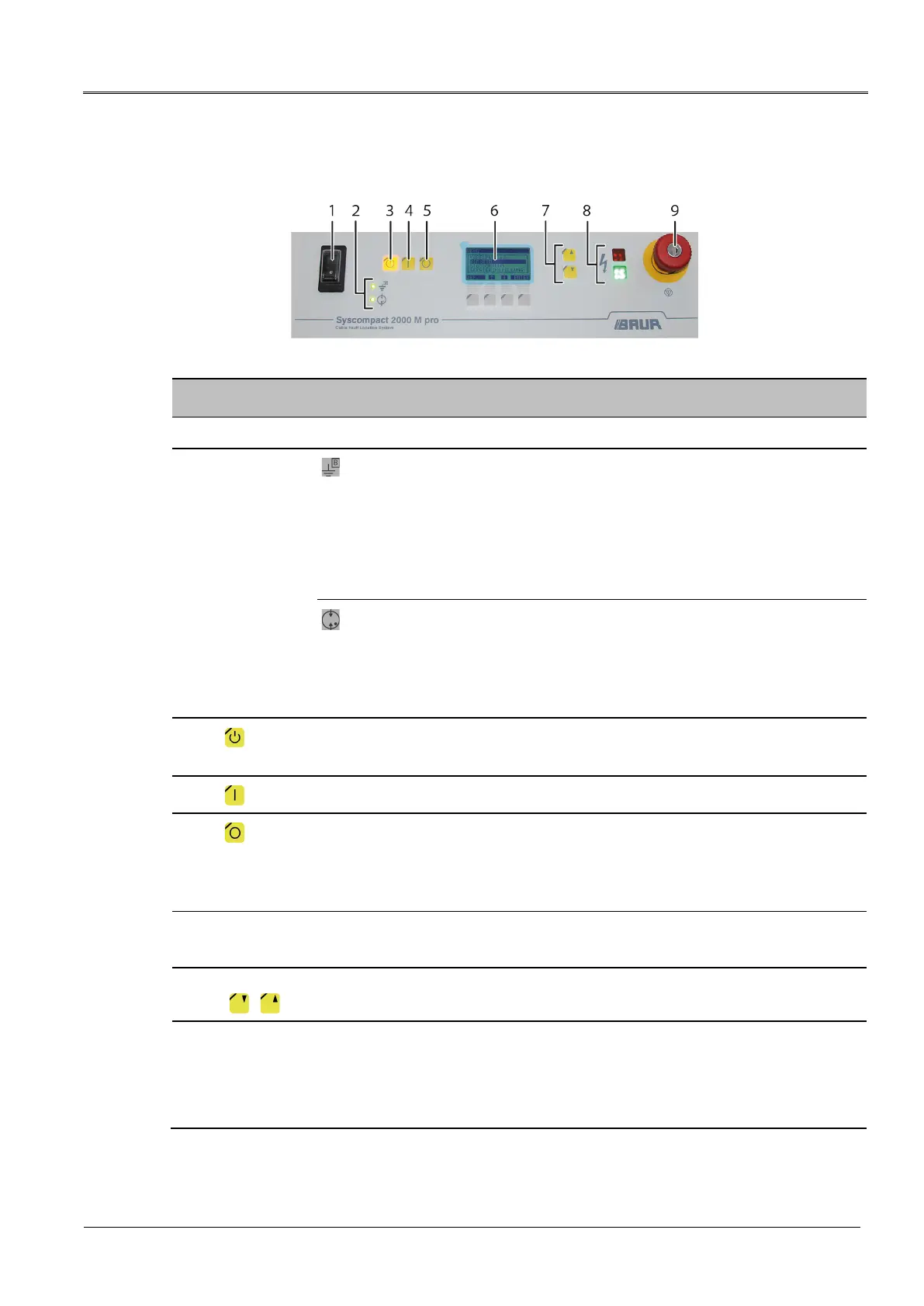
3.2.1 System control panel
No. Element
Function
1 On/Off switch Is used to switch on and off the system’s power supply
2
Status LEDs
Displays the operational earth monitoring status:
Green: The operational earthing is connected correctly. The resistance
between operational and protective earthing is < 4 ohm.
Red: There is a problem with the operational earthing. The resistance
between operational and protective earthing is > 4 ohm.
When the LED is illuminated red, the system cannot be operated. Further
information: Chapter Fault indication with status LEDs (on page 87)
Displays the surge protective device status:
Green: The surge protective device is working and protecting the system
from overvoltage.
Red: The surge protective device is damaged.
When the LED is illuminated red, the system cannot be operated.
3
key
Moves the system to the Ready to switch on operating state.
4
key
Moves the system to the In operation operating state.
5
key
Switches off the high voltage and moves the system to the Ready for operation
operating state:
All test voltage supplies are switched off.
The internal capacitor and the test object are discharged.
6 Display with keys Is used to select the methods and set the various parameters
The lowest line of the display shows the function of the associated key.
7 HV adjustment keys
( / )
Are used to increase or decrease the output voltage
8 Indicator lights Indicate the system operating state:
Green: Ready for operation
Red (flashing): Ready to switch on
Red: In operation


 To Next Page