Product information Syscompact 2000 M pro
/ 98 822-175-2
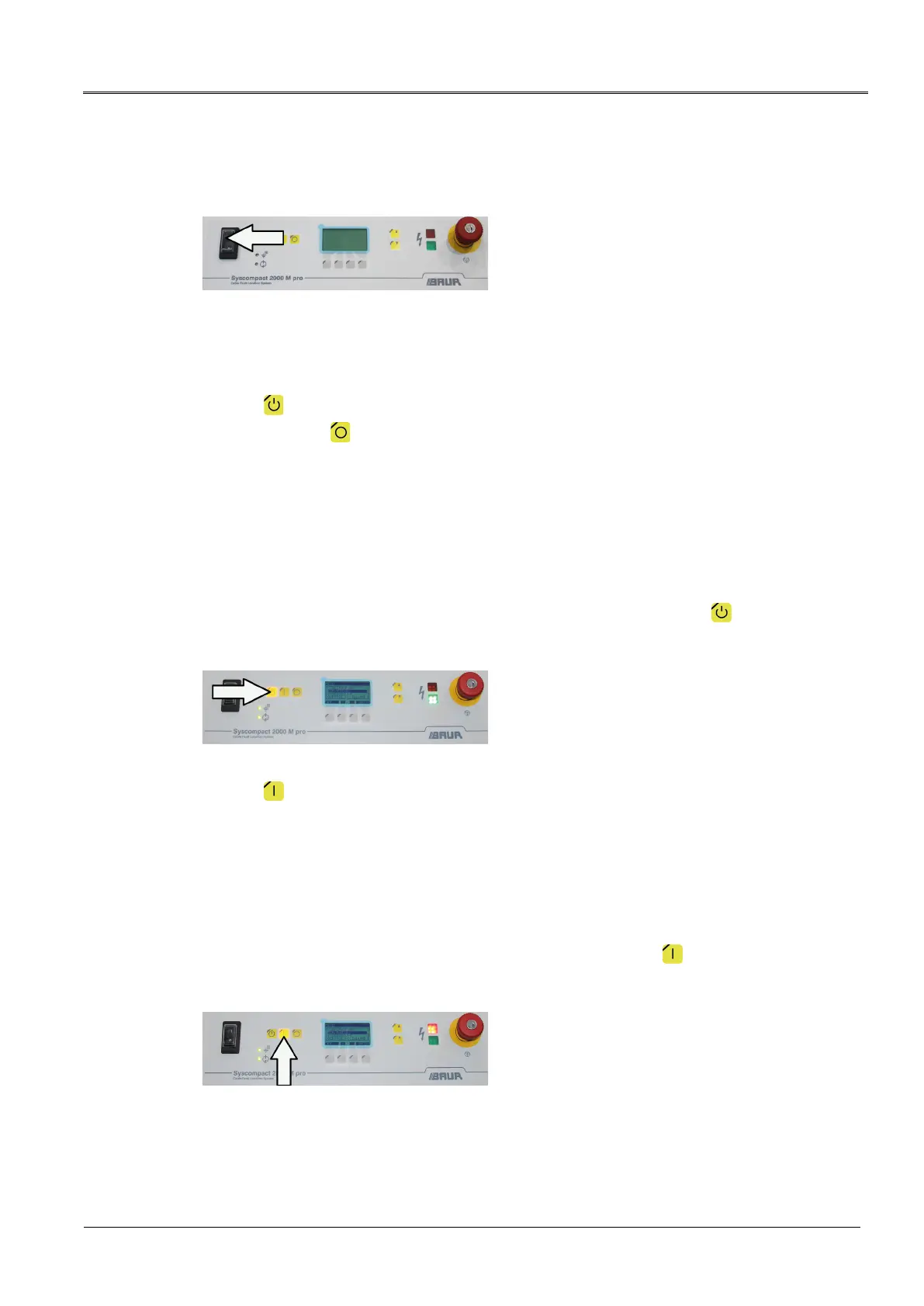
To move the system to the Ready for operation operating state, press the On/Off switch on
the system control panel.
The system’s green indicator light comes on.
The status LED of the operational earth monitoring and the surge protective device
illuminate green.
The key illuminates.
After pressing the key or the emergency off button, the system status likewise
changes to the Ready for operation operating state.
Ready to switch on
An operating state in which:
All test voltage supplies are switched off;
All access points to the test area are closed.
To switch the system to the Ready to switch on operating state, press the key on the
system control panel.
The system’s red indicator light flashes for approx. 6 seconds.
The key illuminates.
In operation
An operating state in which:
All access points to the test area are closed;
One or more test voltage supply is switched on.
To switch the system to the In operation operating state, press the key on the system
control panel within 6 seconds (red flashing indicator light).
The red indicator light comes on.


 To Next Page