8 Operation
8
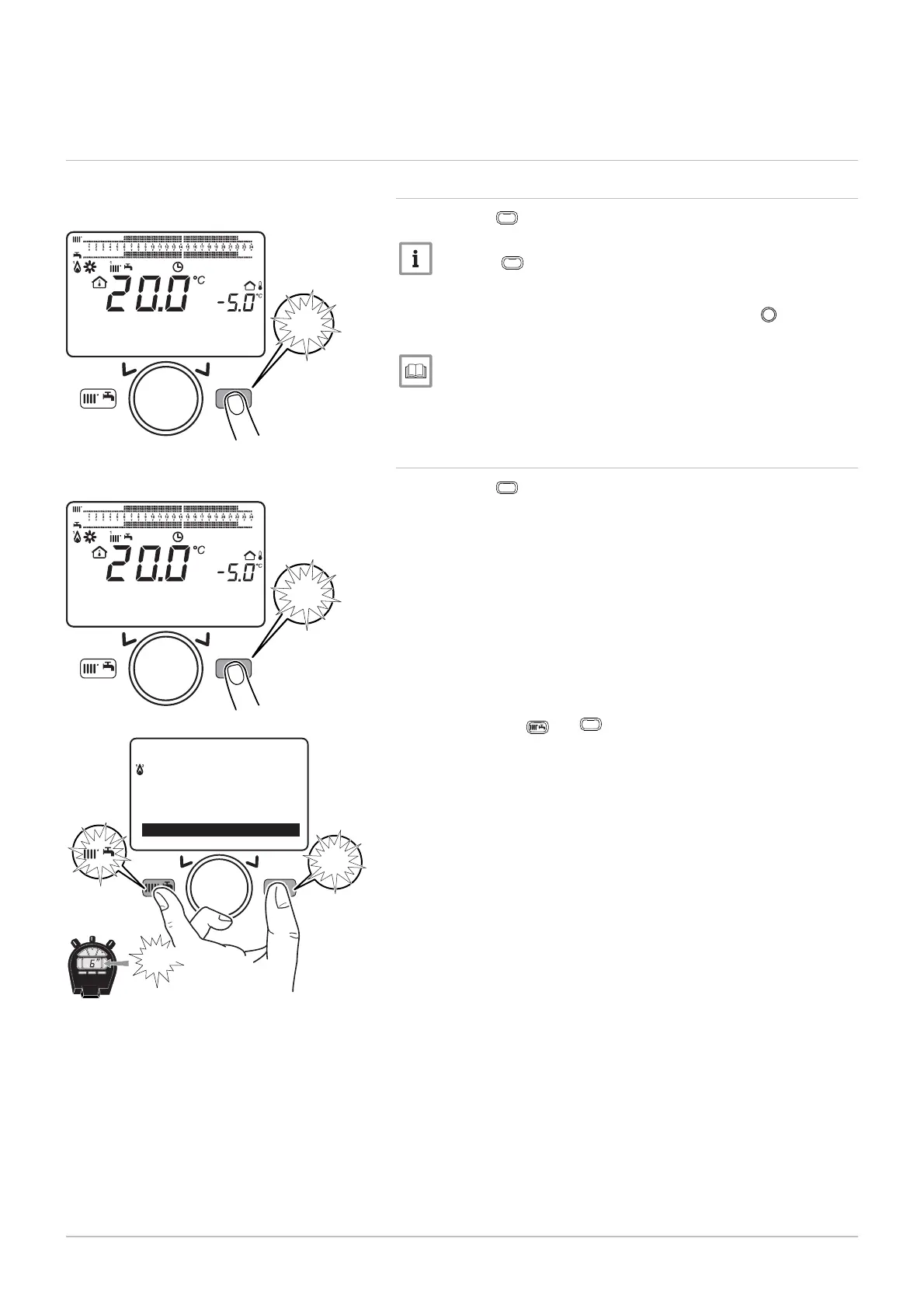
8.1 Use of the control panel
8.1.1 Modifying the user parameters
1. Press the
MENU
key to access the parameters.
Press the
MENU
key to return to the main display.
The user parameters can now be accessed. Use the
button to se
lect and modify them.
List of user parameters, page 72.
8.1.2 Modifying the installer parameters
1. Press the
MENU
key to access the parameters.
2. Hold down the
and
MENU
keys simultaneously for at least 6 sec
onds.
Fig.70
MW-3000052-EN-02
MENU
14:13
1.5 ba
18. Februar
2014
Tuesda
MENU
Fig.71
MW-3000052-EN-02
MENU
14:13
1.5 ba
18. Februar
2014
Tuesda
MENU
Fig.72
MW-3000082-EN-02
MENU
MENU
---------------------------------------------------
Information
Set time and date
Information
6"
8 Operation
68 7609474 - v02 - 04092014



 To Next Page
 Loading...