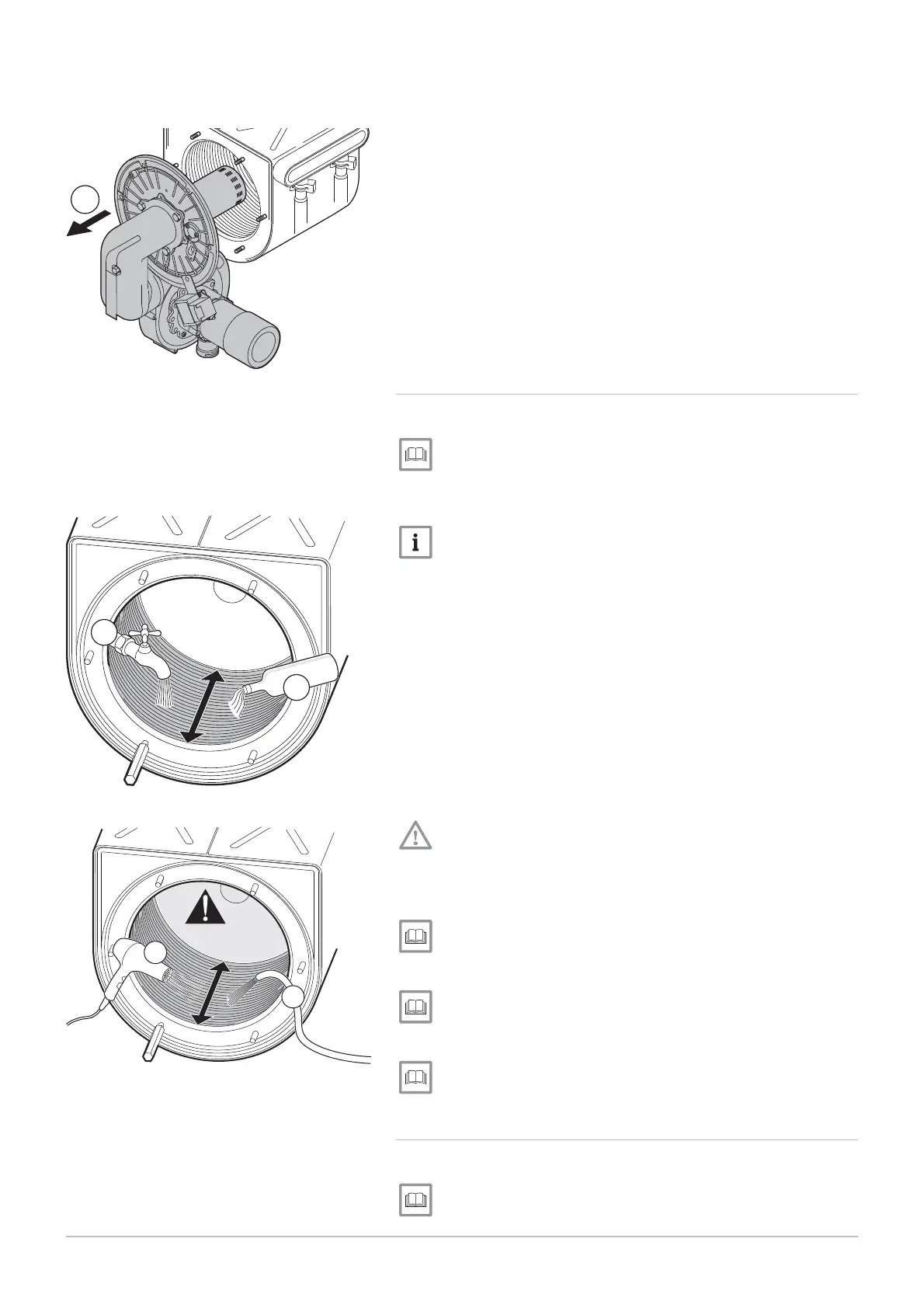
9. Remove the fan, the Venturi and the burner to access the inside of
the heat exchanger.
1
10.2.3 Cleaning the heat exchanger
1. Remove the burner.
Removing the burner, page 107.
2. Clean the pipes inside the heat exchanger using ordinary vinegar.
3. Flush with water.
The water will exit the heat exchanger by passing through the con
densates discharge siphon.
4. After twenty minutes, wash off any dirt with a powerful water spray.
Be careful not to direct the spray straight at the insulating surface
behind the heat exchanger.
5. Dry the heat exchanger.
6. Check the burner.
Checking the burner, page 109
7. Clean the siphon.
Cleaning the siphon, page 111
8. Remount the burner.
Remounting the burner, page 111
10.2.4 Checking the burner
1. Remove the burner.
Removing the burner, page 107.
Fig.
139
Removing the fan, the collector and
the burner
MW-3000109-01
9
Fig.
140
Cleaning the exchanger
MW-3000100
2
3
Fig.
141
Spray cleaning
MW-3000101
4
5
10 Maintenance
7609474 - v02 - 04092014 109



 To Next Page
 Loading...