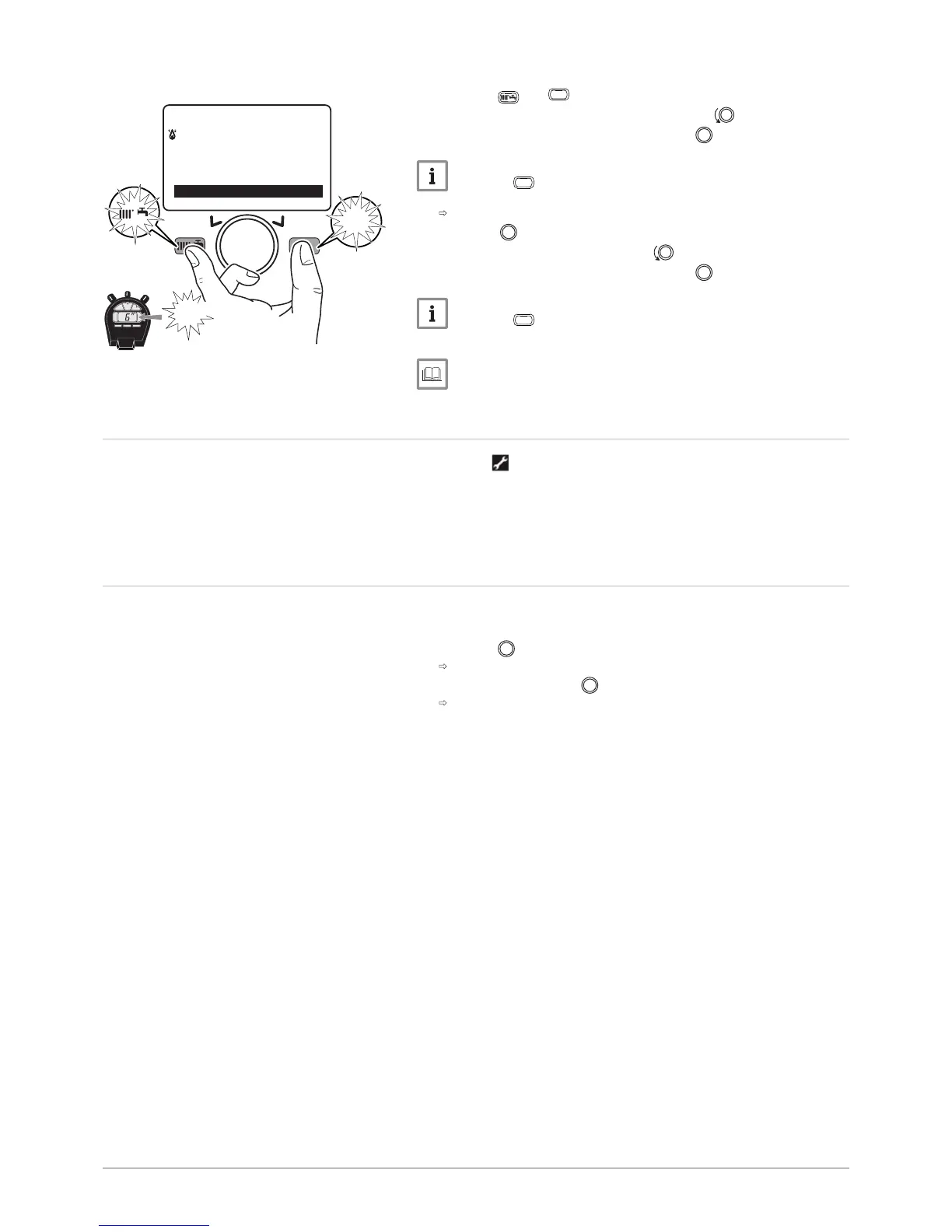
keys simultaneously for at least 6 seconds.
3. Select the Commissioning menu by turning the button.
4. Confirm the menu selection by pressing the button.
Important
Press the
key to return to the main display.
The list of parameters for the Error mode can now be accessed.
Use the button to consult them.
5. Select the Error menu by turning the button.
6.
Confirm the menu selection by pressing the button.
Important
Press the
key to return to the main display.
For more information, see
List of installer parameters, page 80
12.3
Automatic error code clearing
If the symbol is displayed at the same time as the error code, the error
code is automatically cleared when the cause that prompted it stops.
A flow or return temperature in excess of the critical value prompts an
error code. The error code is automatically cleared when the temperature
drops below the critical value.
12.4 Clearing error codes
If the probable cause of an error code is resolved but the error code
continues to be displayed, proceed as follows to clear the error code:
1. Press the button.
The command Reset? Yes is displayed on the control panel.
2. Confirm by pressing the button.
The error code disappears after a few seconds.
Fig.200



 To Next Page
 Loading...