9 Operation
9.1 Use of the control panel
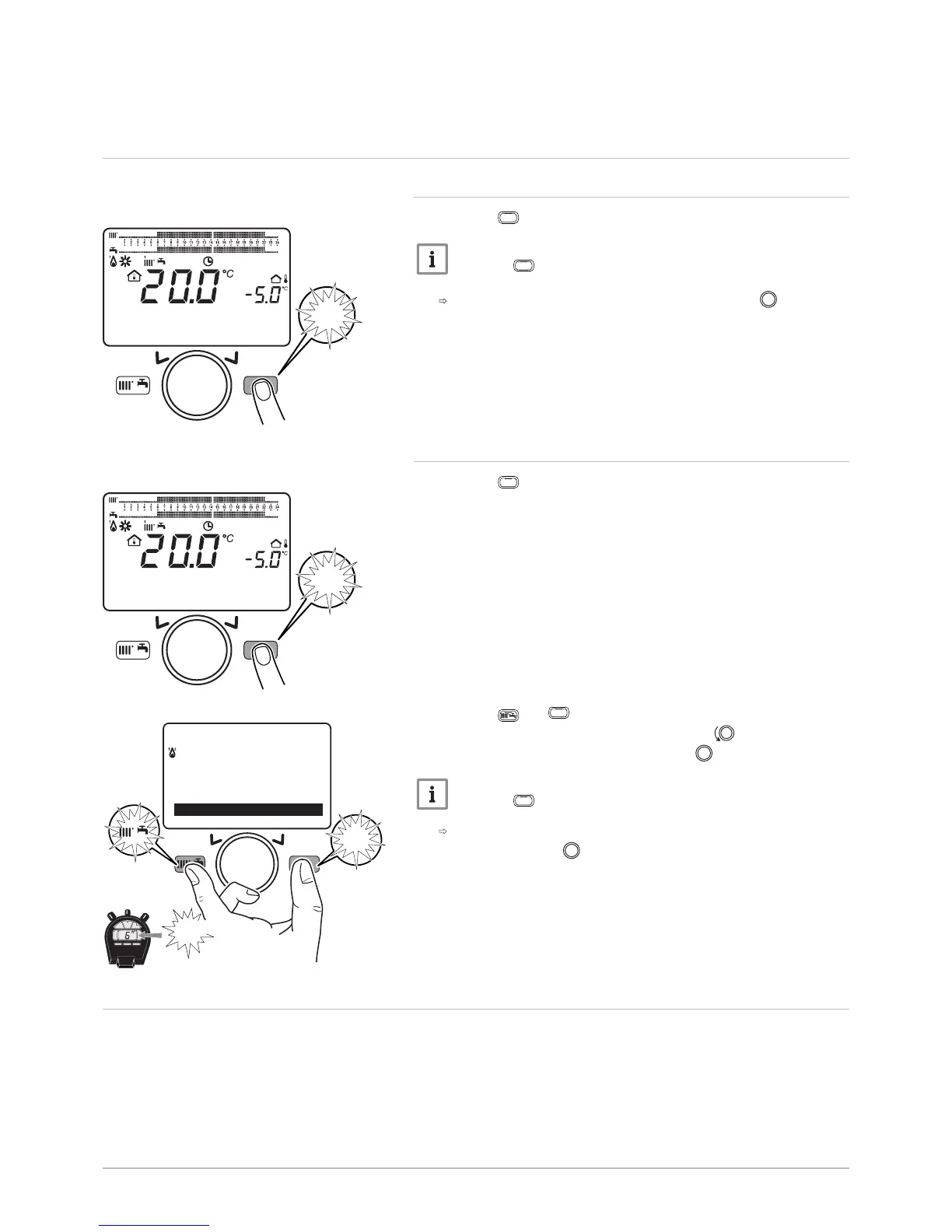
9.1.1 Modifying the user parameters
1. Press the
key to access the parameters.
Important
Press the
key to return to the main display.
The user parameters can now be accessed. Use the
button to
select and modify them.
9.1.2 Modifying the installer parameters
1. Press the
key to access the parameters.
2. Press the and
keys simultaneously for at least 6 seconds.
3. Select the Commissioning menu by turning the button.
4. Confirm the menu selection by pressing the button.
Important
Press the
key to return to the main display.
The parameters for the Commissioning mode can now be
accessed. Use the
button to select and modify them.
9.2
Starting up the boiler
1. Open the gas cock.
Fig.98
MW-3000052-EN-02
MENU
14:13
1.5 ba
MW-3000052-EN-02
MENU
14:13
1.5 ba
MW-3000082-EN-03
MENU
MENU
---------------------------------------------------
Information
Set time and date
Information
6"
74 POWER HT + 7702630 - v02 - 11082018



 To Next Page
 Loading...