16
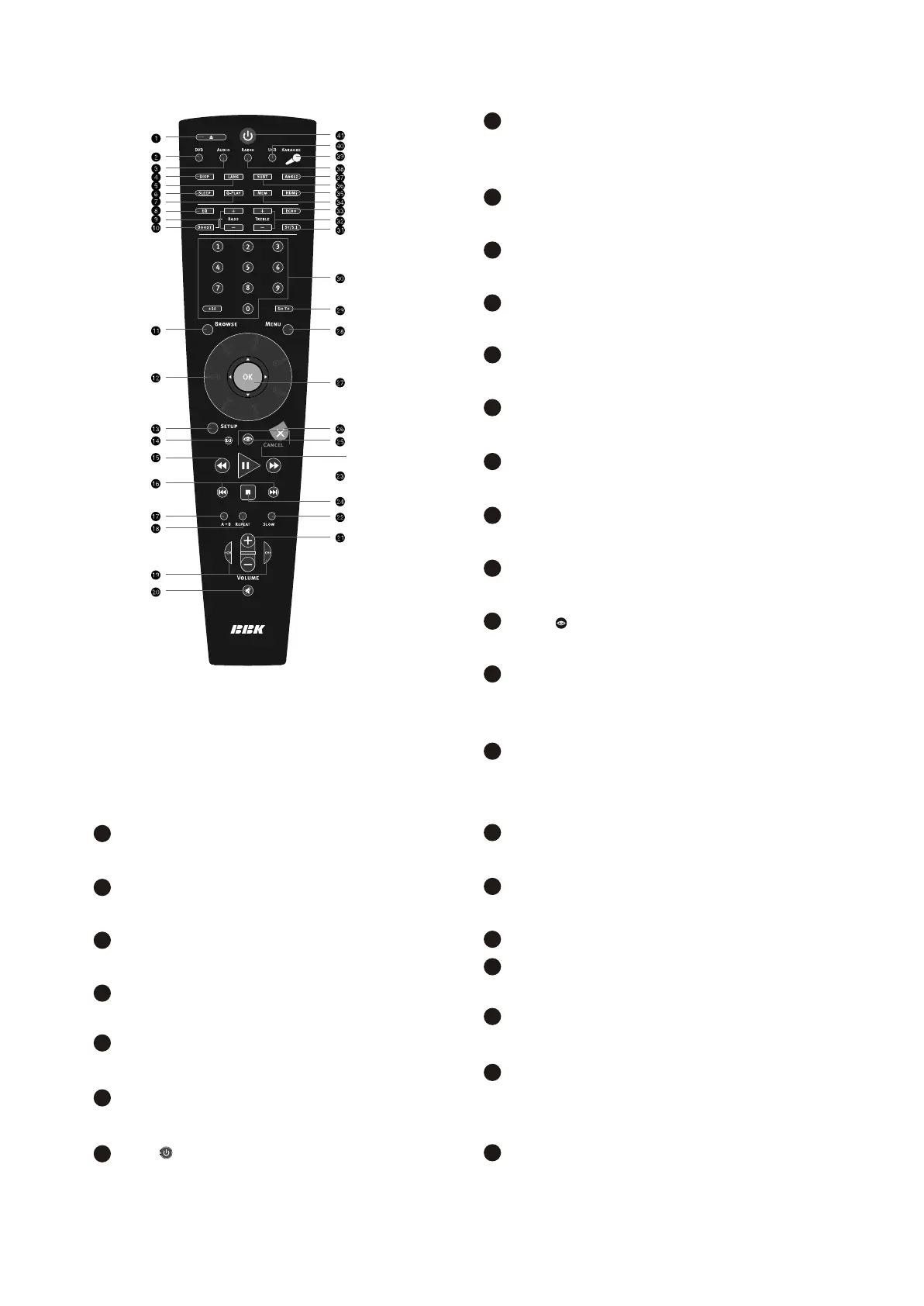
SKIP/RESET +/-
Press to switch between files on disc/tuned radio
stations
A-B buttons
Press to repeat the selected portion
REPEAT button
Press to repeat playback
CH+/CH- button
Press to change the acoustic channel
MUTE button
Press to change the acoustic channel
VOLUME+/- button
Press to adjust the volume
SLOW button
Press to switch to slow down the playback
PLAY/PAUSE button
Press to play/pause the playback
STOP button
Press to stop the playback
Button
Press to turn on/off the virtual control panel
CANCEL button
Press to go one level back/cancel current
operation
OK button
Press OK for confirmation of use it like joystick
during navigating in MENU
MENU button
DVD-disc menu/PBC function
GOTO button
Press to playback from the target place
Numeric buttons
ST/5.1 button
Press to switch between STEREO/5.11CH
TREBLE +/- button
Press to adjust the tone
ECHO button
Press to adjust the echo function of the
microphone
MEM button
Press to memorize the point where playback was
stopped/playback from the previously meorized
point.
HDMI button
Press to switch to HDMI mode.
SUBT button
Press to change the subtitles language
ANGLE button
Press to change the camera angel
RADIO button
Press to switch to radio mode
KARAOKE button
Press to set the karaoke functions
USB button
Press to switch to USB mode
Button
Press to switch the device on/into standby
17
18
19
20
21
22
23
24
25
26
27
28
29
30
31
32
33
35
36
37
38
39
40
34
41
- 7 -



 To Next Page