3.TV Format: image ratio settings
Options: 4:3 pan&scan, 4:3 letterbox and 16:9
TV.
Default option: 4:3 pan & scan.
some discs are recorded with support of only
one ratio. The selected radio must comply with
the TV screen.
4.Video output: selection of video signal.
Options: S-Video, Comp, RGB
Default option: Comp.
6.Gamma: adjustment of image color
temperature.
Options: High, Medium, Low, Off.
Default option: Off.
7.Brightness: adjustment of image brightness.
8.Contrast adjustment of image contrast.
9.Hues: adjustment of image hues.
10.Saturation: adjustment of image saturation.
Adjustment of image brightness; contrast, hues
and saturation.
Select the desired item of the image
adjustment section using the jog Dial. Press
OK or RIGHT key to start adjustong the
relevant option.
Change the option value using the jog Dial.
Upon completion press the LEFT of the cursor
joystick to return to image setup menu.
2.3.4 Sound settings menu
1.Mixer
a) Configuration: setting of the mode for
conversion of the 5-channel signal.
#
#
#
#
#
#
#
#
#
#
#
#
#
#
#
#
#
Options: Stereo, 5.1.
Default option: Stereo
5.1 mode must be supported by the disc.
Number of music accompaniment channels
depends on the specific disc.
Adjustment of the central speaker and
surround speakers is available only if the
Configuration option is set to 5.1 position.
b) Stereo mix: playback set-up while playing the
disc with two independent audio channels.
Options: L+R, L, R.
Default options: L+R.
c) Surr.mix: set-up of surround oftions while
playing the sereo disc.
Options: Off, Sum, L+R, Virt, Surr.
d) Low band: distribution of low frequencies
through channels.
#
#
#
Options: Front F, Center C, Surround Sr,
Subwoofer SW.
Default options: Front F, Subwoofer SW.
If you want the low-frequency component of
the sound signal enter only the subwoofer
channel, select and confirm the parameter
Subwoofer SW.
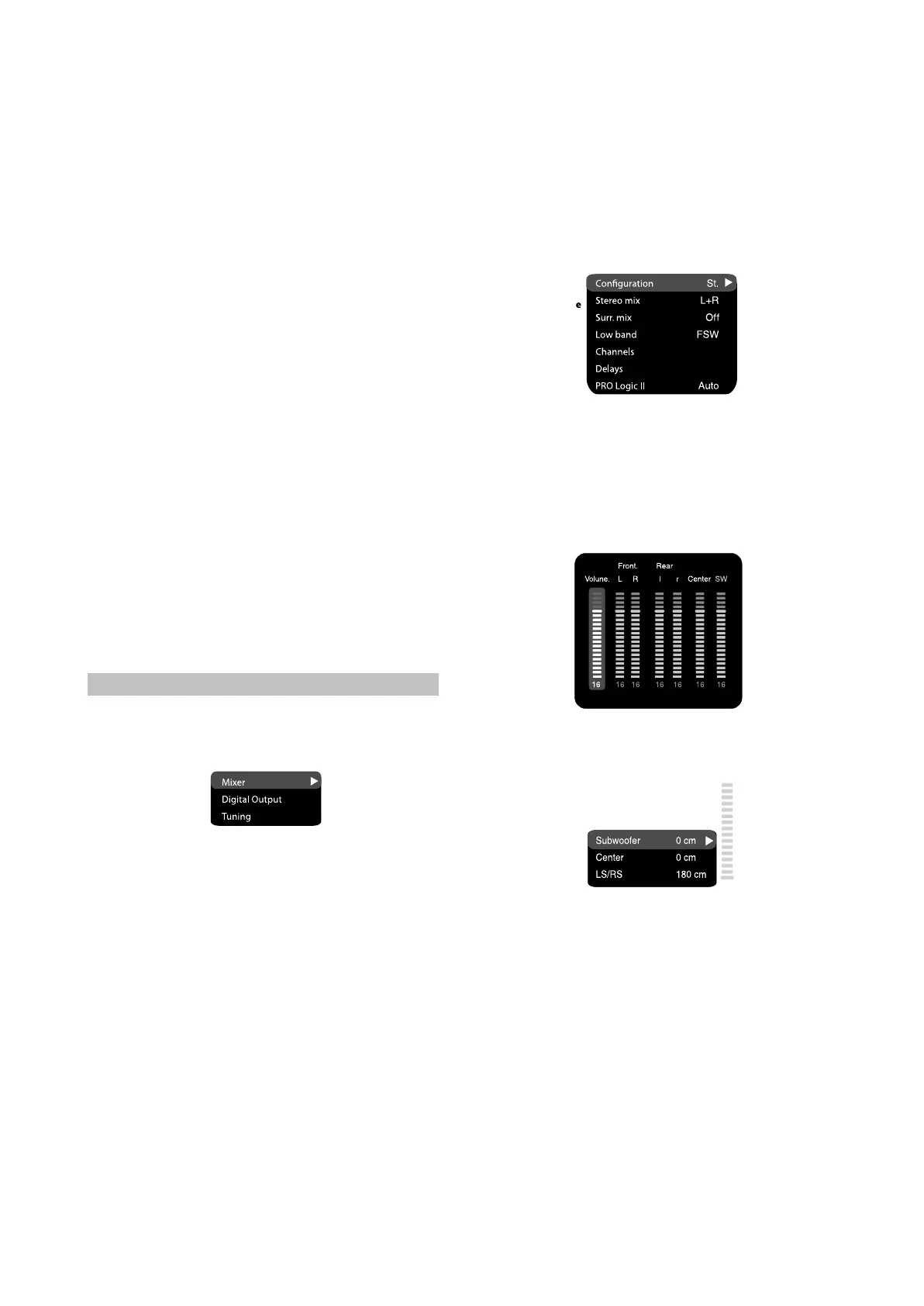
e) Channel settings: separate adjusting of
volume by channels.
Select the channel you want.
Adjust the sound volume of each channel using
the wheel.
Press the OK to return to sound settings menu.
#
#
#
f) Delay of the channel: Set-up of signal delay in
speaker channels(central, rear and subwoofer)
#
#
#
#
#
Using the jog Dial, select the channel, for
which you want to set up the delay and press
OK for confirmation.
Using the jog Dial set up the desired distance
from the listener to each speaker(dectiled
description of this operation see on page 32)
g) PRO Logic ll: function of stereo sound
conversion to 5-channel sound.
Options: On, Off, Auto.
Default option: Audio.
In Auto position, the DVD receiver determines
itself, when to use the PRO Logic ll decoder.
Some discs do not support this function.
2.Digital audio output.
- 9 -



 To Next Page