5
Center speaker input (output form the build-in
amplifier)
Subwoofer input (output from the build-in
amplifier)
Left Surround speaker input (output from the
build-in amplifier)
6
7
S-Video output
SCART-type AV connector
Coaxial digital audio output
Optical digital audio output
Optical digital audio input
Coaxial digital audio input
13
14
15
16
17
18
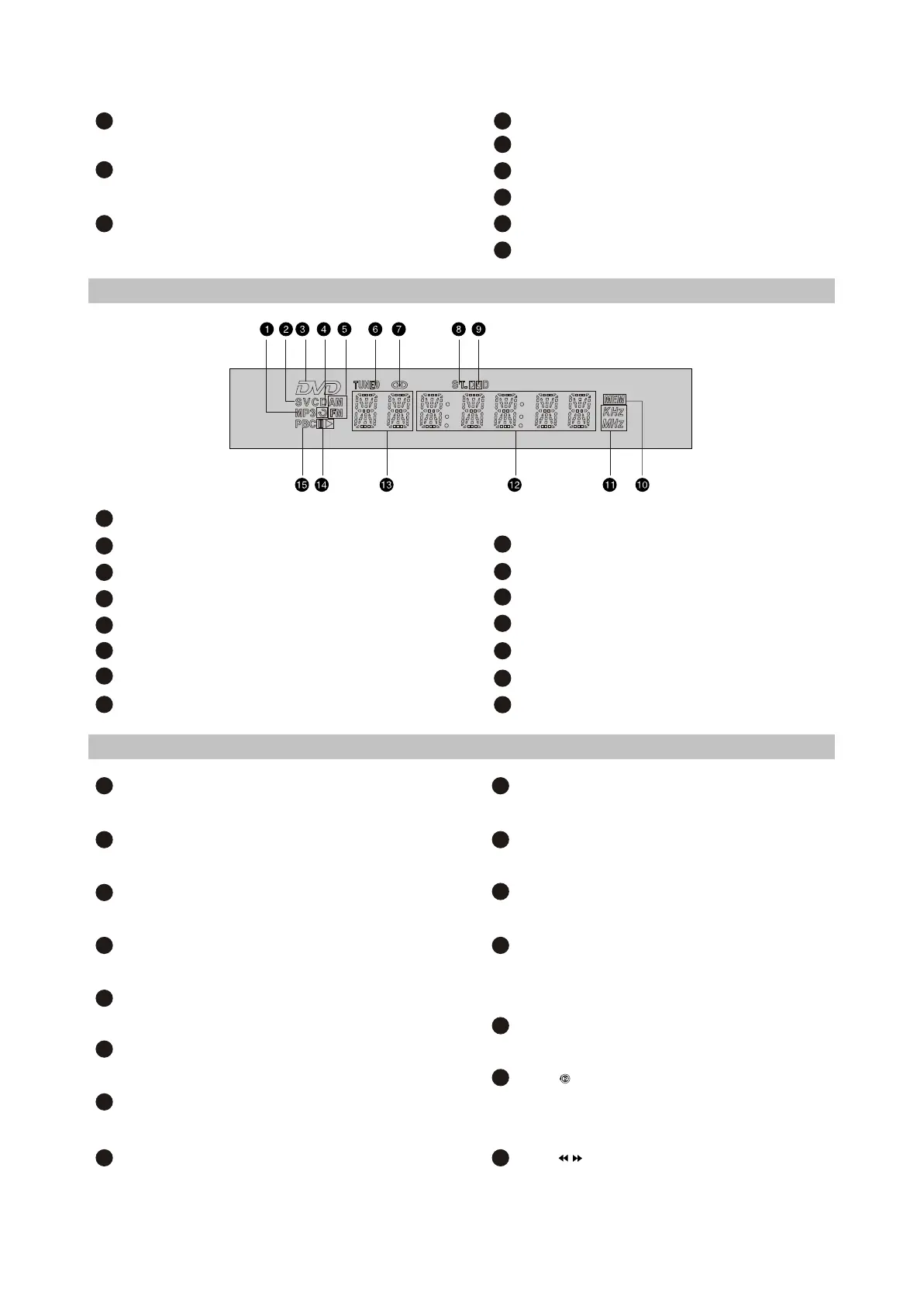
2.2.3 VFD display general view
1
MP3-disc
CD-, VCD-or SVCD-disc
DVD-disc
Repeat
AM/FM
Radio tuning mode
Tuner tuning mode
Stereo
2
3
4
5
6
7
8
9
Dolby Digital
Programmed radio station
Friquency
Playback time
Chapters or tracks
Playback or pause
PBC
10
11
12
13
14
15
2.2.4 Remote control general view
1
EJECT button
Press to open/close the disc tray.
DVD button
Press to switch to DVD mode
AUDIO button
Press t switch to audio input mode
DISP button
Press to display the disc information
LANG button
Press to change the canuage
SLEEP button
Press to turn the sleep mode on
Q-PLAY button
Press to tum the Q-play mode on
EQ button
Press to adjust the equalizer
2
3
4
5
6
7
8
9
BASS+/- button
Press to adjust subwoofer
BOOST button
Press to bass boosting
BROWSER button
Press to turn on/off browser function
JOG DIAL wheel
Functions are set manually. Default function:
zoom
SETUP button
Press to switch to setup mode.
Button
Press to capture and bookmark image for the
wallpaper
Button
Press to start reverse or forward scanning
10
11
12
13
14
15
- 6 -



 To Next Page