#
#
#
Auto protecion of TV screen.
Child lock, parental control(protection against playing undesirable discs)
Auto voltage selection(~110-250V)and short-circuit protection.
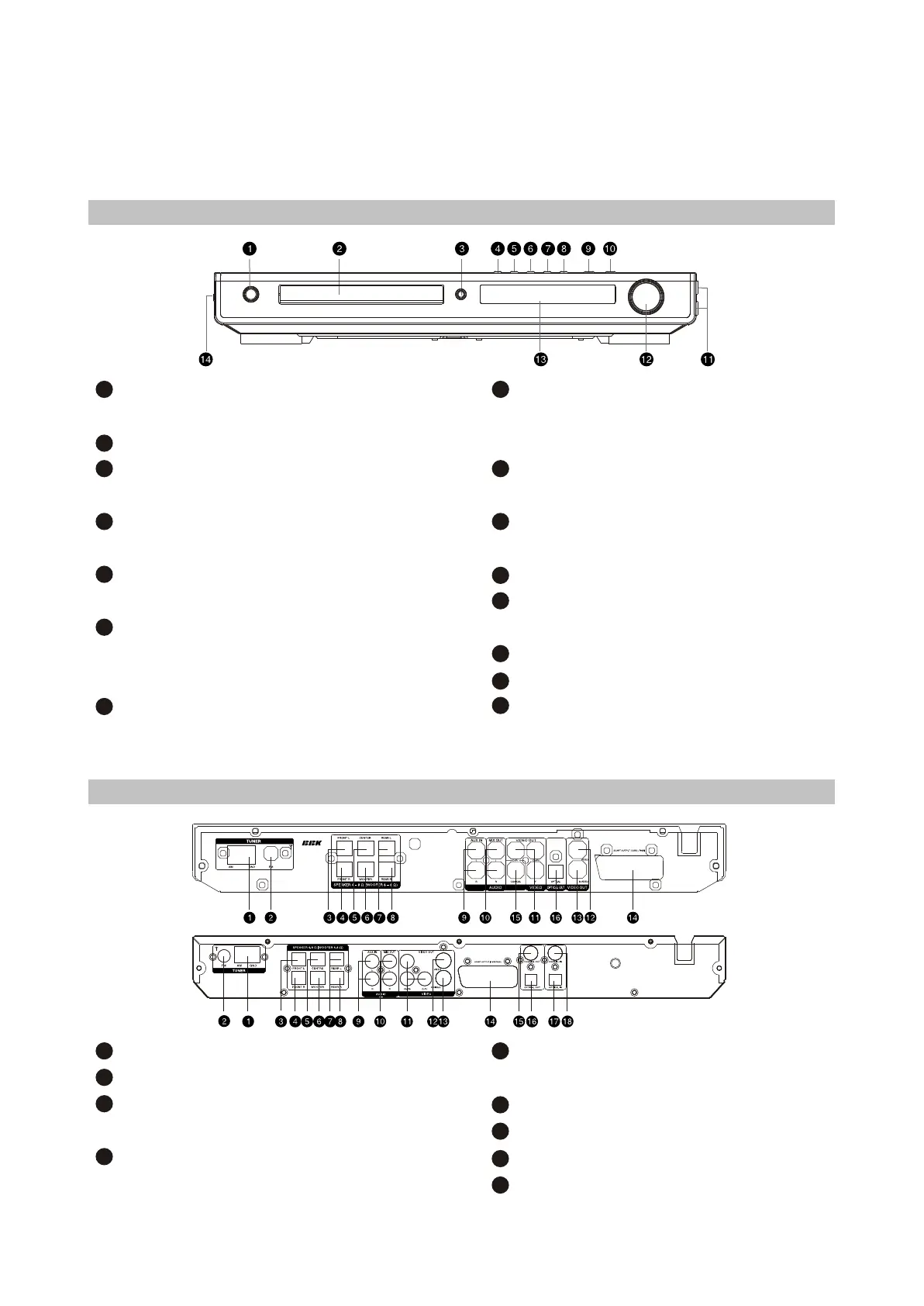
2.2 Controls and functions
2.2.1 Front panel controls
1
STANDBY/POWER button
Press to switch the device on/into standby.
Disc tray
OPEN/CLOSE button
Press to open/close the disc tray.
PREV button
Press to playback from the previous bookmark
NEXT button
Pres to playback from the next bookmark
REW button
Press to playback fast reverse/radio station
tuning
Button
Press to playback fast reverse/radio station
tuning
FWD
2
3
4
5
6
7
SOURCE button
Press to switch between DVD-receiver/Audio
input/Tuner/Digital audio input.
PLAY/PAUSE button
Press to playback/pause
STOP button
Press to stop the playback
Microphone input
VOLUME adjuster
Press to adjust volume.
VFD display window
Headphones input
USB port
9
10
11
12
13
14
15
8
2.2.2 Rear panel connections
1
AM Antenna input
FM Antenna input
Left front speaker input (output from the build in
amplifier)
Right front speaker input (output from the build-in
amplifier)
2
3
Right Surround speaker input (output from the
build-in amplifier)
Audio input
Stereophonic audio output
Component video output Y Cb (Pb) Cr (Pr)
Composite video output
10
11
12
9
8
4
- 5 -



 To Next Page