BD FACSCelesta Flow Cytometer User’s Guide22
preset time, the flow cell fills with sheath fluid at a controlled
rate to prevent bubble formation or entrapment. At
completion, the cytometer switches to standby mode.
Sample flow rate
control
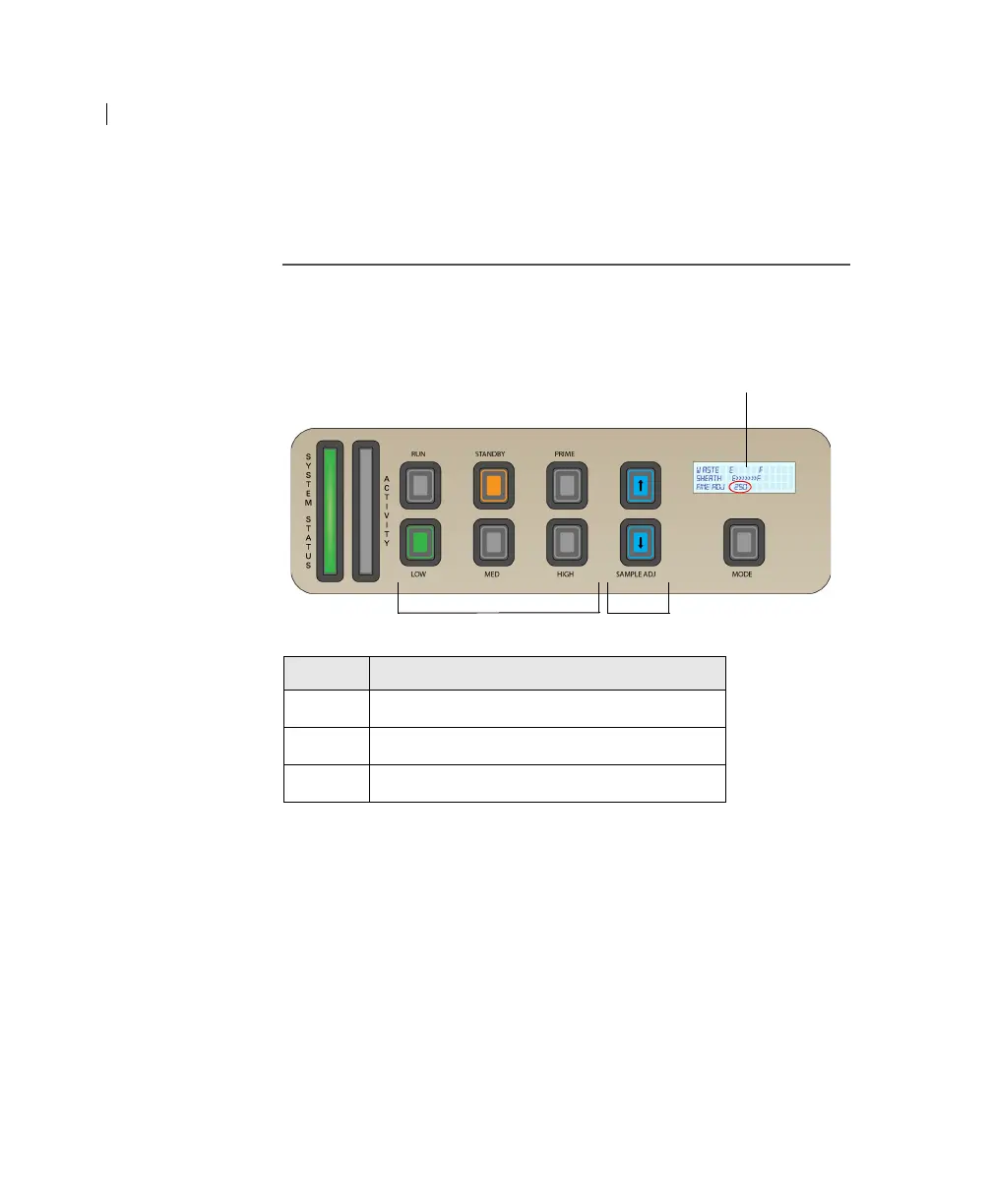
The three flow rate control buttons (LOW, MED, HIGH) set the
sample flow rate through the flow cell. The SAMPLE ADJ buttons
allow you to adjust the rate to intermediate levels.
When sample adjust is set to 250 (as shown on the status screen on
the control panel) the sample flow rates at the Low, Med, and High
settings are approximately 12, 35, and 60
µL/min of sample,
respectively. Each time you press one of the SAMPLE ADJ buttons,
the fine adjust of the indicated sample increases or decreases by 10.
Number Component
1 Status screen
2 Sample flow rate buttons
3 Sample fine adjust buttons



 To Next Page