Chapter 3: Cytometer setup 41
About the optical filters and mirrors
Introduction This topic provides a description of the optical filters and mirrors.
Filter and mirror
configurations
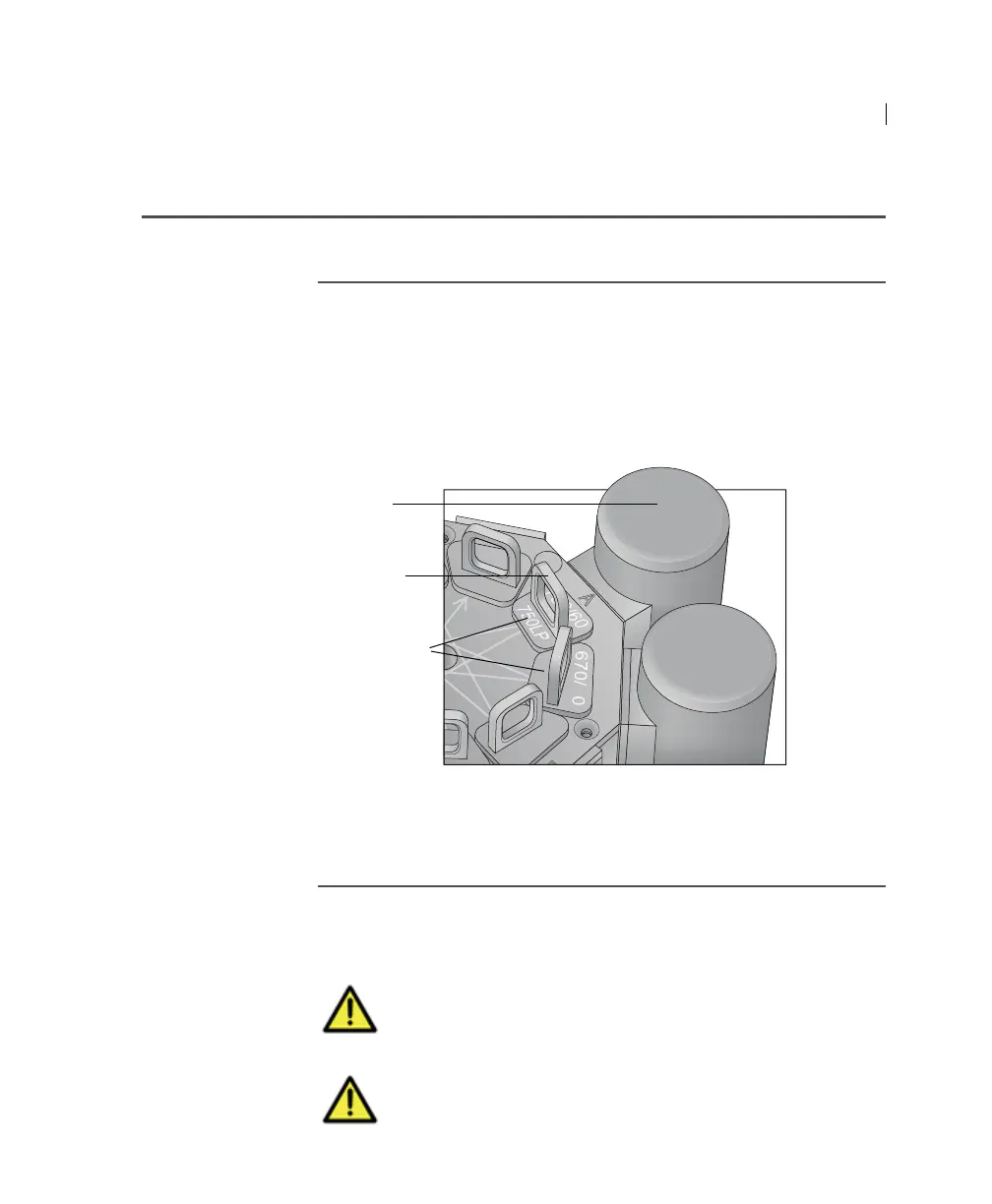
Each detector has an optic holder in front of it. The optic holders
are labeled with numbers indicating the wavelengths of the
bandpass filter and longpass dichroic mirror they contain (for
example, 780/60 and 750 LP, respectively). The optic holder in
front of the last detector in the detector array contains only a
bandpass filter and is marked accordingly.
The filters steer progressively shorter wavelengths of light to the
next detector in the array as indicated by the lines and arrows on
the top of the polygon.
Optic holders,
filters, and mirrors
Optic holders house filters and mirrors. Your cytometer includes
several blank (empty) optic holders.
PMT A
Optic holder
handle
Optic holders
Caution! To ensure data integrity, do not leave any slots
empty in a detector array when you are using the
associated laser. Always use a blank optic holder.
Caution! Do not remove or change filters. Only BD
authorized personnel should remove or change the filters.



 To Next Page