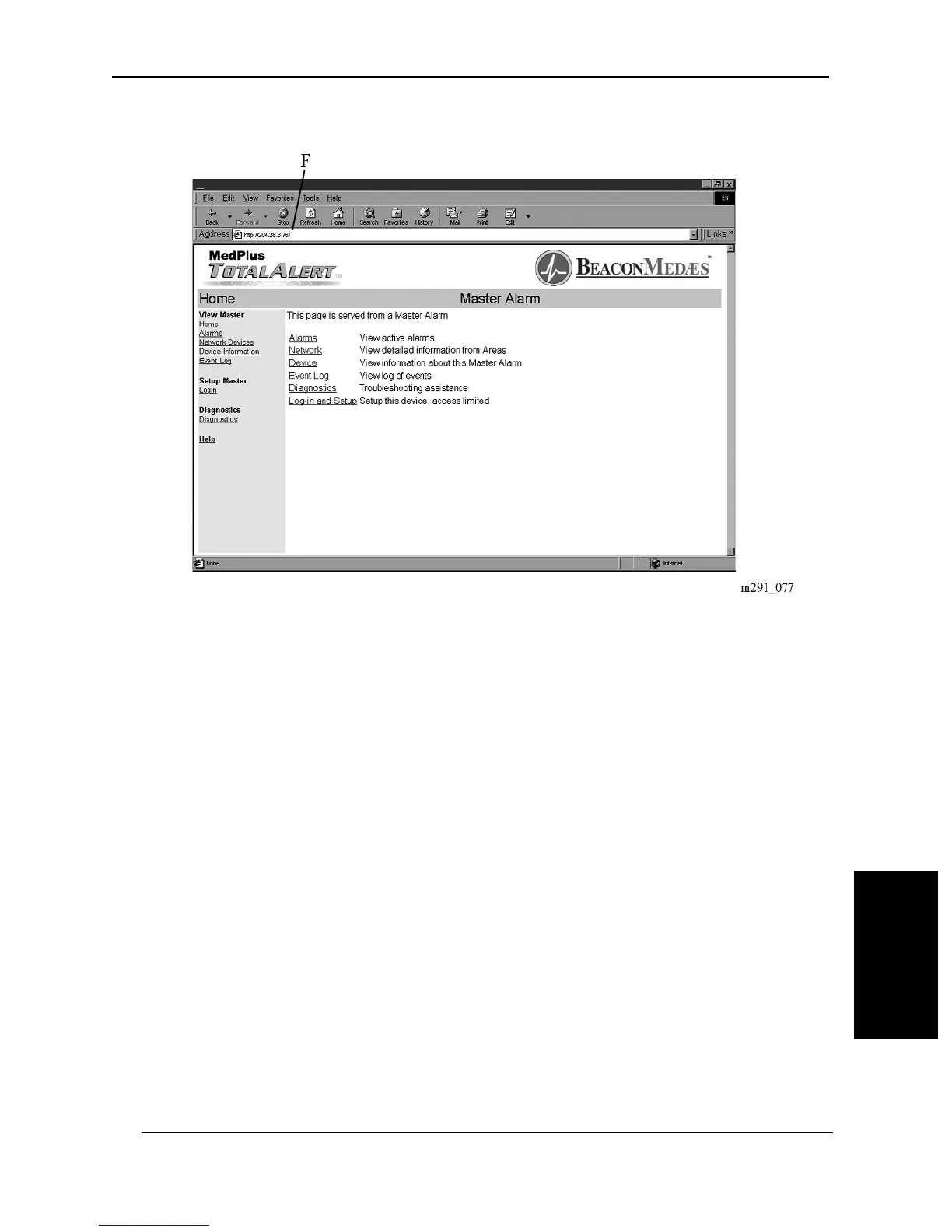
Figure 6-7. Typical Internet Home Page
2. Enter the Device Name in the browser\qs address bar (F) as it appears on the
label located on the back of the Master Alarm Module. The Home page dis-
plays (see figure 6-8 on page 6–16).
NOTE:
This may require installing “Client for Microsoft® Networks” software. Without
the NetBios Name Service enabled, the device must be accessed by its IP
address. To learn the Master Alarm’s IP address, press the Test key located on the
front panel.
MedPlus TotalAlert® Alarm Network Operation and Maintenance Manual (205728) Page 6-15
Setting up the Internet Interface
Chapter 6: General Procedures
6


 To Next Page