Configuring the Master Alarm by Using the Front Panel
Tools required: 5/32" hex wrench
Entering the Master Alarm’s Configuration Mode
The Master Alarm can be configured by using the front panel; however, configur-
ing by using the Web pages is faster and easier (see “Configuring and Browsing
the Master Alarm by Using the Web Pages” on page 1–71).
NOTE:
If the Web pages are used, Master Alarm configurations can be transferred from
one to another.
1. To enter the configuration mode, do the following:
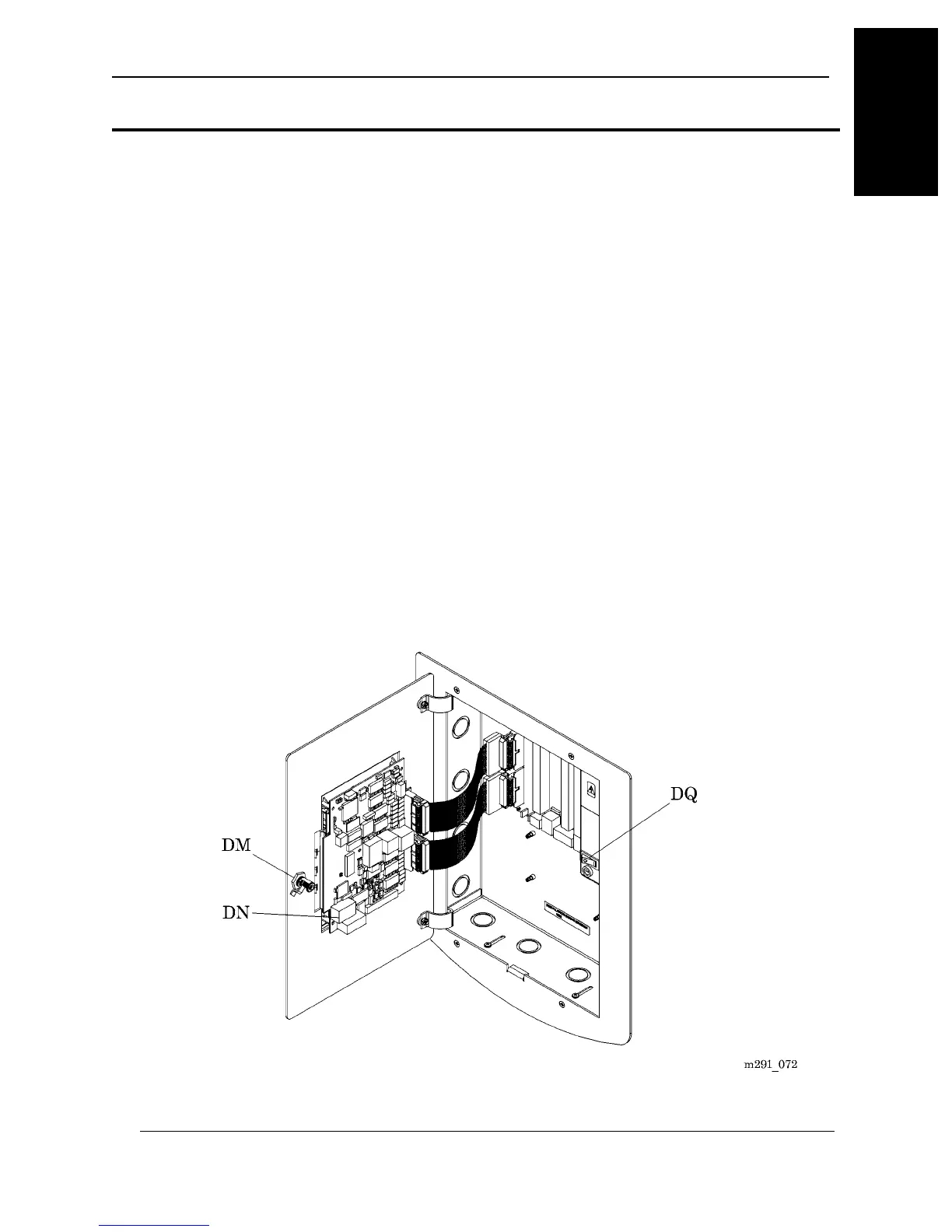
a. Using a 5/32" hex wrench, unlock the front panel (DM) (see figure 1-19
on page 1–63).
b. Open the front panel (DM).
c. Locate the Master Alarm Module (DN).
Figure 1-19. Master Alarm
MedPlus TotalAlert® Alarm Network Operation and Maintenance Manual (205728) Page 1-63
Configuring the Master Alarm Using the Front Panel
Chapter 1: Introduction
1



 To Next Page