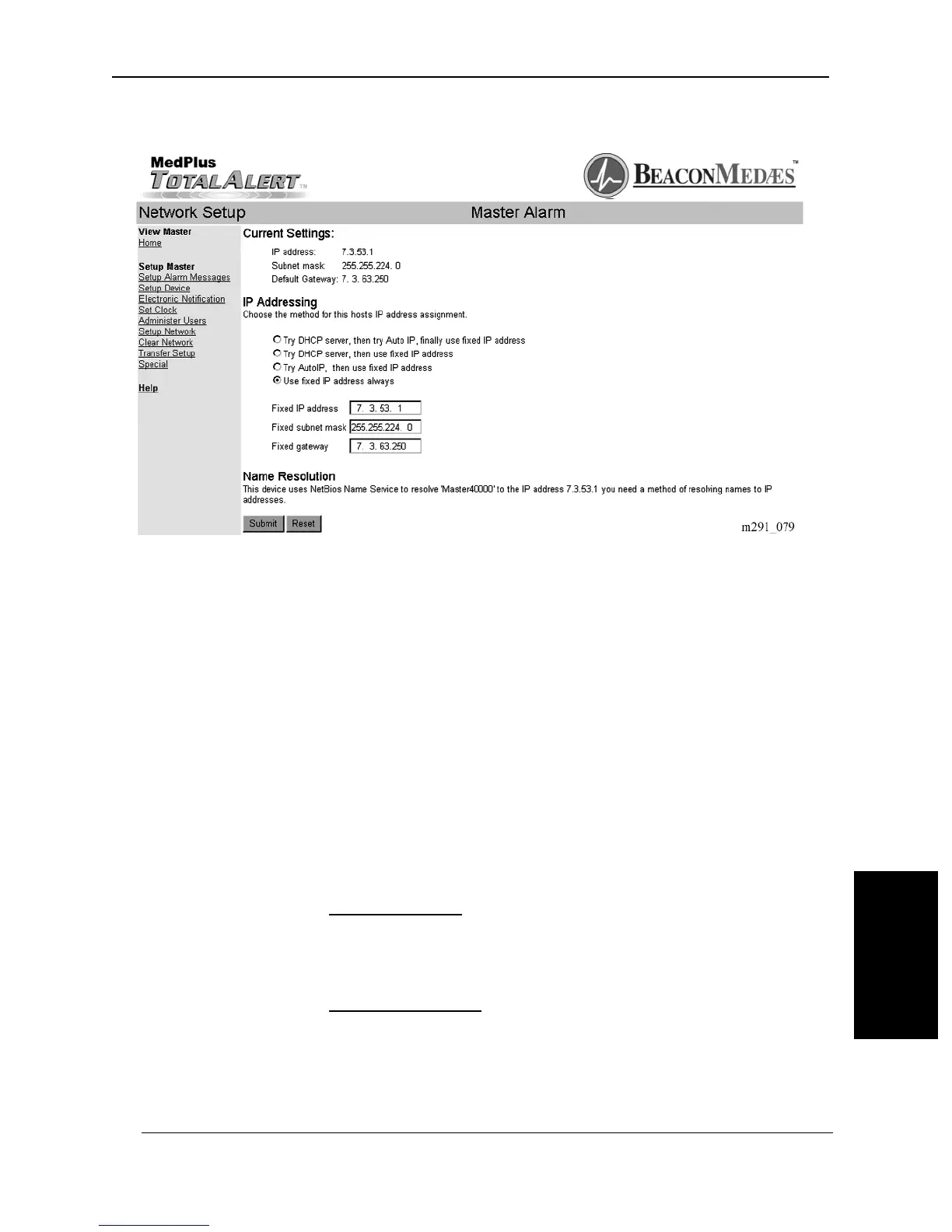
Figure 6-9. Network Setup
If you want to manually set the IP address to a known value, use the Fixed IP
address option. If you choose the Fixed IP address option, you must also use a
fixed SMPT server address.
Discovery
Master Alarms and Area Alarms with a Network Communications Board locate
each other automatically. No user setup is required.
Accessing
Browsers locate devices in the following three ways:
1. IP address
Example: http://10.12.13.14
This method works; however, a device\qs IP address is often not known.
2. Local name lookup
Example: http://Master400187
MedPlus TotalAlert® Alarm Network Operation and Maintenance Manual (205728) Page 6-17
Setting up the Internet Interface
Chapter 6: General Procedures
6


 To Next Page