Page 1-58 MedPlus TotalAlert® Alarm Network Operation and Maintenance Manual (205728)
Chapter 1: Introduction
Master Alarm Labeling
Chapter 1: Introduction
NOTE:
Custom messages may also be used in place of a standard gas.
f. Keep this record to help you configure the Master Alarm.
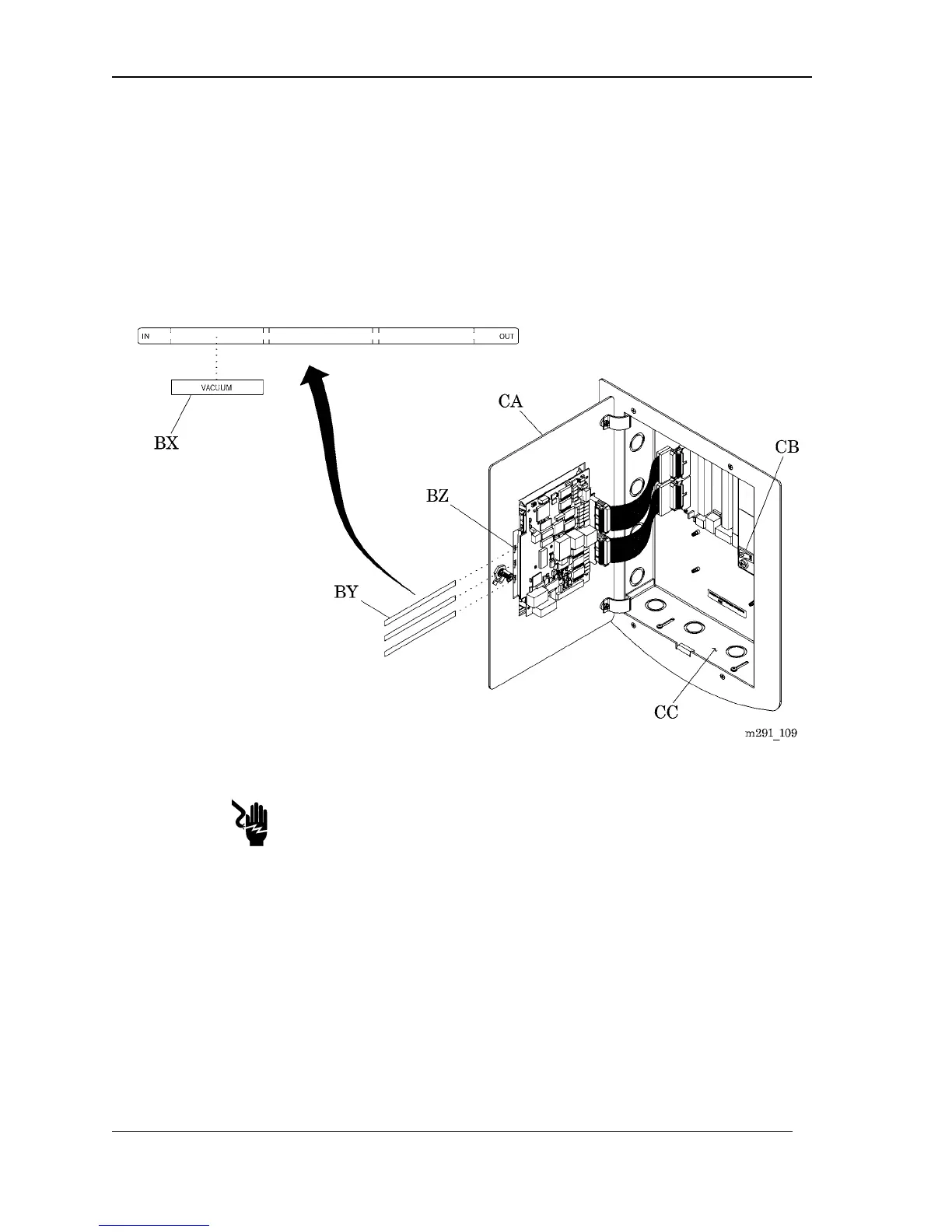
2. Using a 5/32" hex wrench, unlock the front panel (CA) (see figure 1-16 on
page 1–58).
Figure 1-16. Master Alarm Labeling
SHOCK HAZARD:
Turn off the power to the alarm, and leave it off during the installation of
any component or sub-assembly. Failure to do so could result in personal
injury or equipment damage.
3. Turn the power switch (CB) to the OFF position.
4. Stick the appropriate labels (BX) to the front side of the label strip (BY) (see
table 1-27 on page 1–56).
5. Locate and remove the label strips (BY) from the openings (BZ).
NOTE:
More label strips are supplied with the Master Alarm, if needed.



 To Next Page