Page 1-82 MedPlus TotalAlert® Alarm Network Operation and Maintenance Manual (205728)
Configuring and Browsing the Master Alarm Using the Web Pages
Chapter 1: Introduction
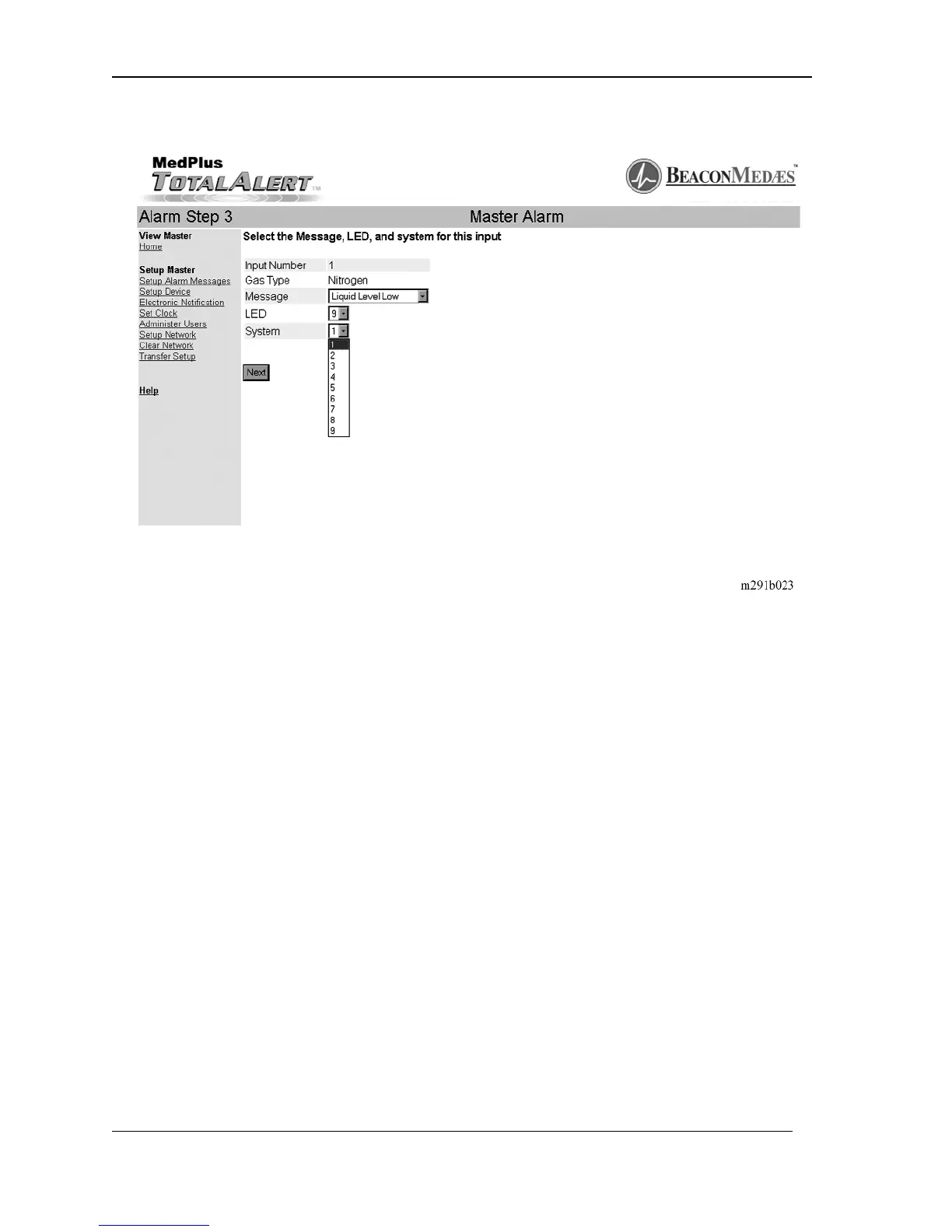
Figure 1-31. Alarm Step 3—Setup System Number
10. Click on the system number of the input source.
11. To choose the error message, click on the Message pull down menu arrow.
The available messages display.
At this point, you may either choose an existing error message or create a custom
message.
12. To create a custom message, click on the Message pull down menu arrow
and choose Custom Message (see figure 1-32 on page 1–83). The Custom
Message Setup screen displays (see figure 1-33 on page 1–83).


 To Next Page