82
CD changer mode
Naming a CD
It is possible to assign a name to the CD
currently playing, change a previously
assigned name and delete stored names.
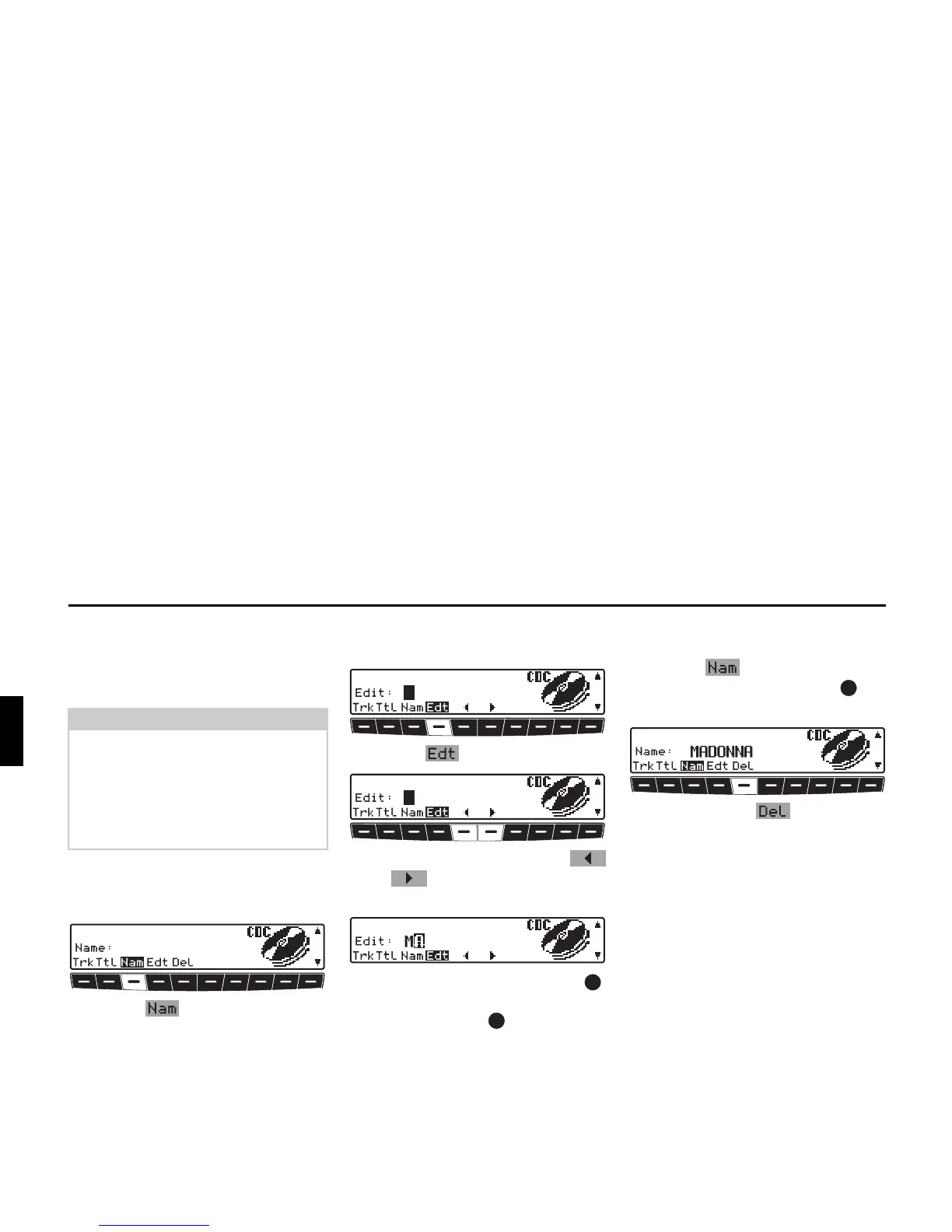
Displaying names:
X Requesting CDC settings menu.
X Press the multifunction button.
The assigned name is displayed. If no
name was previously assigned to the
current CD, the space after
Name: is
blank.
Assigning/changing names:
X Requesting CDC settings menu.
X Press the multifunction button.
X Using multifunction buttons
and , select the desired position
(inverse editing symbol).
X By turning the right rotary control ,
select the required letters and press the
right rotary control to confirm.
This advances it by one character.
A maximum of 8 characters can be en-
tered.
After exiting the CDC settings menu, the
name is saved.
Deleting saved names:
X Requesting CDC settings menu.
X Press the multifunction button.
X Using the right rotary control , se-
lect the name to be deleted.
X Now, press the multifunction
button to delete the name.
Note:
The entered name is stored in the CD
changer.
Only a limited amount of memory is
available for CD names.
If you replace your CD-changer, the
stored names are lost.















 To Next Page