59
General operation
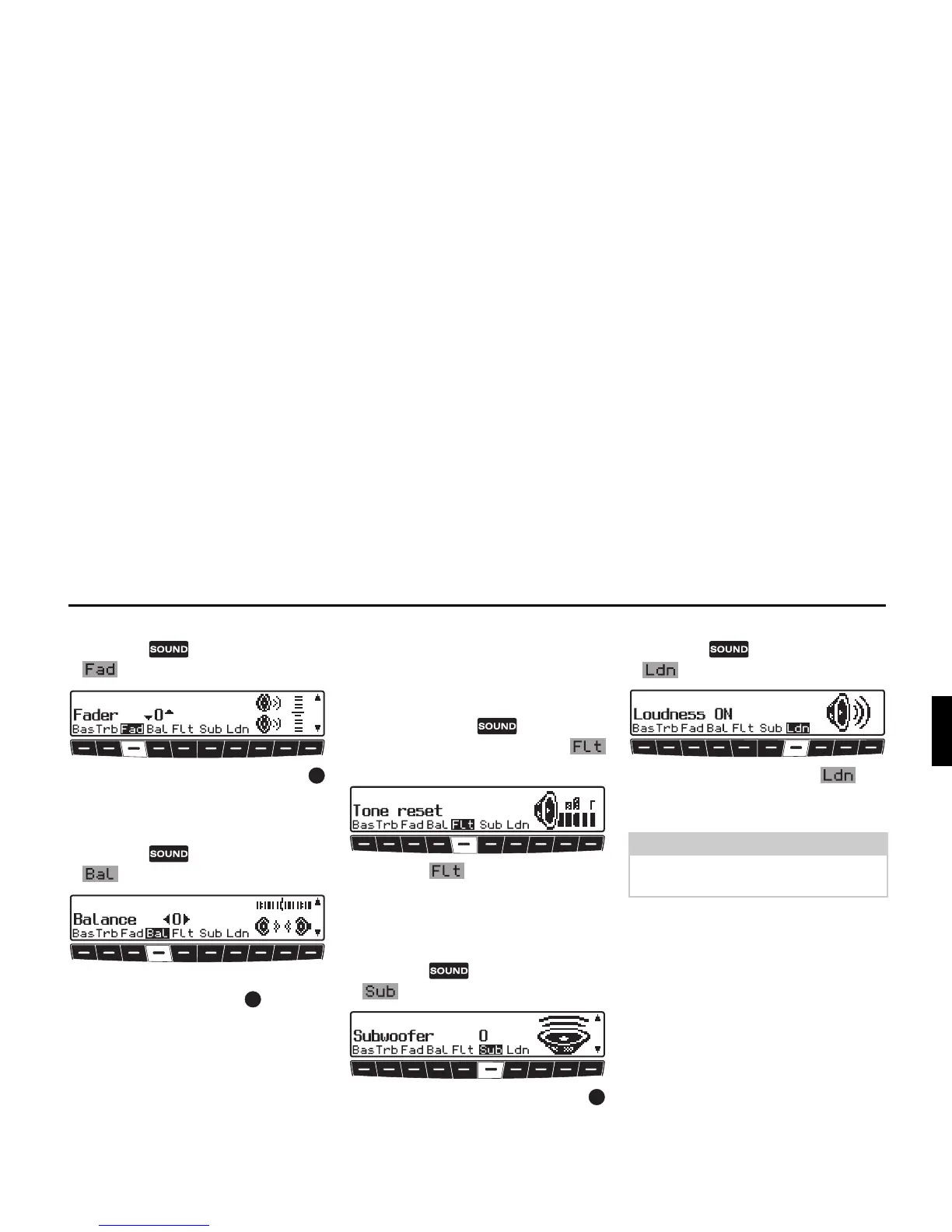
Fader
X Press the button and then the
multifunction button.
X Use the right-hand rotary control
to achieve the desired fader setting.
Setting the balance
X Press the button and then the
multifunction button.
X Set the desired balance level using the
right-hand rotary control .
Linear adjustment
The tone adjustments for the current sig-
nal source (i.e. FM) can be reset to a
mid-level.
X Briefly press the button. Then
press multifunction button
briefly -
Tone reset will appear.
X Press the multifunction button
again.
Adjusting the volume of the
subwoofer or centre speaker
X Press the button and then the
multifunction button.
X Use the right-hand rotary control
to achieve the desired subwoofer vol-
ume setting.
Switching loudness on / off
X Press the button and then the
multifunction button.
X With multifunction button you
can select either Loudness on (
ON) or
Loudness off (
OFF).
Note:
Loudness is switched off in MW, LW
and SW wavebands.















 To Next Page