EasyManua.ls Logo

Bematech BR200BT - Batch Mode Operation; Clearing Batch Data

Bematech BR200BT
89 pages
Print Icon
To Next Page IconTo Next Page
To Previous Page IconTo Previous Page
Loading...
Handy Wireless Scanner
25
USER MANUAL
Start Of Configuration
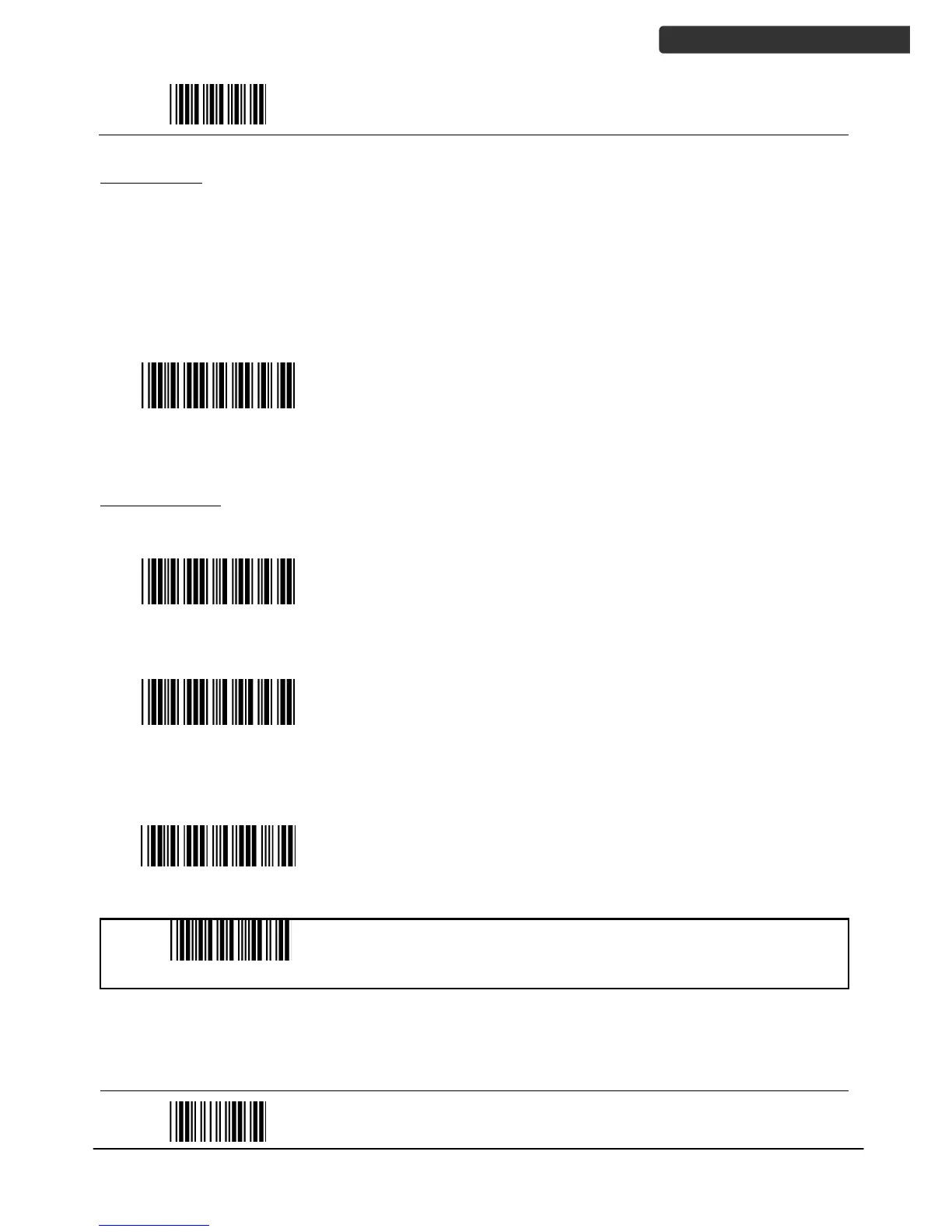
Batch Mode
Whether within the connection range or not, in batch mode, the scanner stores all
scanned data that will be transferred to the host computer after scanning Send Batch
Data label.
Number of storable bar codes = 61,365 bytes of memory / (number of characters in the
bar code +2)
Batch mode
Note: Scanner LED indicator will not flash while waiting for
connection in this mode.
Clearing Batch
Use the settings in this section to clear the stored data.
Clear batch data after
send
Saved data are cleared after they are transferred to the
host.
Clear batch data by
scanning “Delete batch
data” label
Scan this label then scan “Save Setting to delete the
stored batch data.
Delete batch data
Same as previous setting but with alert sound.
Confirm Setting (for address and pin code setting
required)
End Of Configuration

Table of Contents