35
How to adjust your monitor
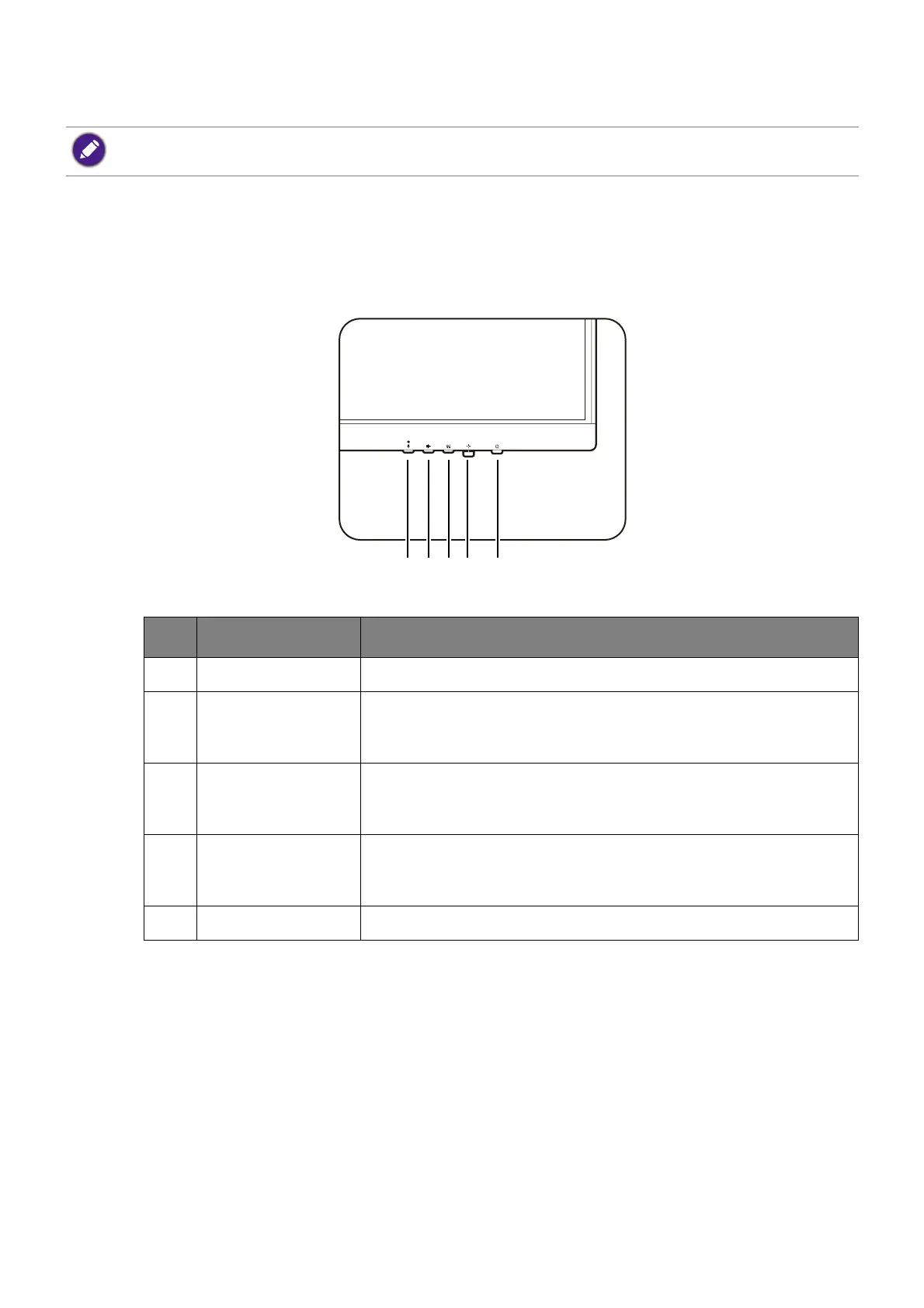
The control panel
BL2790QT/BL3290QT
The illustrations and the images shown in this document are for your reference. The actual content may vary
by the product supplied for you.
No. Name Description
1. MIC key Enables / mutes the built-in microphone.
2. Noise Filter
Speaker key
Accesses the setting menu of the Noise Filter Speaker. See
Working with the Noise Filter Speakers (selected models
only) on page 42 for more information.
3. Low Blue Light
Plus key
Accesses the setting menu of Low Blue Light Plus. See
Working with Low Blue Light Plus on page 40 for more
information.
4. 5-way controller Accesses the functions or menu items as instructed by the
on-screen icons. See 5-way controller and basic menu
operations on page 37 for more information.
5. Power key Turns the power on or off.


 To Next Page
 Loading...