21
Making connections
Preparations
When connecting a signal source to the projector, be sure to:
1. Turn off all equipment before making any connections.
2. Use only the correct type cables for each source with proper type plugs.
3. Ensurethatallcableplugsarermlyttedtotheequipmentjacks.
Note that all cables shown in the following connection diagrams may not be supplied with the
projector (See "Shipping contents" on page 7 Shipping contents). Most cables are commercially
available from electronics stores.
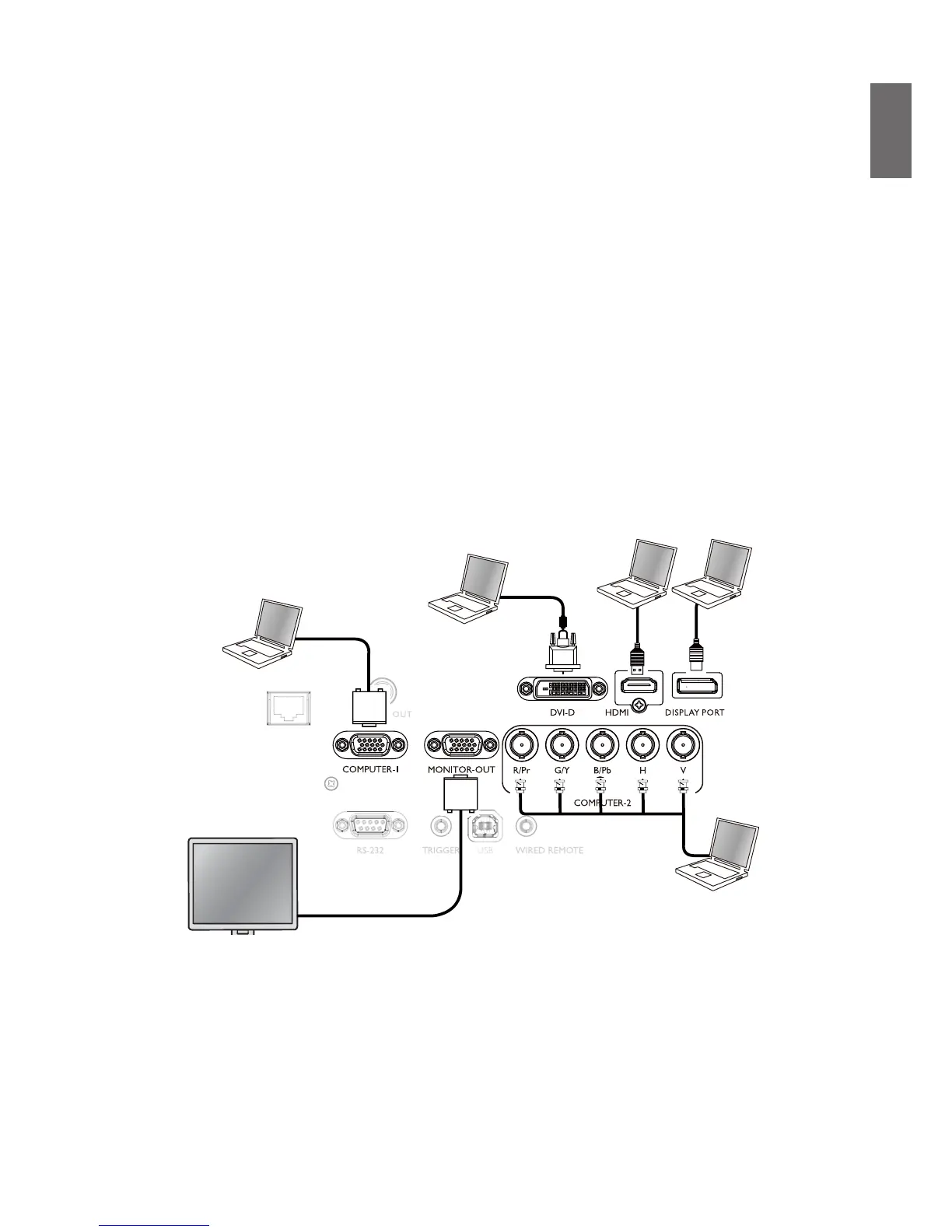
Connect to PC
You may connect a PC to your projector with a DVI-D, HDMI, RGB or RGBHV (BNC) cable for
projection, and connect an external display to your projector for concurrent viewing if the input is
RGB signal.
HD


 To Next Page
 Loading...







