41
• Color
Press
◄►
arrow key to adjust color temperature of image.
• Sharpness
Press
◄►
arrow key to adjust values of high frequency details.
• Noise Reduction
Press
◄►
arrow key to adjust noise of projection image. This function helps eliminating image
noise caused by interlaced scanning input. In general, image noise reduction decreases value of
high frequency details and makes the image looking smoother.
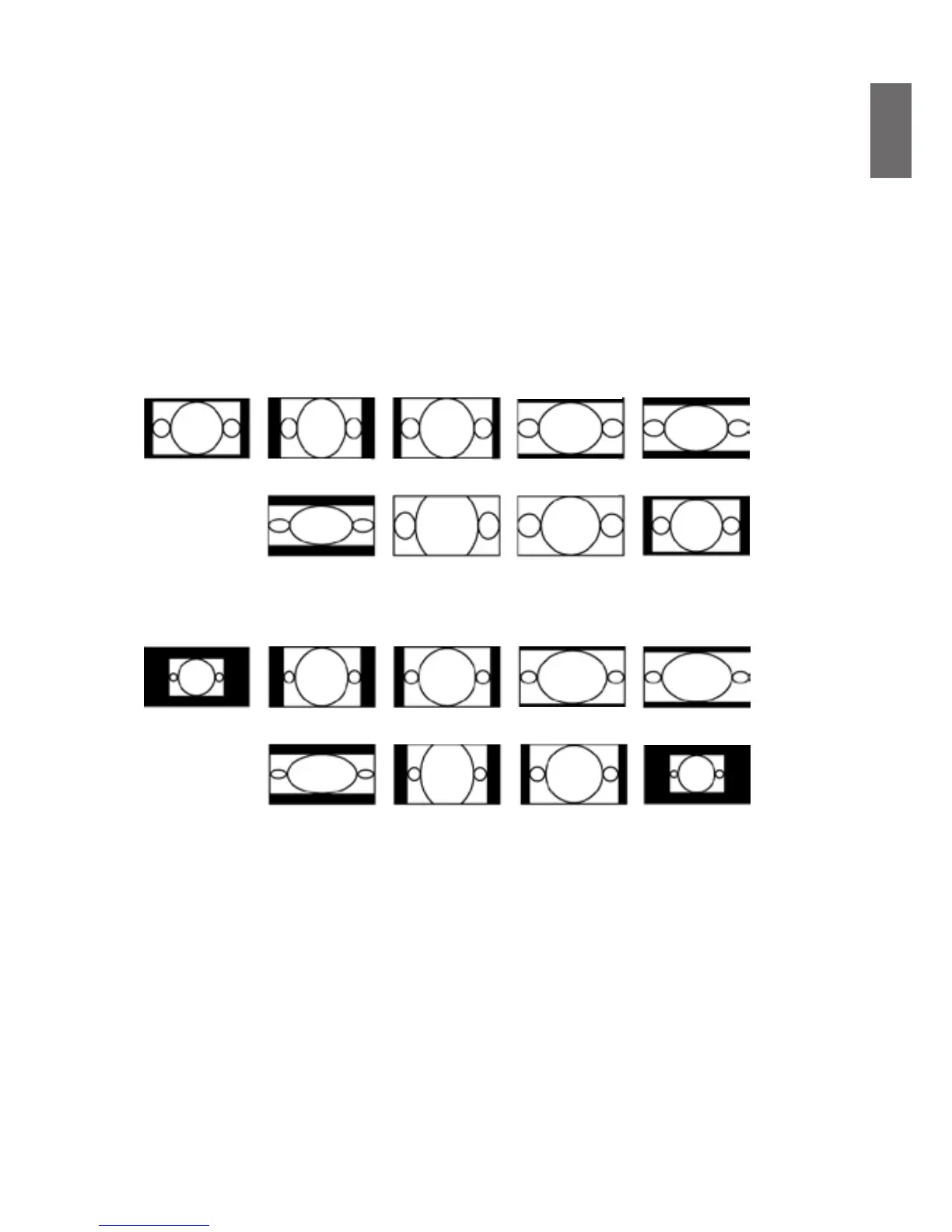
• Aspect Ratio
Use this option to adjust aspect ratio.
For normal input of 16:10 the aspect ratio will look like the following images:
For normal input of ratio 4:3, the aspect ratio will look like the following images:
• Overscan
Input source may be not an image with 16:10 ratio and there may be noise at image margin.
Select one of the three options to hide image margin:
• VGA Setup
Set up VGA signal display's H Total, H Start, H Phase and V Start.
• Auto Sync
Press Enter key to execute Auto Sync funtion.
Normal output
16:10
Normal output
4:3
Aspect ratio of
output screen
5:4
Aspect ratio of
output screen
5:4
Aspect ratio of
output screen
2.35:1
Aspect ratio of
output screen
Letter Box
Aspect ratio of
output screen
4:3
Aspect ratio of
output screen
16:9
Aspect ratio of
output screen
1.88
Aspect ratio of
output screen
2.35:1
Aspect ratio of
output screen
Letter Box
Aspect ratio of
output screen
Auto
Aspect ratio of
output screen
Auto
Aspect ratio of
output screen
Real
Aspect ratio of
output screen
Real
Aspect ratio of
output screen
4:3
Aspect ratio of
output screen
16:9
Aspect ratio of
output screen
1.88



 To Next Page