49
Caution:
The projector supports DLP Link and 3D IR sync. After 3D mode is enabled, you can sync the signal of 3D glasses
with both built-in DLP Link and external 3D IR transmitter or close the former and rely on the latter for 3D signal
sync.
Please remember:
• People with the following conditions should view 3D images with great care:
- Children under six years old
- Those with light sensitization disease, ah istory of heart disease and poor health
- Those experiencing physical fatigue or a lack of sleep
-Thoseundertheinuenceofdrugsoralcohol
• Under normal conditions it is safe to view 3D images. Some might feel discomfort. Please refer to the guidelines
made public by the 3D alliance on 2008-12-10. Please take at least 5-15 minutes rest for every 30-60 minutes
viewing.
• Language
Select desired language displayed in your OSD menu: English, French, Spanish, Dutch, Portuguese,
SimpliedChinese,TraditionalChinese,Japanese,orKorean.
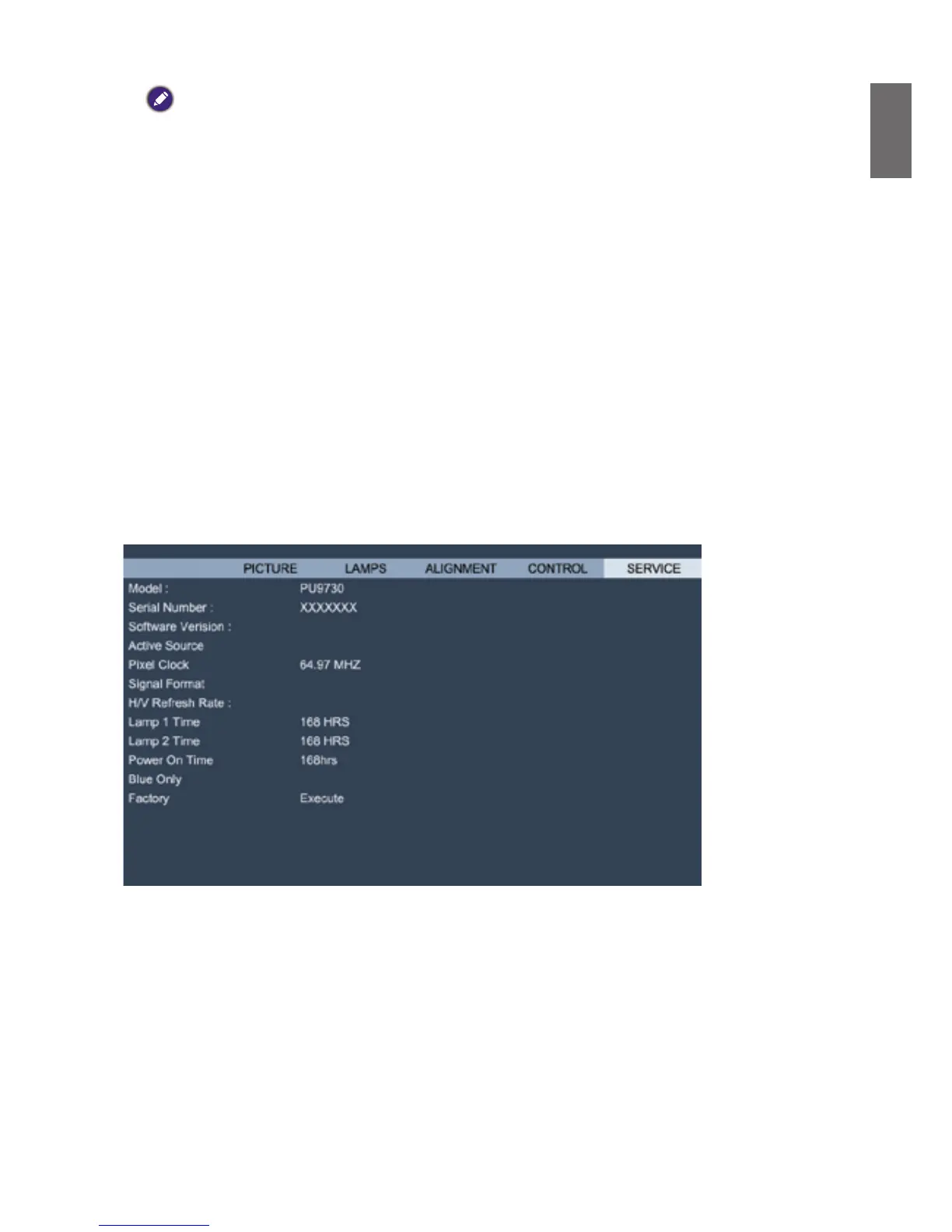
OSD menu - SERVICE
MPxx-0Dxx-PUxx-RDxx-SExx-PDxx-xxxx
VGA
1024x768 @60Hz
H: 49.578 KHZ V: 60HZ
< Off >>
DISPLAY
Display basic information on the projector.
• Model
Projector model number
• Serial Number
Projector serial number
• Software Version
Version of software installed in the projector.
• Active Source
Display signal source being used.



 To Next Page