40
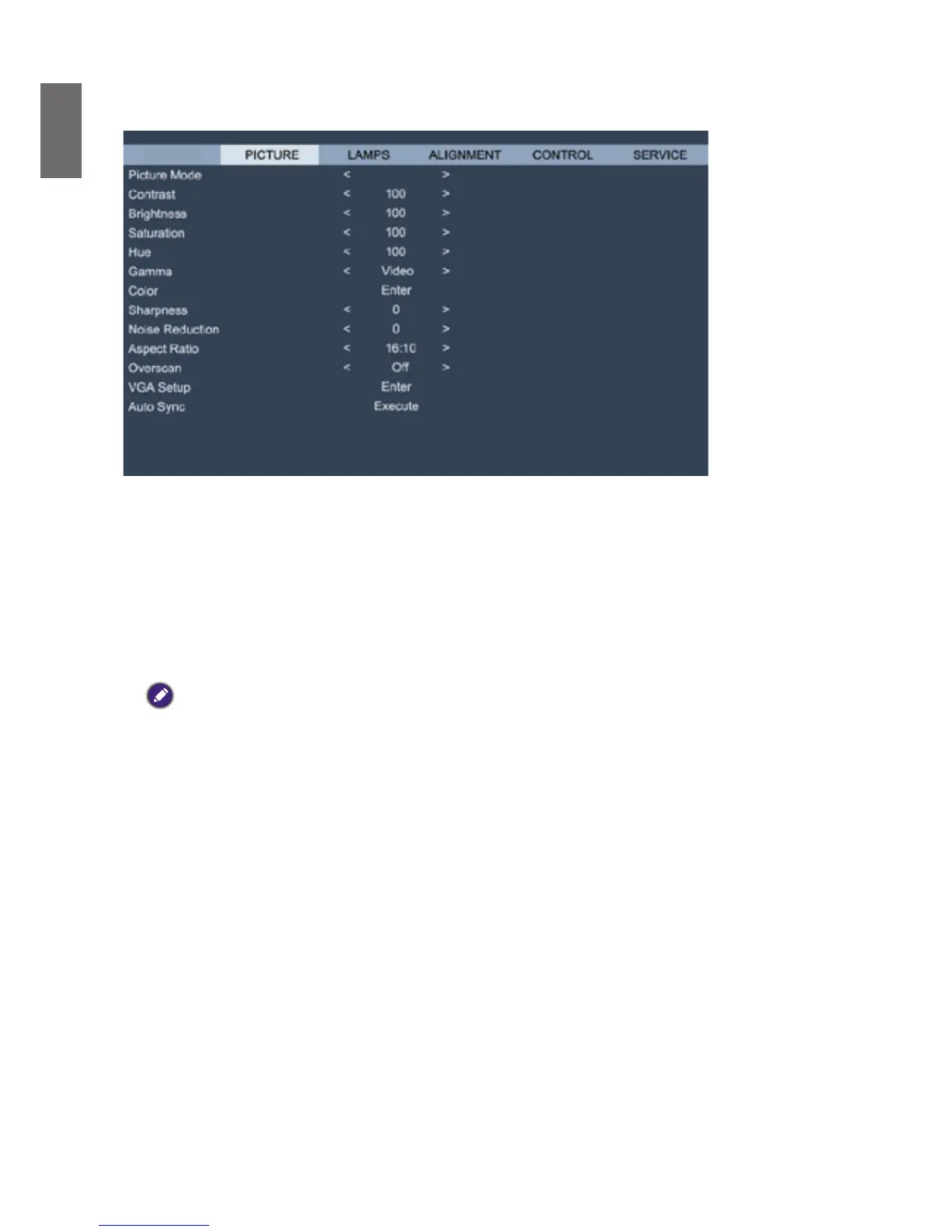
OSD menu - PICTURE
Dynamic
DISPLAY
• Picture Mode
Press
◄►
arrow key to select display mode.
Dynamic: Output in the highest brightness for application that requires higher brightness
Presentation: Display the best image effect for presentation or static image projection.
Cinema:Displayinbestcoloreffectforlmplayback.
• Contrast
Press
◄►
arrow key to adjust image contrast.
Caution:
Brightnessandcontrastaretwomutuallydependentfactors.Toachieveoptimizedsettingsyoumayhavetone
tune brightness settings after contrast adjustment.
• Brightness
Press
◄►
arrow key to adjust image brightness.
• Saturation
Press
◄►
arrow key to adjust saturation level. (The higher the level the more saturated the
color.)
• Hue
Press
◄►
arrow key to adjust hue level of color.
• Gamma
Details of darker areas in an image may look worse when ambient light is very bright. You may
use the following gamma correction options to adjust color difference of image.
Film: Adjust color difference correction to approximate Gamma 2.2.
Graphics: Apply to situation where brightness at the expense of gray scale precision is required
by computer demonstration document.
Video:Similartolmcolordifferencecorrectionbutdiffersinthedarkercoloredareasofan
image. This addresses the image creation function employed by cameras.
Linear: Linear color difference correction.
2.2: Set color difference correction to 2.2.



 To Next Page