Setting up the display
7
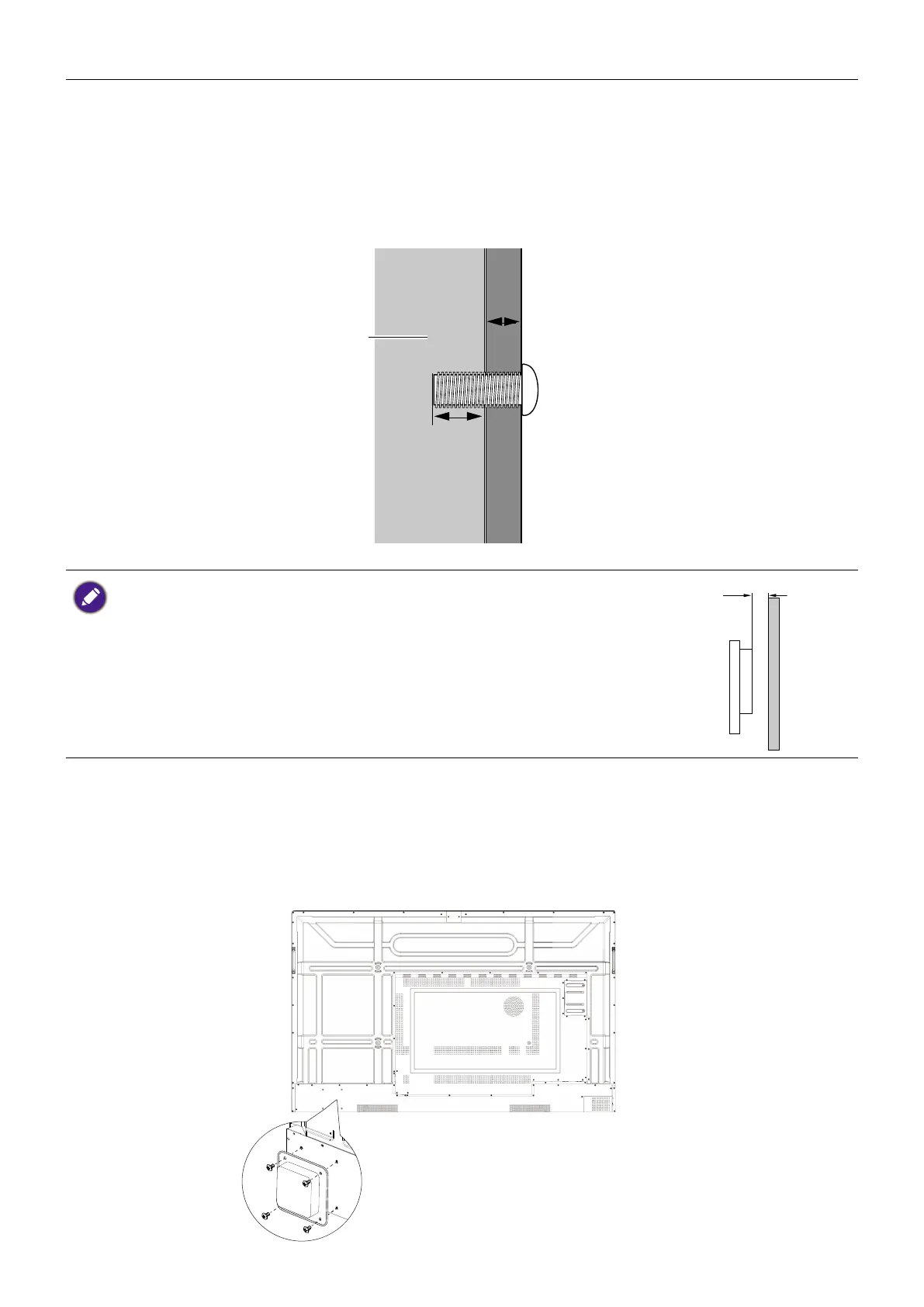
4. Install the wall mounting bracket on the display and attach the display to the wall
according to the mounting bracket’s instructions. The length of the screw should exceed
the thickness of the wall mounting bracket by at least 25 mm. Make sure that all screws
are tightened and secured properly. (Recommended torque: 470 - 635N•cm). The
mounting means should be strong enough to bear the weight of the display.
Thickness of the wall
mounting bracket
25 mm
(0.39")
LCD display
• To maintain proper ventilation, keep at least 10 mm of clear space
from the back cover of the display to the wall.
• Please consult a professional technician for wall mount installations.
The manufacturer accepts no liability for installations not performed
by a professional technician.
Installing an external PC
The back of the display has four screw holes at its bottom-left side with a dimension
of VESA mount 100x100mm. You can secure the PC onto the display with four screws
(maximum torque: 4-5 kgf-cm).



 To Next Page