Basic operations
24
User Management
To add a new user, please contact your IT manager to create your account through BENQ
IAM web service.
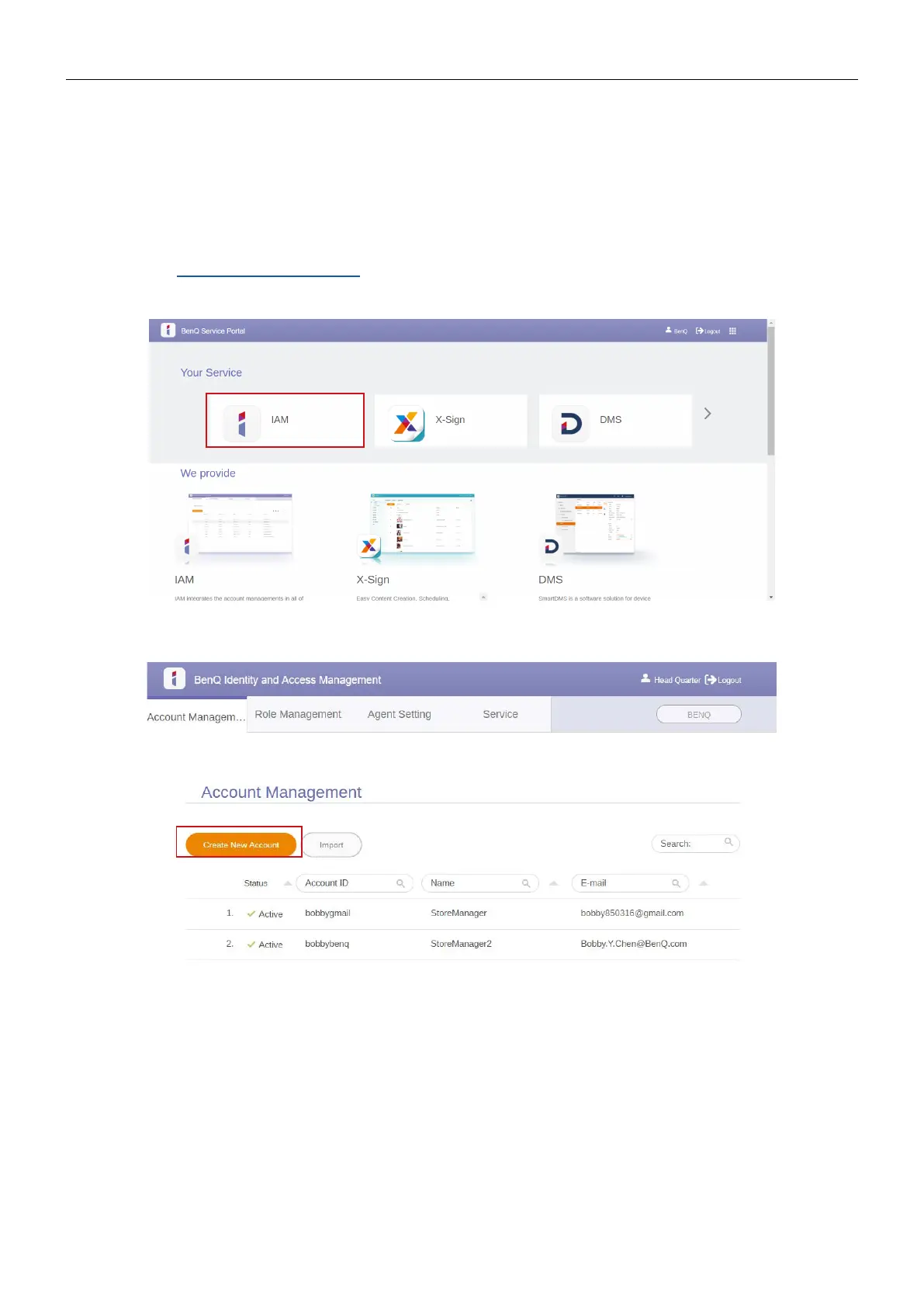
Creating a new account
1. As an administrator to create a new account for regular users, go to BenQ Service
website: https://iam.benq.com. Suggested browsers are Chrome and Firefox.
2. Log in and choose IAM.
3. Click Create New Account to continue.



 To Next Page