Parts of the display and their functions
13
Using the remote control
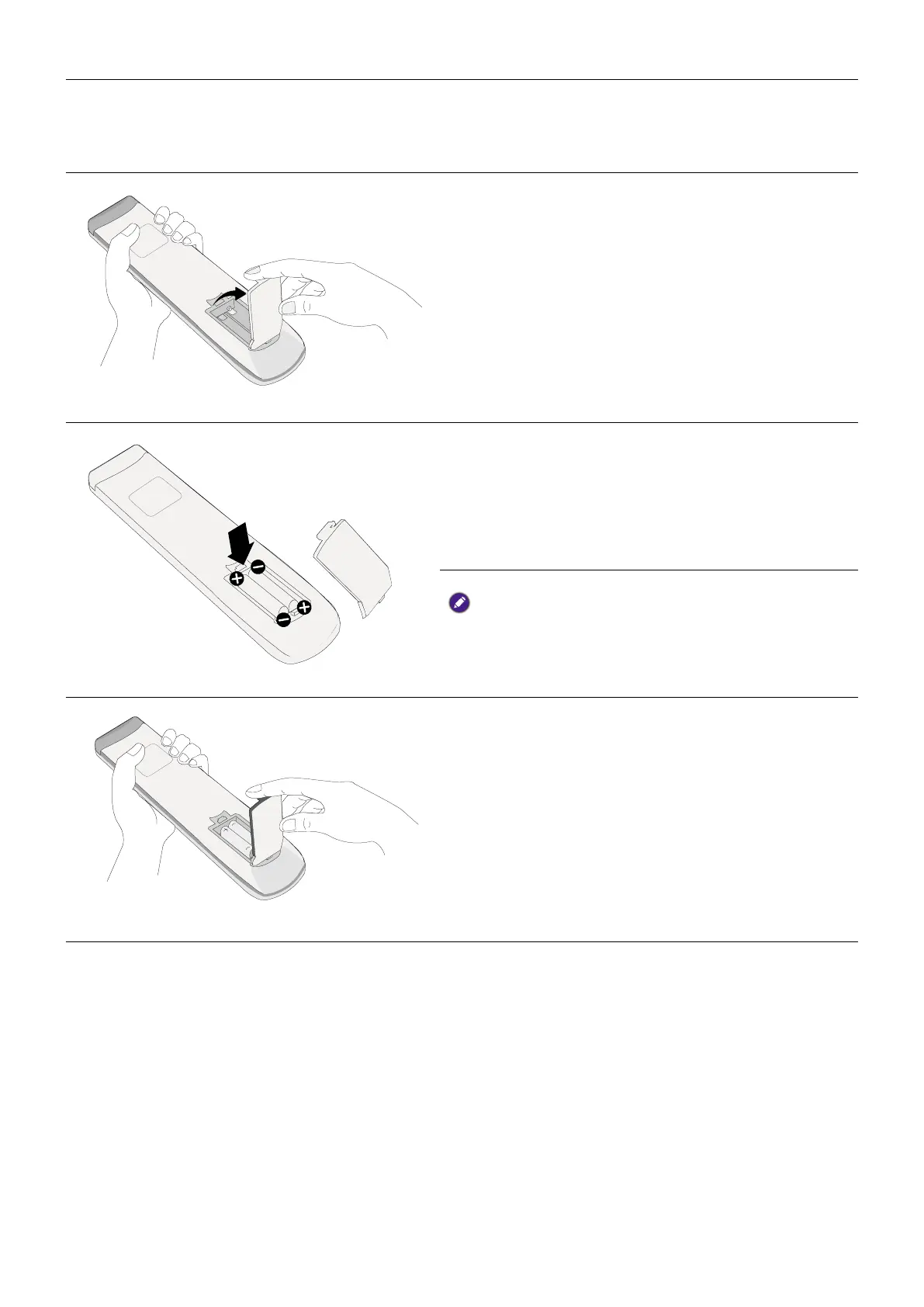
Installing remote control batteries
1. Open the remote control battery cover.
2. Insert the supplied batteries, ensuring the
positive and negative ends are facing in the
correct direction.
The supplied batteries are provided for your
convenience so that you can operate the display
straight away. You should replace them as soon as
possible.
3. Put the cover back on.



 To Next Page