Connections
20
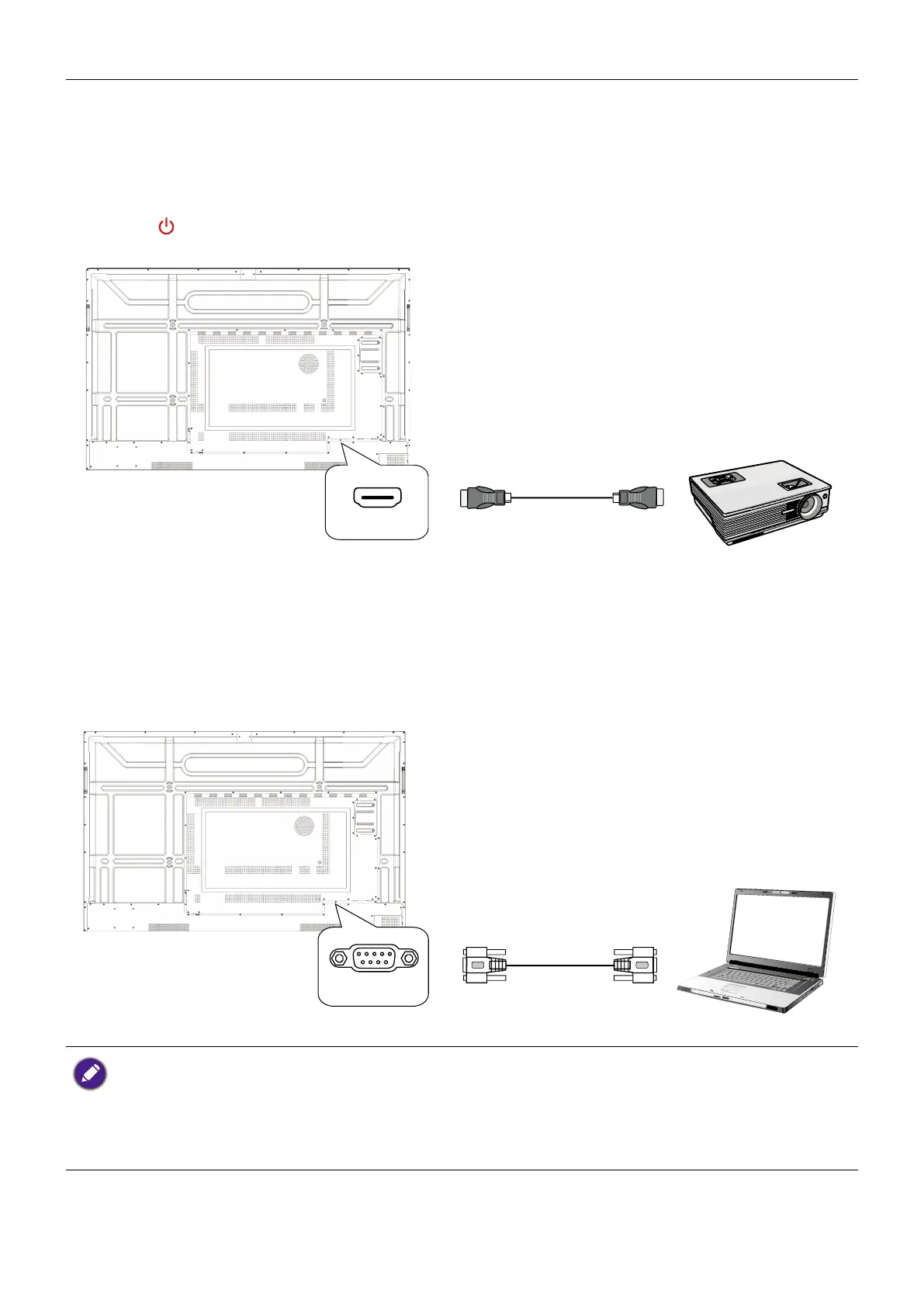
Connecting the video output
1. Use an HDMI cable to connect the HDMI-OUT port to the respective input port
on the device.
2. Plug in the power cord and switch the power on.
3. Press
on the remote control to turn on the display.
HDMI-OUT
Connecting to serial port
Directly connect a computer to the RS232 port on the input/output terminals.
RS232
• The applicable cable is not supplied and should be purchased separately.
• This connection is applicable to straight-through RS-232C cable only.
• After using serial port line to connect central control equipment and machine, certain function
of the machine can be controlled via central control equipment, such as: machine on/off, and
adjustment of sound volume, etc.



 To Next Page