33
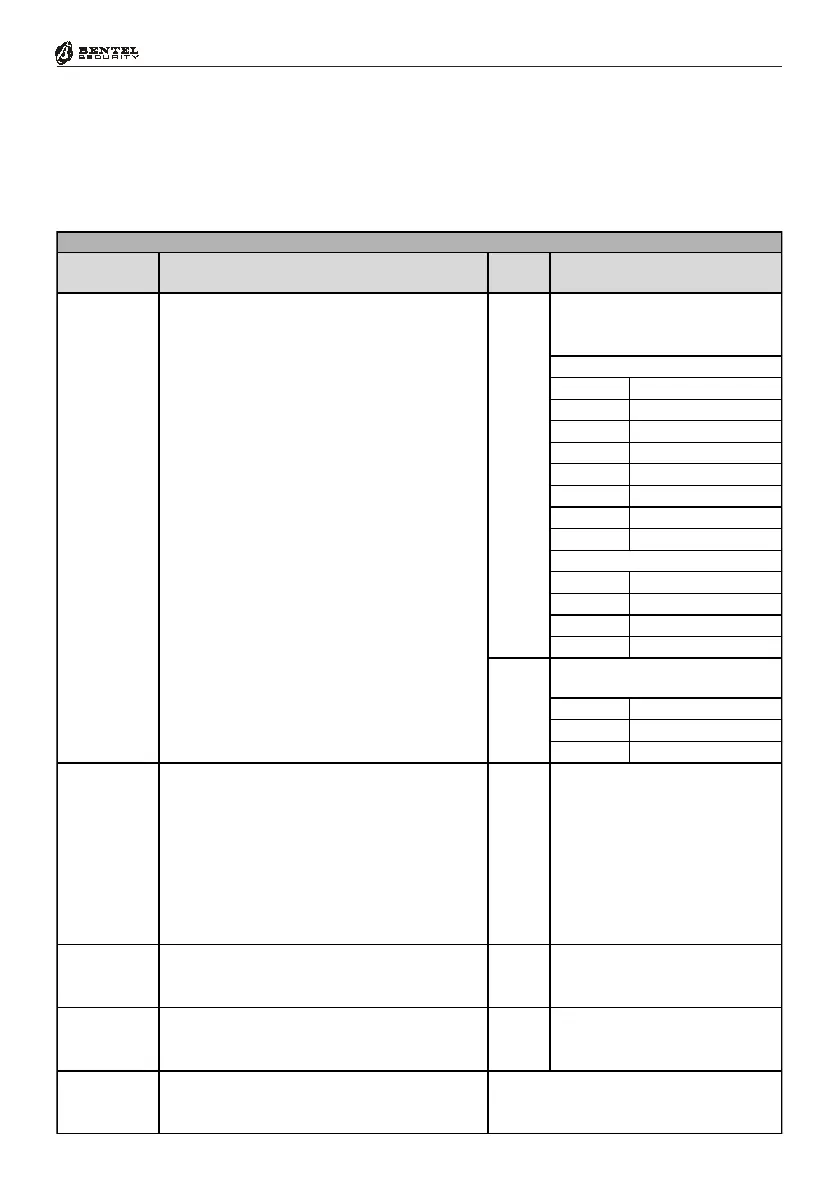
Programming from the LED Keypad
Assigning Zones to
Partitions
-J_^U !
-J_^U "
-J_^U #
-J_^U $
-J_^U %
-J_^U &
-J_^U '
-J_^U (
!"#
$%%
!
&
'"'#
!
"!
()
-J_^U !
-J_^U "
-J_^U #
-J_^U $
-J_^U %
-J_^U &
-J_^U '
-J_^U (
&
'"'#
'#$
'#
'
'%
'&
'
''
'"
%*'*&+*'*(
-J_^U !-J_^U $-J_^U '
-J_^U "-J_^U %-J_^U (
-J_^U #-J_^U &
(
'%
',-%
(
,
-J_^U !-J_^U $-J_^U '
-J_^U "-J_^U %-J_^U (
-J_^U #-J_^U &
*
". "%#$%
##&/,
"',#$'0.
*1)
%232202
-J_^U !
-J_^U #
-J_^U %
-J_^U "-J_^U $-J_^U &
0 411
1. Enter a Parameter Number from 165 – 193 (refer to Tab. 7a for details), then
press
E.
NOTE: At this point, keys
1 to 4 correspond to Partitions 1 to 4.
2. Using keys
1 to 4, assign the Zone to the Partitions (refer to Tab. 7a for
details).






 To Next Page