PROGRAMMING
All the B-TEL99 parameters must be set during the programming phase.
The parameters can be set according to installation and user require-
ments.
The parameters are: r Installer PIN r Telephone numbers r Alarm mes-
sages r User Command PIN r Message management r Number of call cy-
cles r Message playback time r Dialling type (DTMF or Pulse) r Dial-tone
check r Voice answer detection r Dial-tone type.
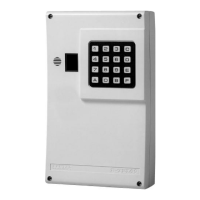
Parameter programming is done on the B-TEL99 dialler keypad with the
assistance of the display. It is possible to select the parameter and enter
the required value by means of the keys,
+
All the programmed data (including the alarm messages) are stored indefi-
nitely on a non-volatile memory, even in the event of total power failure.
Fast Keys
The following keys have specific functions for all parameters.
e Enter. This key confirms the entered parameter.
f Quit. This key quits the operation in course, without modifying the current
value.
c Cancel. During the telephone number programming phase, this key can-
cels any wrong digits entered before pressing e.
d Display. This key allows parameter viewing during the programming
phase. For example, to view the set number of call cycles press:
Ø a b to select programming options;
Ø 2 to select the option number, in this case call cycles;
Ø d to view the set value.
+
Check the entered value immediately after pressing e.
+
At this point in the procedure it is possible to modify the value by entering
the new value and pressing e to confirm.
New values
To modify a programmed parameter value, just enter the new value over
the current value.
PROGRAMMING 15


 To Next Page