23
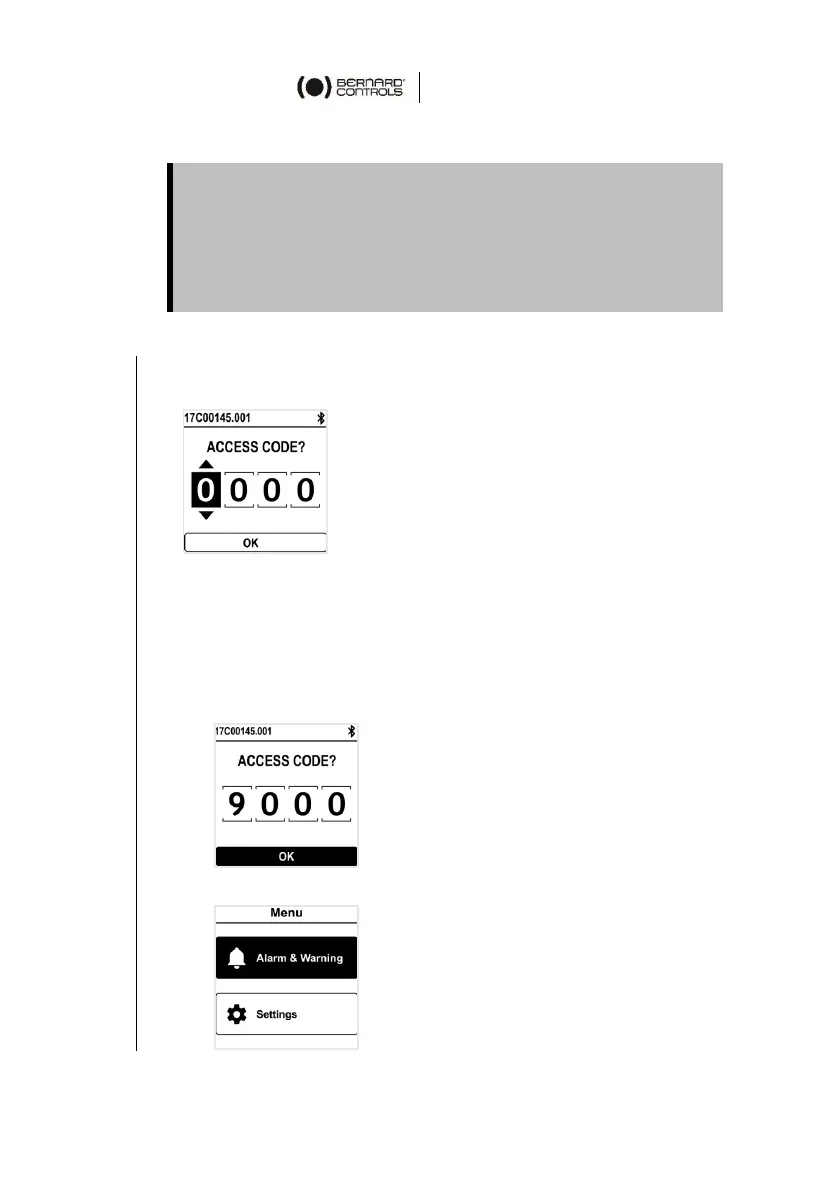
To enter the actuator menu, you need first to enter the access code.
If you are the end-user:
At the first on-site start, we strongly advise you to modify the
default Bluetooth
®
access codes. To proceed to these changes,
please follow the 2 following procedures.
Initial access codes are 0000 to check settings or 9000 to
modify them.
How to enter the access code with Control panel
1. Hold the left knob on the right, and turn left then right the
right knob. Menu access screen appears.
2. Enter the access code
a. Set the digit value with
and .
b. Validate with OK when value is right.
c. Set the following digit.
If you validate a wrong value, choose ESC and reset it.
d. Once you have set all digits, validate with OK.
The actuator menu appears


 To Next Page
 Loading...