35
5.7 Set LEDs configuration
Your LEDs configuration can be adjusted according to the standard
of your country.
How to set LEDs configuration
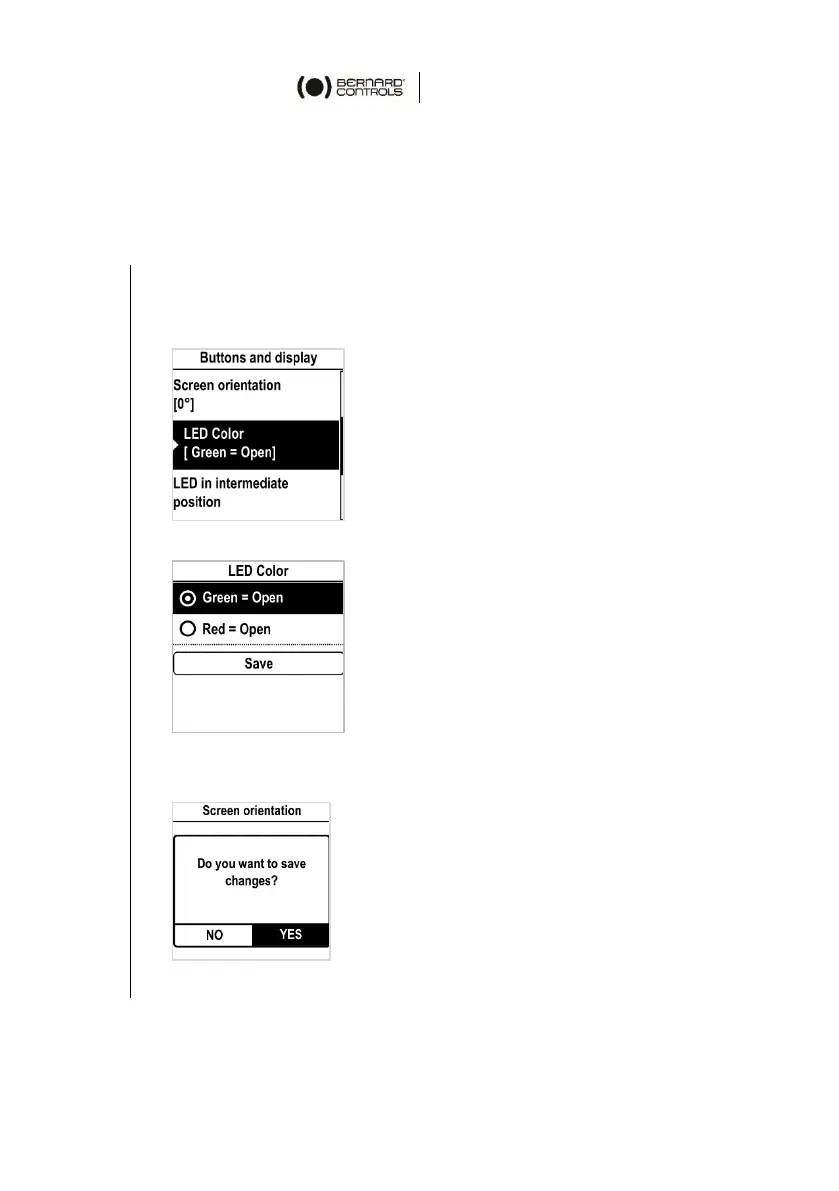
1. Enter the menu, then go to Settings > Buttons & Display.
The Buttons & Display screen appears.
Go down in the menu to LED color.
2. Validate with OK. The LED color screen appears.
3. Select corresponding setting then validate with OK.
4. Go to Save and validate it. The confirmation screen appears.
5. Select YES and validate.


 To Next Page
 Loading...