4.2. Installing & Adjusting the Screen
Installing the Touchscreen
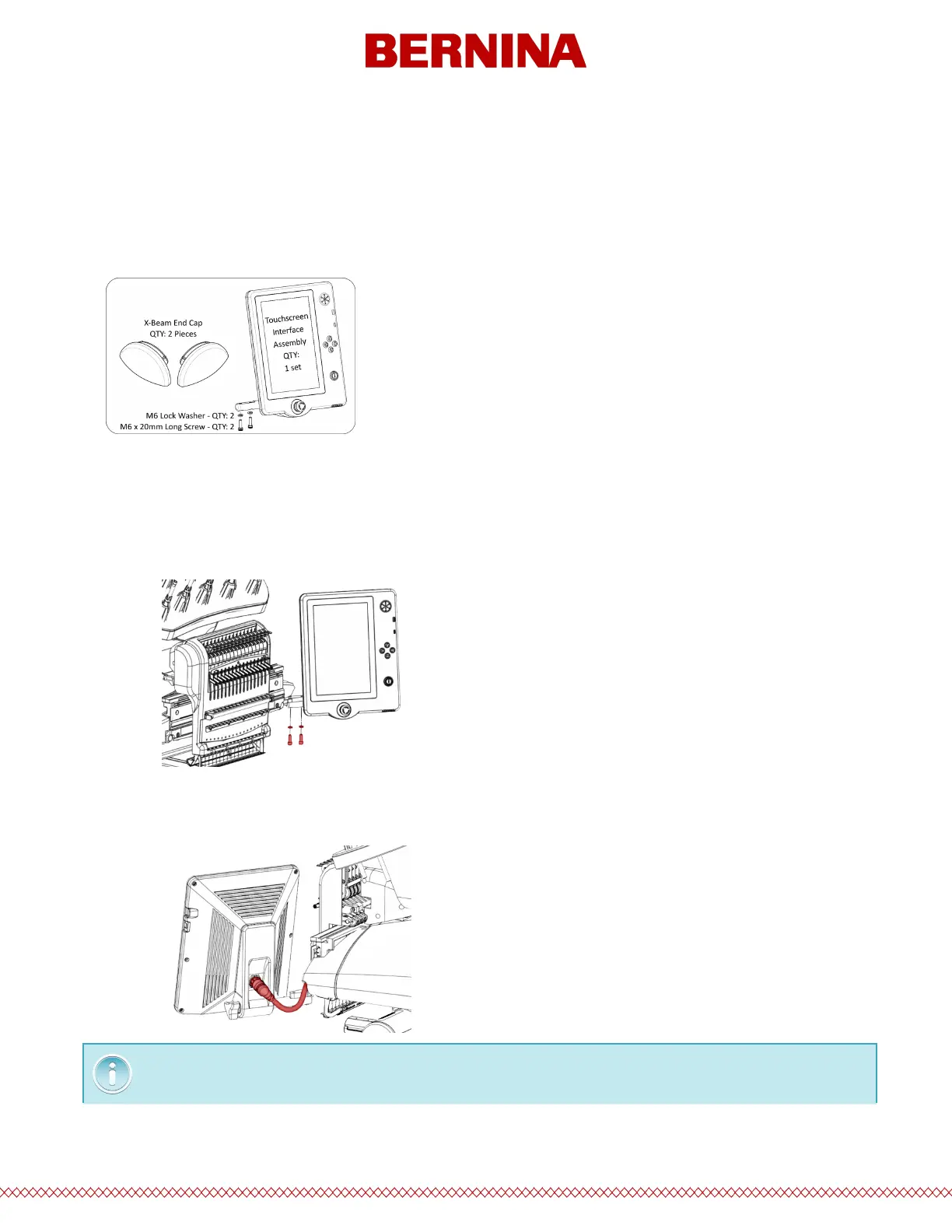
1. Locate the box containing the Touchscreen Assembly and X-Beam End Caps. The box is labeled with
the following:
2. Attach the Touchscreen Assembly.
a. Using the two screws and two lock Washers that came with the Touchscreen Assembly, attach
the Touchscreen Assembly as shown in the image using a 5mm hex wrench (provided in the
Machine Operator’s Kit).
b. Route the cable (shown in red) from under the right-side Machine Cover and plug it into the
back of the Touchscreen Assembly.



 To Next Page